Features of !SEMTools
↑ Навигация по задачам в Excel и возможностям надстройки !SEMTools ↑

Data analysis

Data analysis in Excel: ABC analysis, shares and running totals, finding duplicates and repeated values, n-gram and search query analysis.

ABC analysis in Excel

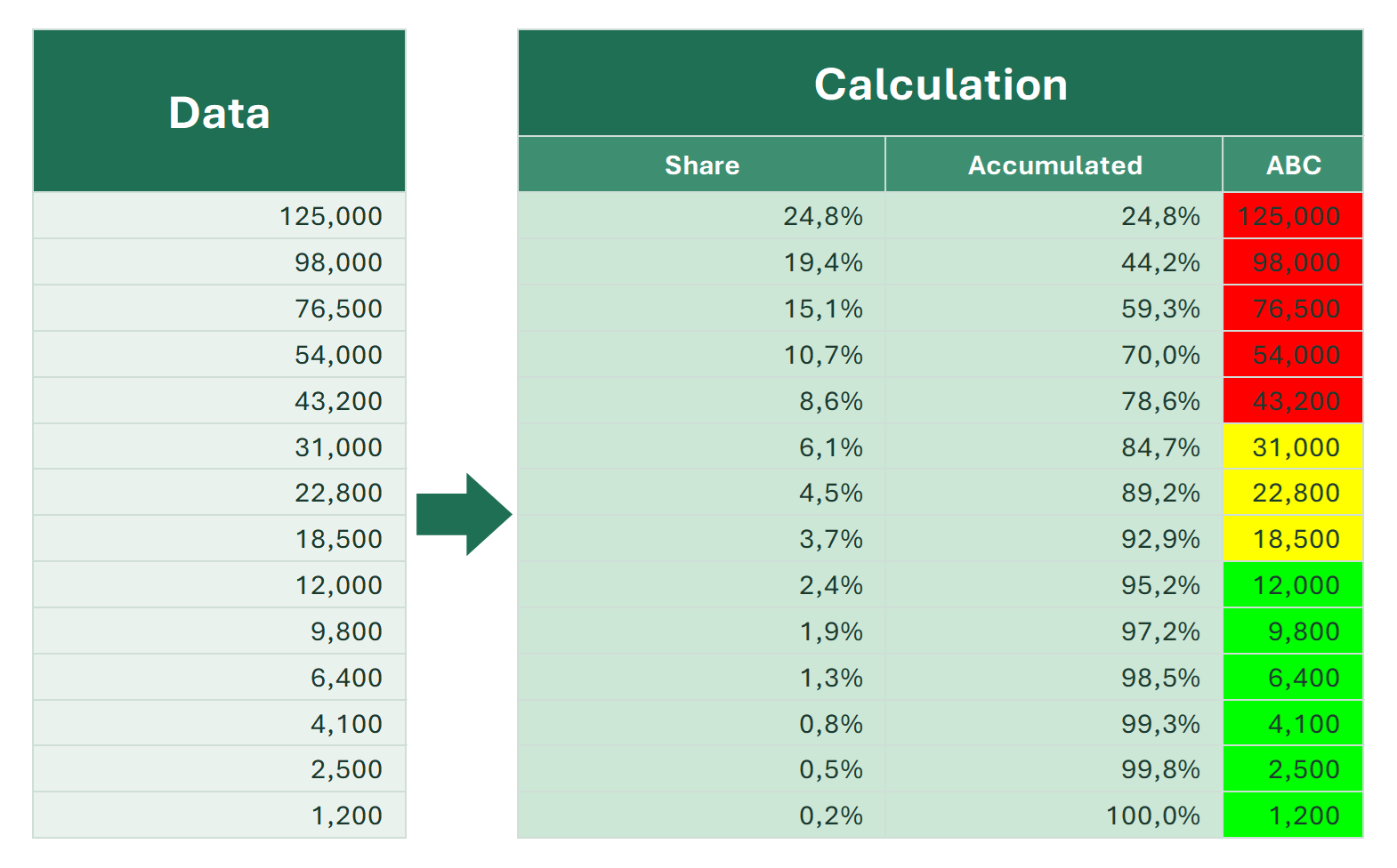
How to do ABC analysis in Excel: sort, calculate the cumulative share, assign classes A, B and C with IF, do it without sorting, and in 2 clicks for free.

This article is about ABC analysis in Excel. Don’t confuse it with the ABS function. The free !SEMTools procedure described at the end does it in two clicks.

9 min
Count repeated values in Excel

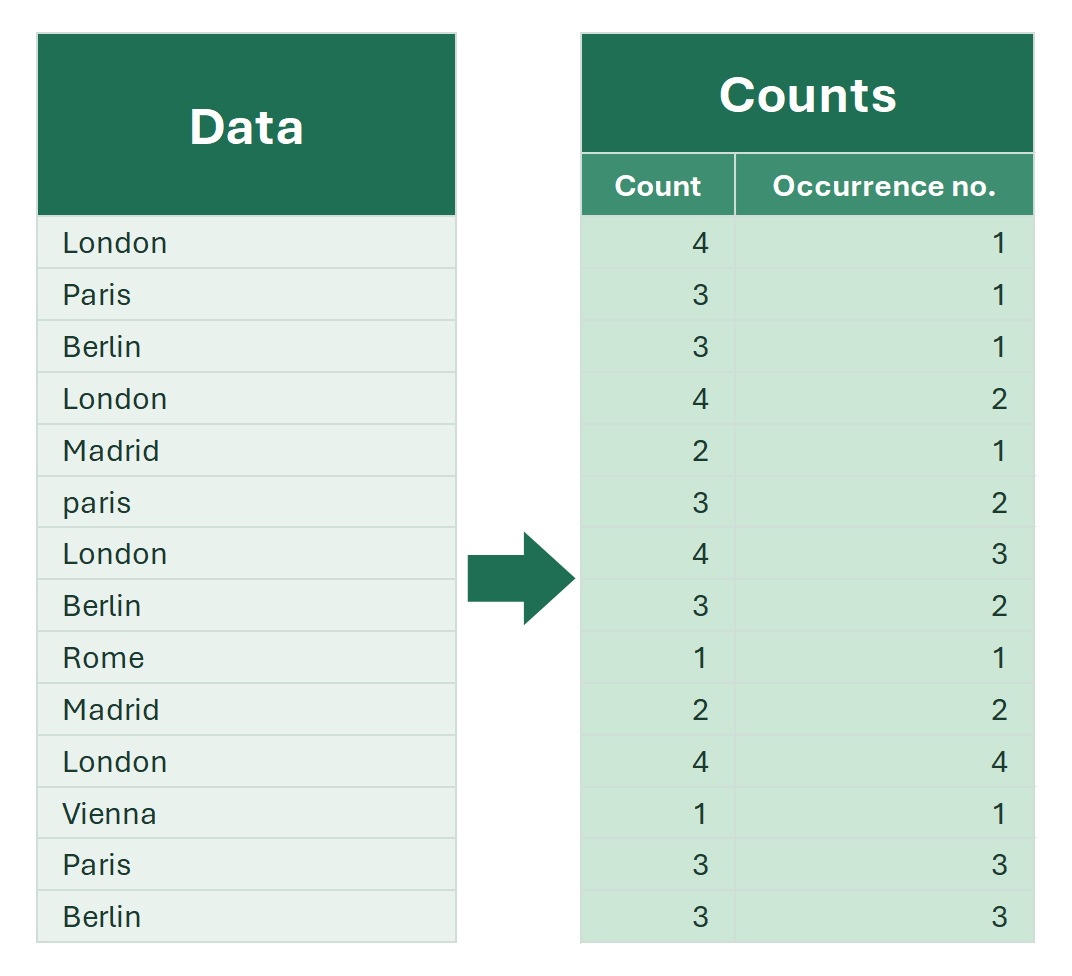
How to count how many times each value repeats in an Excel column: COUNTIF, the occurrence number, a case-sensitive count, a pivot table and !SEMTools.

When working with data in Excel, you often need to know how many times a value occurs in a column. It helps to analyze repeats, count the frequency of words or…

Cumulative share (running percentage) in Excel

How to calculate the cumulative share (running total percentage) in Excel: SUM with a growing range, SCAN in Excel 365, without sorting, and in one click.

When analyzing data, it’s important not only to sum the values, but to understand what share each row takes in the total on a running basis. This shows the…

Find cells by several conditions in Excel

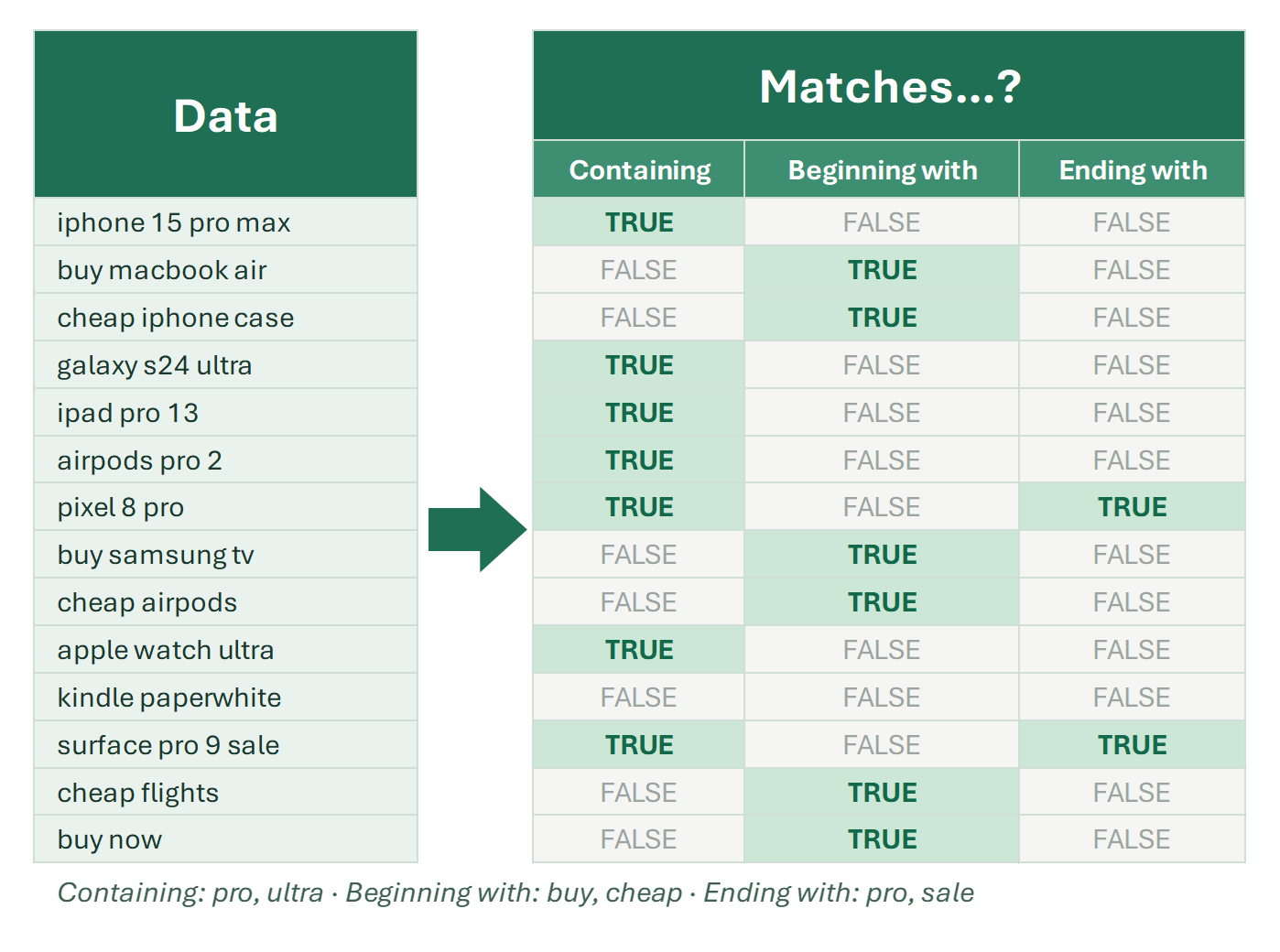
How to find cells by several conditions in Excel: equals, contains, begins or ends with any value from a list. OR, SEARCH, COUNTIF and FILTER formulas.

Finding several values in Excel in one go is not a trivial task. The AutoFilter’s Custom Filter dialog accepts at most two conditions. They can be completely…

Find specific cells in Excel

Every way to find cells in Excel by criteria: content, partial match, repetition, attributes like color, font and borders. Built-in tools and formulas.

Finding the right cells by one condition or several is one of the most common tasks in Excel. Cells with a certain word, with numbers inside text, duplicates…

15 min

Finding tools

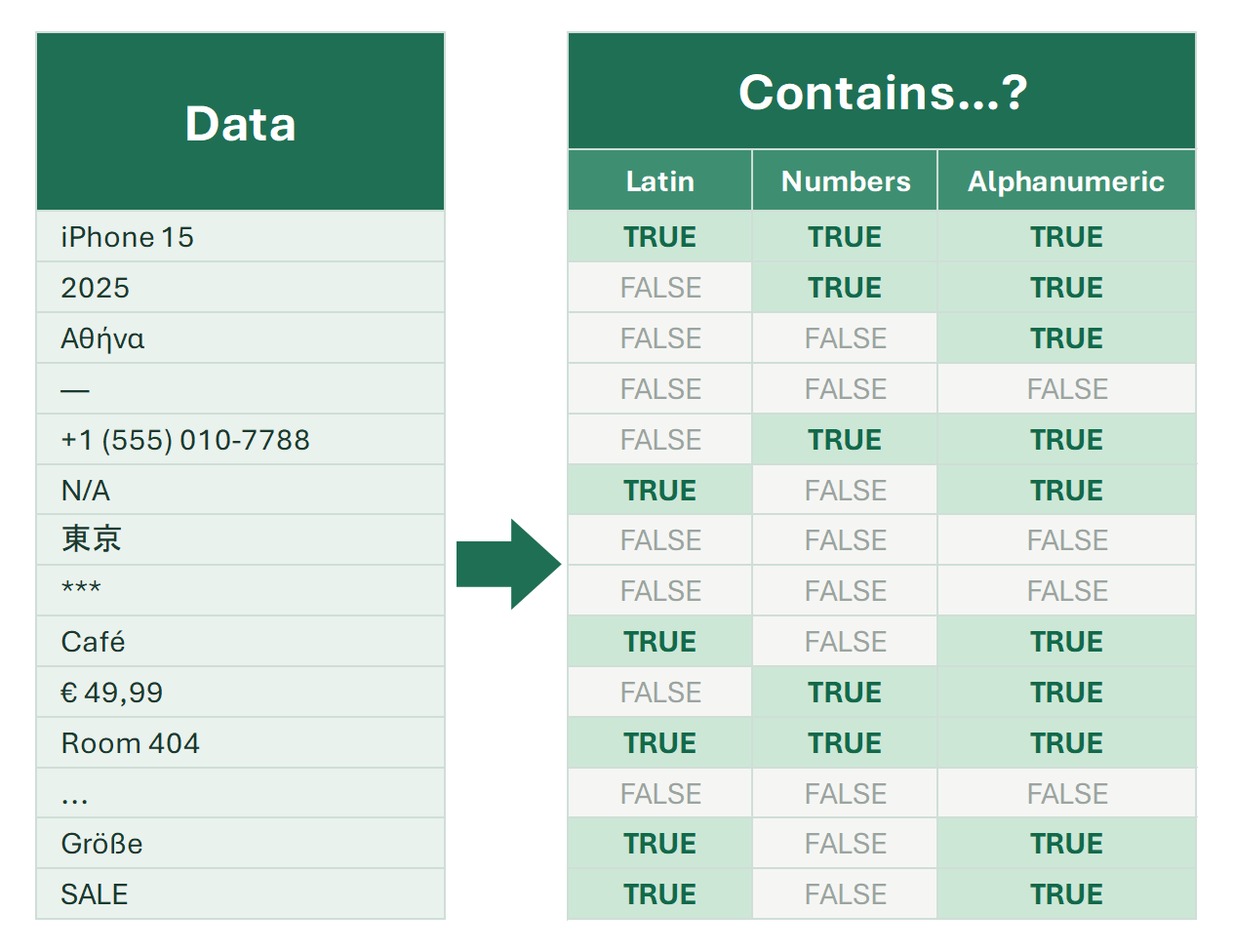
Tools and functions to find and highlight data in Excel cells by one or several conditions. Each returns TRUE/FALSE for quick filtering.

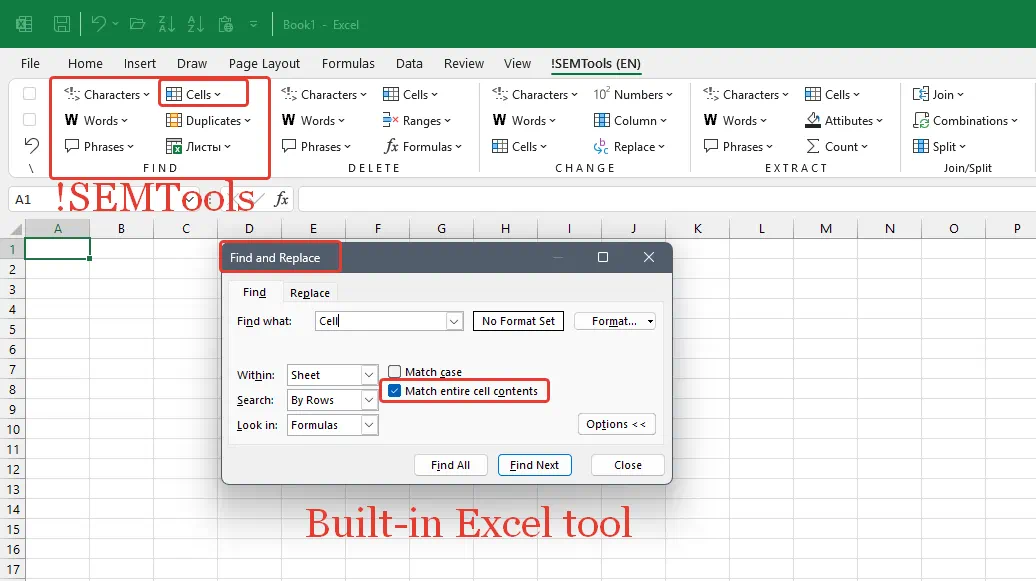
Searching in Excel is not only the Ctrl+F button, but a whole system of tools, functions and techniques. To choose the right search method, it’s important to…

5 min

Implicit duplicates in Excel

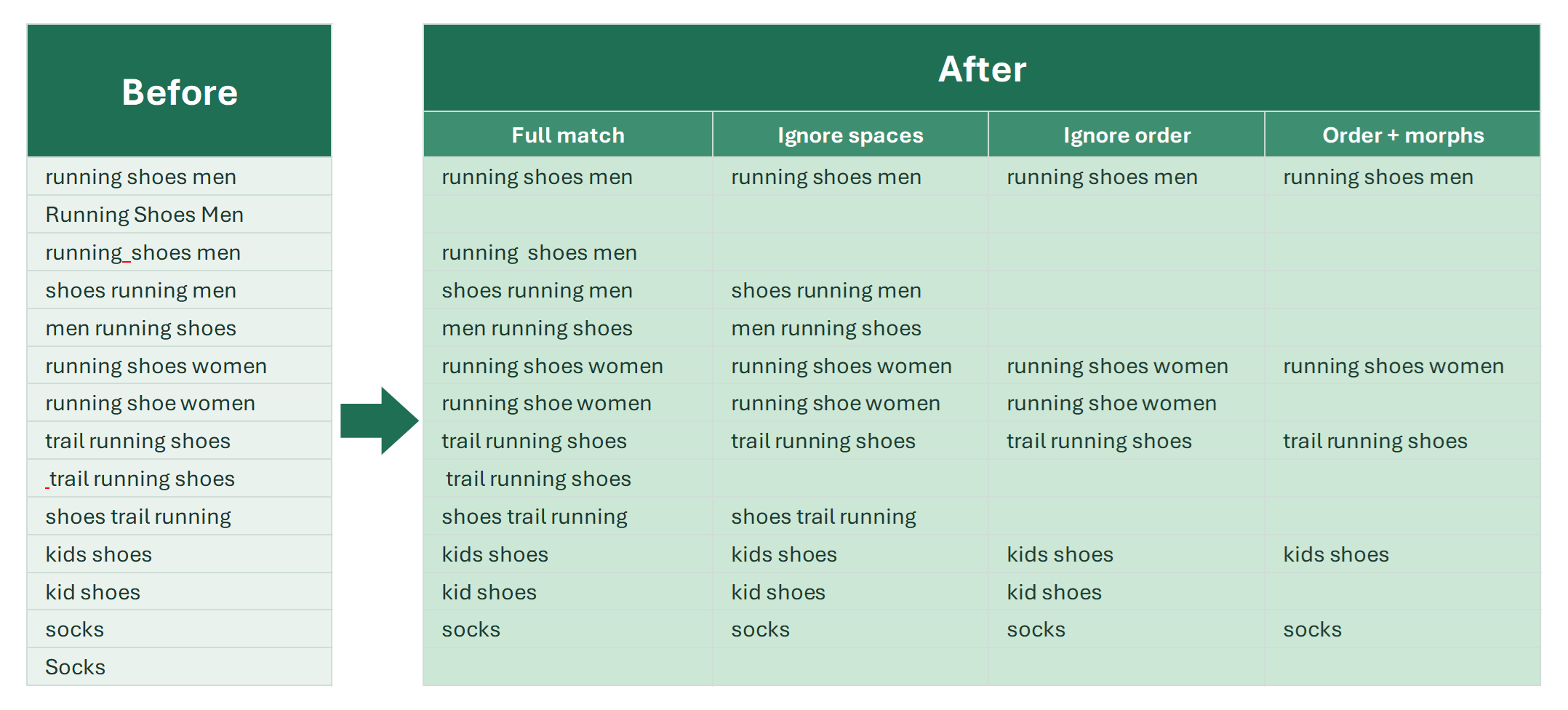
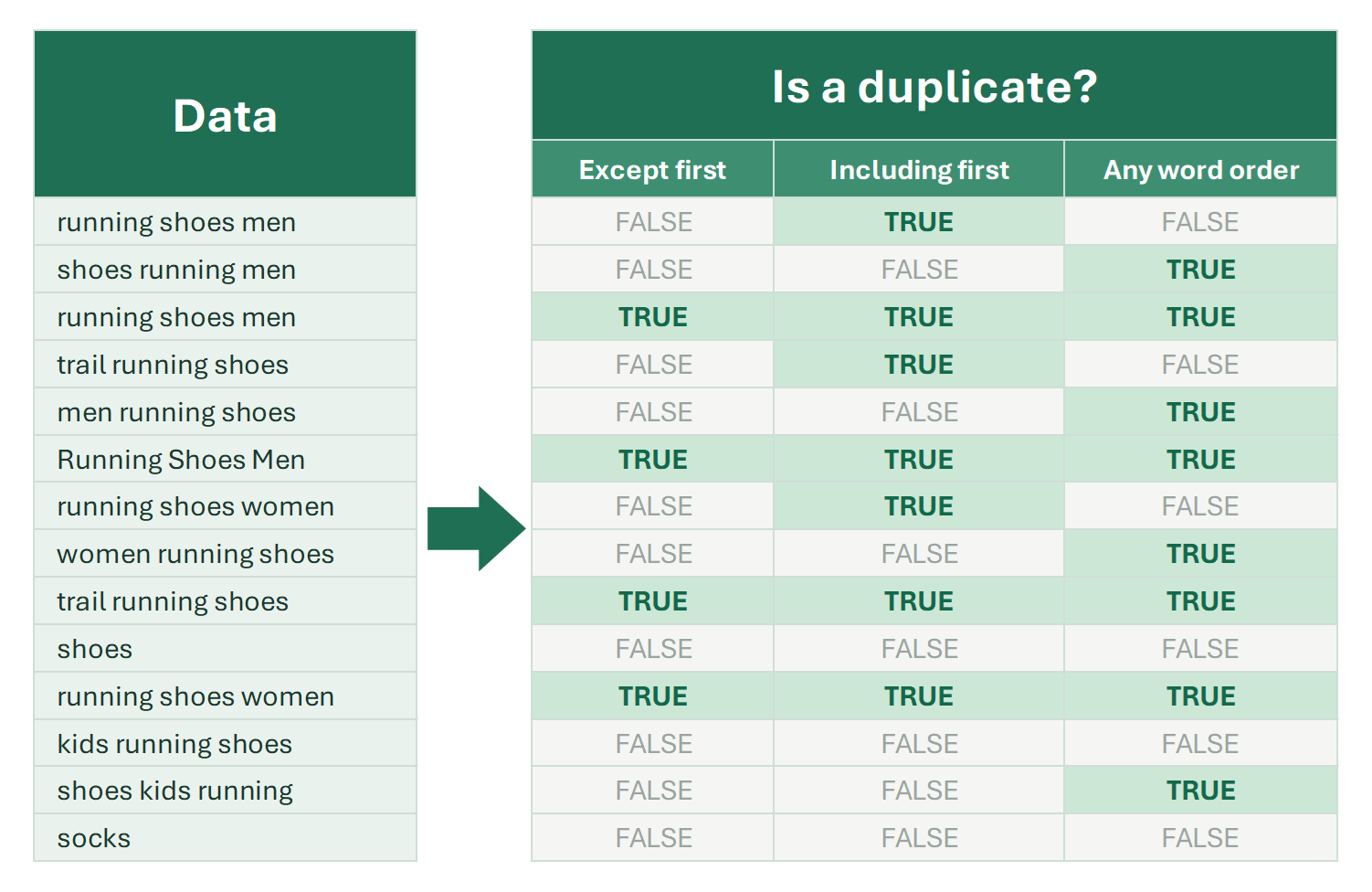
How to find and remove implicit duplicates in Excel: phrases with a different word order, extra spaces, punctuation or word forms. Formula and 1-click options.

Implicit duplicates and their removal are one of the most important tasks when working with text content. SEO and PPC specialists, webmasters and content…

7 min

N-gram analysis in Excel

Count unique words in text and list them with frequency, analyze n-grams of search queries, find negative keywords. All about n-gram analysis in Excel.

For search advertising and SEO, n-gram analysis is one of the most effective approaches. For a long time, implementing reliable n-gram algorithms was practical…

N-gram analysis in PPC

What n-gram analysis is and how it helps in PPC: preventing DSA cannibalization, finding user intents and ineffective word combinations in search terms with Excel.

In semantic text analysis, n-gram analysis is one of the key methods. It reveals all unique words and word combinations in a text and counts how often each…

Remove duplicates in column without shifting rows

Excel's Remove Duplicates shifts cells up and breaks the table. This tool clears repeated values in one column and keeps every row in place.

When you need to remove duplicates in a single column without deleting or shifting rows, Excel’s built-in Remove Duplicates tool won’t help:

5 min

Remove duplicates in Excel

Everyone means something different by duplicates in Excel. Every case covered: within one column, based on another column, and hidden duplicates.

Removing duplicates is one of the most common operations in Excel. However, people often mean different things by “duplicates,” which is why there are many ways…

4 min

Statistical metrics in Excel

Count occurrences, the occurrence number, the share of the total, the cumulative share and ABC classes in Excel: COUNTIF and SUM formulas and a tool.

Excel has many tools for data analysis, but some simple metrics about the elements of a list are surprisingly awkward to get. That’s why the EXTRACT group of…

Techniques and instruments to find duplicate values in Excel

How to find and highlight duplicate values in Excel columns: conditional formatting, COUNTIF, and tools for hidden duplicates the built-in ones miss.

Finding duplicate values in Excel columns is, on closer inspection, not such a simple task. It usually comes up when you can’t just remove duplicate cells…

11 min