The menu will be needed in cases where you need to extract, pull words out of cells.
Words were given the utmost attention during the development of the add-in. You can extract words from strings according to a number of conditions, which are described below.
Extract the whole word
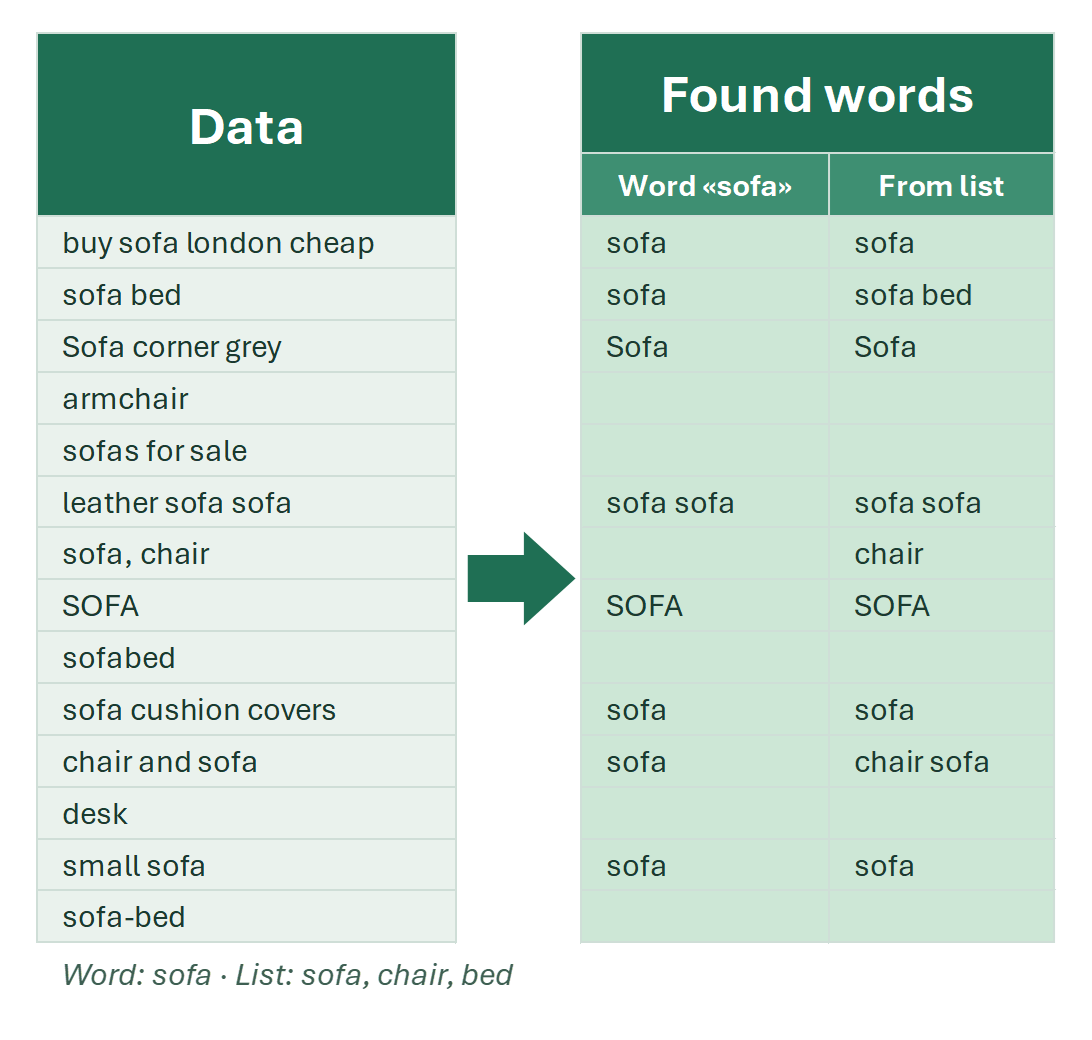
- extract one word in the whole range;
- retrieve your own word list;
- built-in markers: certain parts of speech, purchase markers, rental markers, reviews.
Menu: EXTRACT → Words → Full words: 1 word, Custom list and Word markers….
Extract words from patterns
Words containing a text pattern or a list of patterns:
- at the beginning,
- at the end,
- anywhere in the string.
Patterns can be expressed not only as simple random combinations of characters – you can specify them as regular expressions (for complex cases). LIKE and REGEX syntax are supported.
And sometimes you need to extract words containing uppercase letters. This can be done using regular expression syntax, but it can also be done in an easier way: with !SEMTools the task can literally be done in a single click.
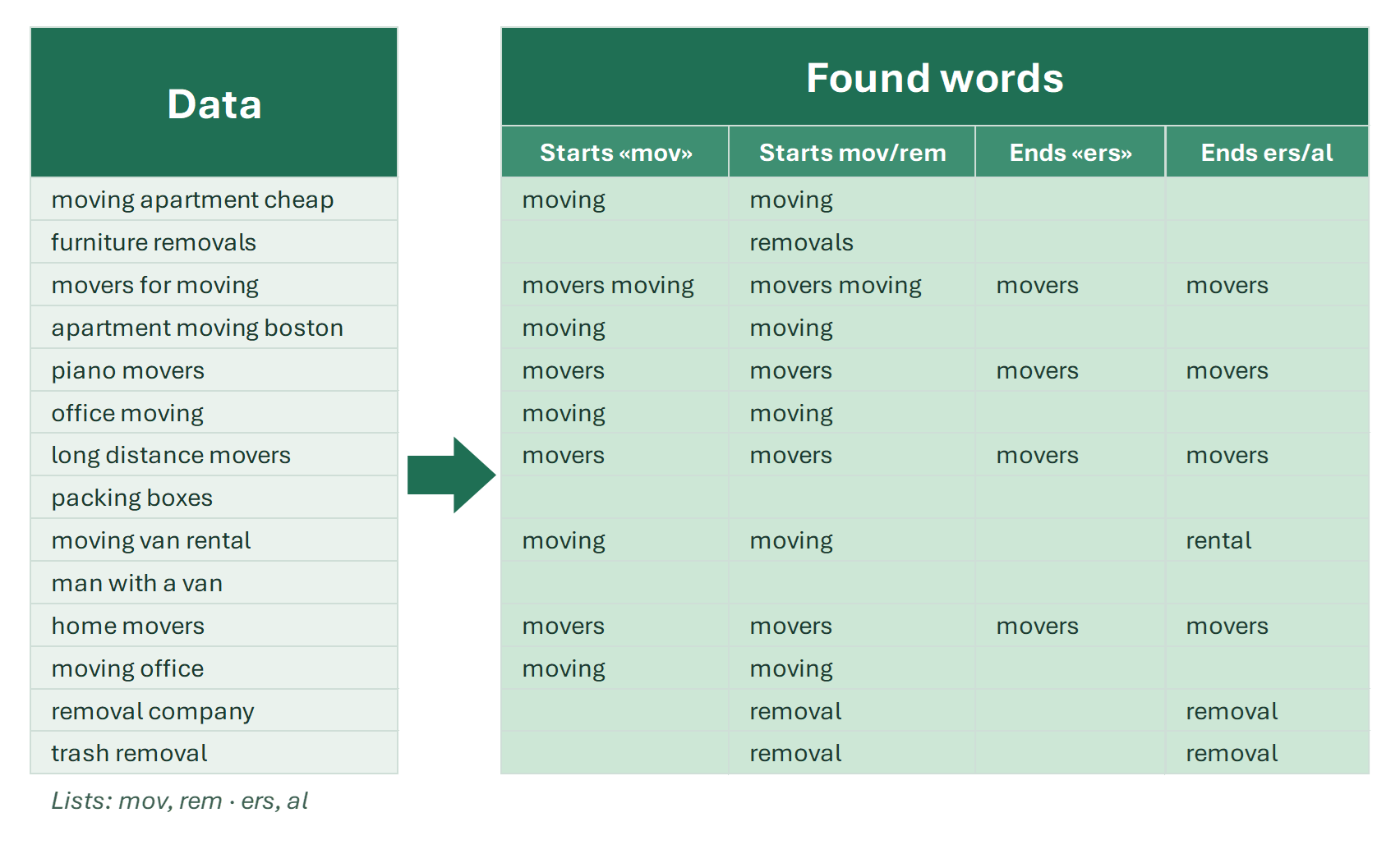
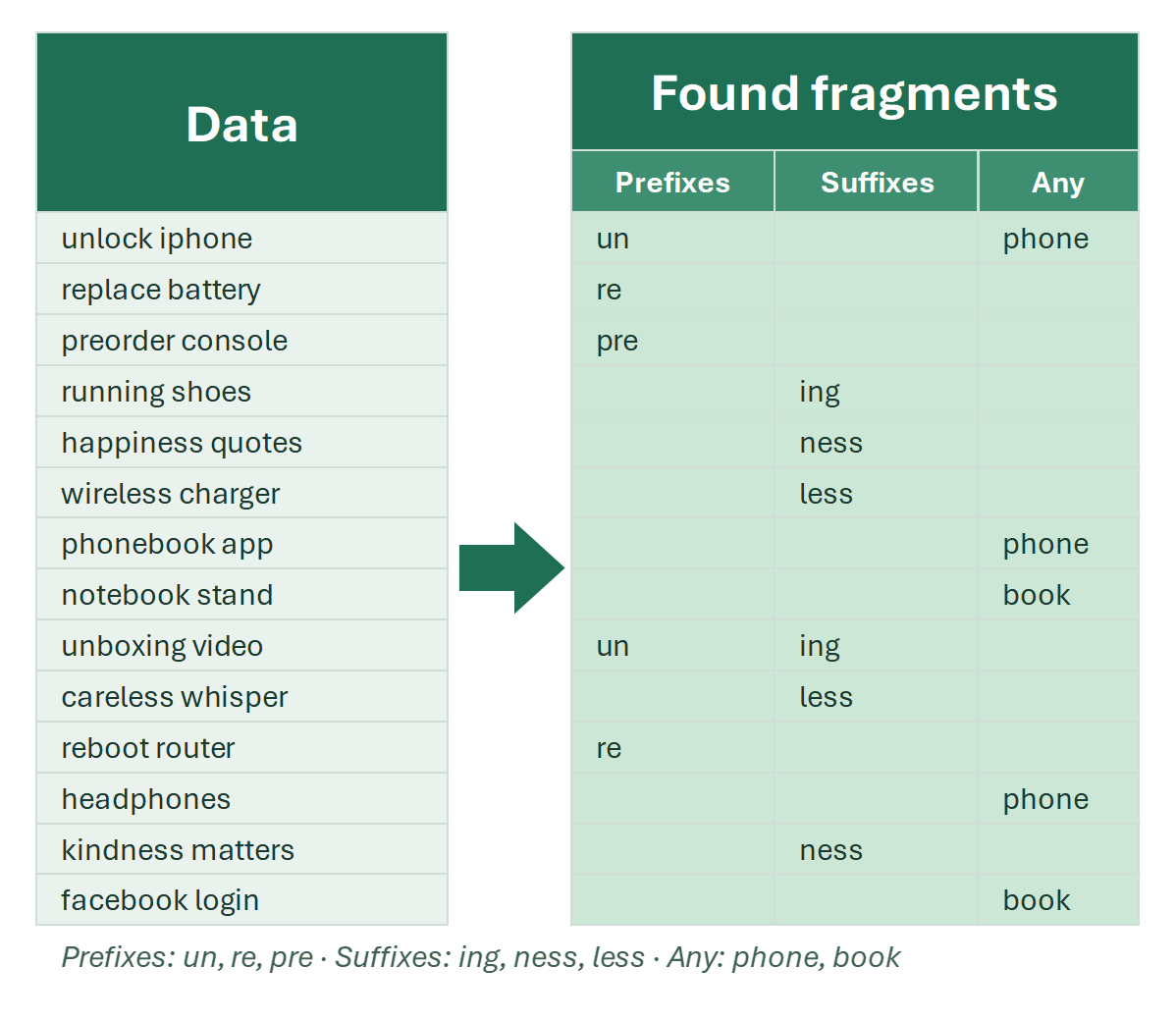
Menus: EXTRACT → Words → Containing for patterns at the start, at the end or anywhere, Custom substrings for prefixes and suffixes, By RegExp pattern and Words with uppercase letters.
Extract words by cell position
- retrieve the first word, the first two, three, or any user-defined number of first words;
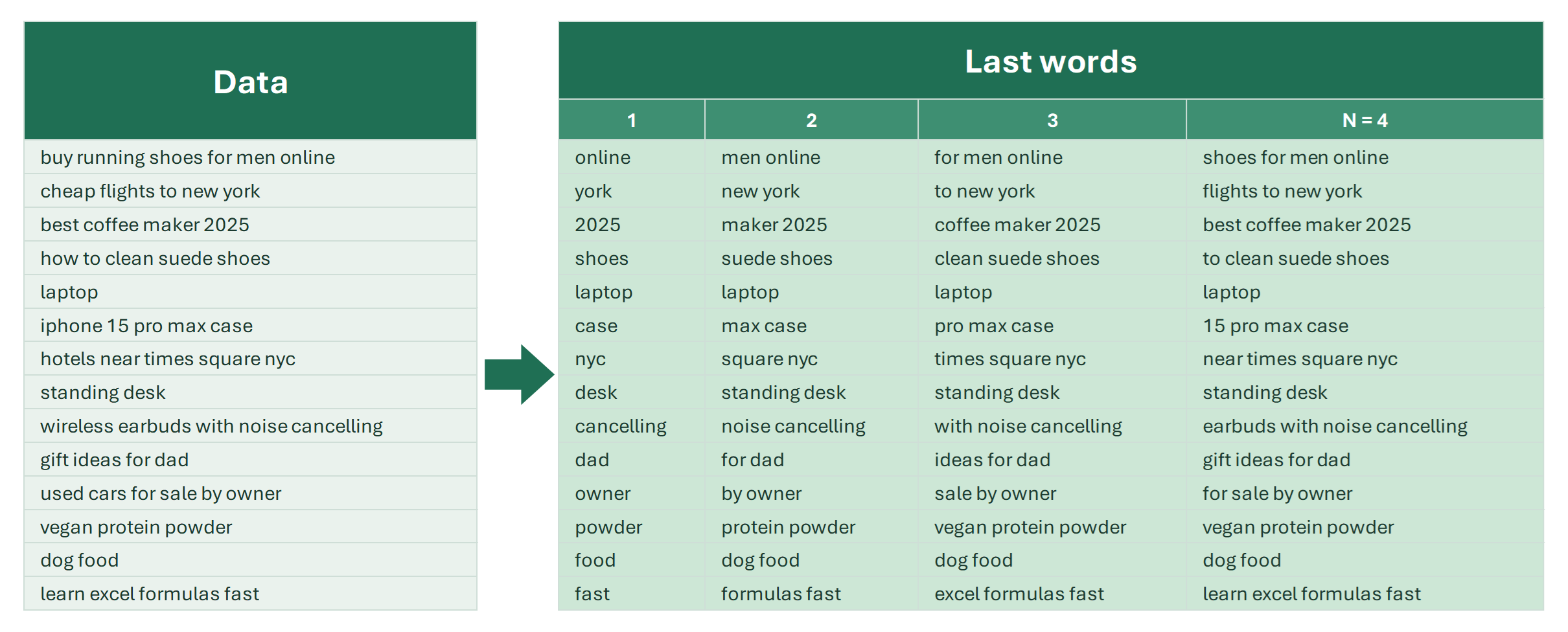
- similarly, the last one, two, three or N words.
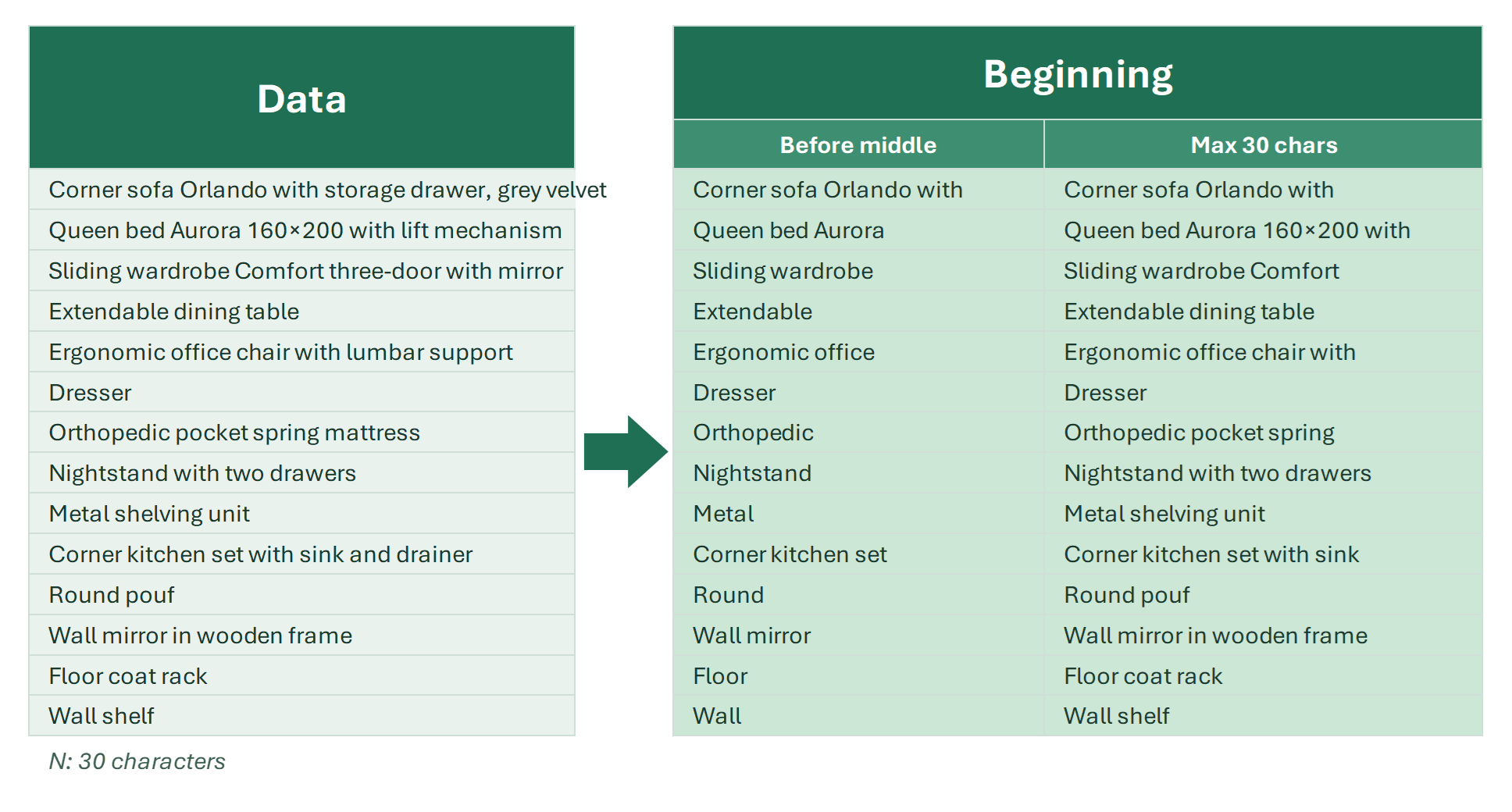
Menus: EXTRACT → Words → By order… for the first, last or N-th words, and By position… for the part of the text before the middle or within N characters.
More in this section: