Features of !SEMTools
↑ Навигация по задачам в Excel и возможностям надстройки !SEMTools ↑

Dates and time

Excel date and time functions: counting days, months and workdays, the difference between dates, week numbers and time, with formula examples.

DATE

The DATE function creates a valid date from year, month and day. Syntax, examples, month and day overflow, and fixing dates imported as text.

The DATE function constructs a date from three numbers: year, month, and day. This is the most reliable way to create a correct date in Excel, especially when…

DATEDIF

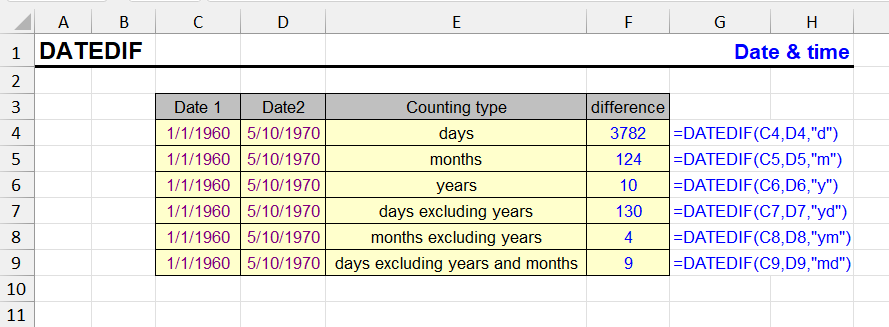
The DATEDIF function returns the difference between two dates in years, months, days or combinations. Age and tenure formulas, all units, known bugs.

The DATEDIF function returns the difference between two dates in specified units: years, months, days, or their combinations. Useful for calculating age, work…

DATEVALUE

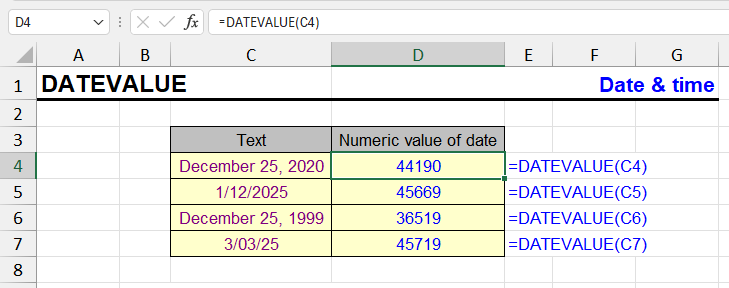
The DATEVALUE function turns dates stored as text into real Excel dates. Syntax, regional format issues and examples for imported data.

This function is used to convert text into a date that can be used in calculations.

DAY

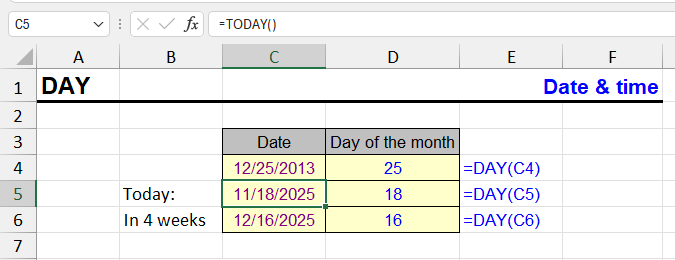
The DAY function returns the day of the month (1–31) from a date. Syntax and examples for grouping, filtering and building dates in Excel.

The DAY function returns the day of the month from a given date. The result is always a number between 1 and 31.

EDATE

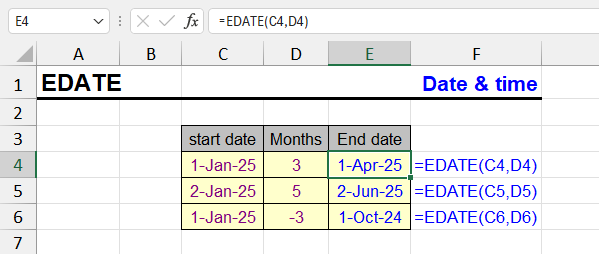
The EDATE function shifts a date by N months forward or back: due dates, contract terms, expiry dates. Syntax, examples and end-of-month behaviour.

The EDATE function in Excel is used to calculate a date that is a specified number of months before or after a given date. This is particularly useful for…

EOMONTH

The EOMONTH function returns the end-of-month date shifted by N months. Syntax, month-end report examples and getting the first day of a month.

The EOMONTH function returns the last date of the month, shifted by a specified number of months from the original date.

HOUR

The HOUR function returns the hour (0–23) from a time or date-time value. Syntax, examples, and how to get hours from text times or durations over 24 hours.

The HOUR function is used to extract the hour number from a time or date value. It returns an integer from 0 to 23, corresponding to the hour in 24-hour format.

How to count the days in a month in Excel

Formulas to get the number of days in a month in Excel: by date, month number or month name, the current month, leap years and working days.

The simplest way to count the days in a month in Excel is to find its last day: the number of that day is the number of days in the month. It’s simple, but…

MINUTE

The MINUTE function returns the minutes (0–59) from a time value. Syntax, examples and how to convert durations to minutes in Excel.

The MINUTE function is used to extract minutes from a time value in Excel. It returns a number from 0 to 59, corresponding to the minute component of the passed…

MONTH

The MONTH function returns the month number (1–12) from a date. Syntax, getting the month name with TEXT, and grouping data by month.

The MONTH function returns the month number from a given date. The result will be a number from 1 to 12.

NETWORKDAYS

The NETWORKDAYS function counts working days between two dates, excluding weekends and holidays. Syntax, examples and NETWORKDAYS.INTL.

The NETWORKDAYS function calculates the number of working days between two dates. It automatically excludes weekends (Saturday and Sunday), and can also account…

NOW

The NOW function returns the current date and time with up to 10 ms precision. Formatting, NOW vs TODAY, and how to insert a static timestamp.

The NOW function, despite its name, returns more than just the current date. That's what the TODAY function does. Our featured function returns both date and…

SECOND

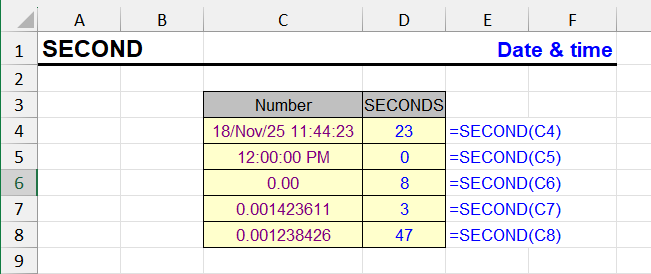
The SECOND function returns the seconds (0–59) from a time value. Syntax, examples and converting time to total seconds in Excel.

The SECOND function in Excel returns the number of seconds from a time value. It extracts a numeric value from 0 to 59 from a given timestamp, ignoring hours…

TIME

The TIME function creates a time from hours, minutes and seconds. Syntax, examples, adding time to dates, and handling values over 24 hours.

The TIME function is used to create a time value in Excel format based on specified hours, minutes, and seconds. This is useful when you want to assemble a time…

TIMEVALUE

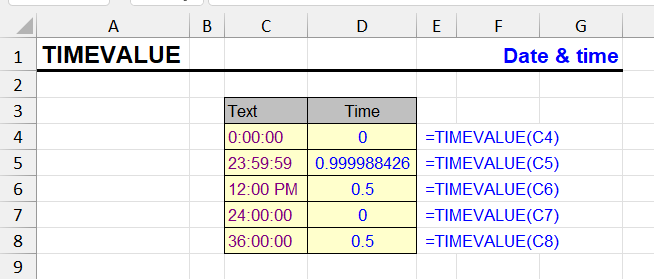
The TIMEVALUE function converts times stored as text into Excel time values. Syntax, supported formats and examples for imported time data.

TIMEVALUE is an Excel function that converts text time values into numeric format. This is especially useful when working with imported or manually entered time…

TODAY

The TODAY function returns the current date. Days until a deadline, age, differences between dates, and how to fix today's date so it won't change.

The TODAY function returns the current system date of the computer where the file is opened. Time is not considered - the result will be only the date.

WEEKDAY

The WEEKDAY function returns the day of the week as a number. Syntax, all return types, getting the day name, and highlighting weekends in Excel.

The WEEKDAY function returns the day of the week corresponding to a date. Depending on the return type you choose, the week can start on Sunday, Monday, or…

WEEKNUM, ISOWEEKNUM

The WEEKNUM and ISOWEEKNUM functions return the week number of a date. Syntax, the difference between them, ISO 8601 weeks and report examples.

The functions WEEKNUM and ISOWEEKNUM are used in Excel to determine the week number to which a specific date belongs. They are useful for reporting, weekly…

WORKDAY

The WORKDAY function returns a date N working days ahead, skipping weekends and holidays. Syntax, examples and WORKDAY.INTL.

The WORKDAY function in Excel is used to calculate the date that occurs a specified number of working days from a given start date. It takes into account…

YEAR

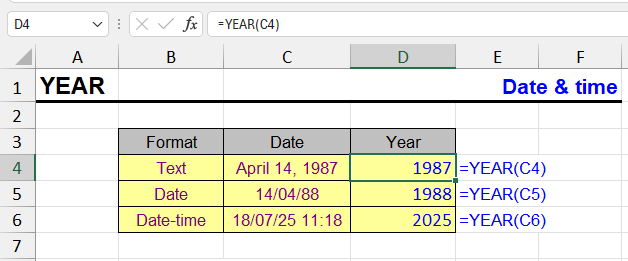
The YEAR function extracts the four-digit year from a date, date-time or text date. Examples for age, grouping by year and building dates.

The YEAR function extracts a four-digit year number from a given date. For example, from date 03/15/2025 it will return value 2025.

YEARFRAC

The YEARFRAC function returns the share of a year between two dates. Day count basis options and examples for interest, age and tenure.

The YEARFRAC function in Excel returns the fraction of a year between two dates. This is especially useful in financial calculations where you need to account…