Features of !SEMTools
↑ Навигация по задачам в Excel и возможностям надстройки !SEMTools ↑

Numbers and calculations

Rounding, summing and multiplying ranges, numbers stored as text, counting cells and values in Excel: formulas and quicker ways to do it.

Changing and replacing

Arithmetic actions and operations in Excel

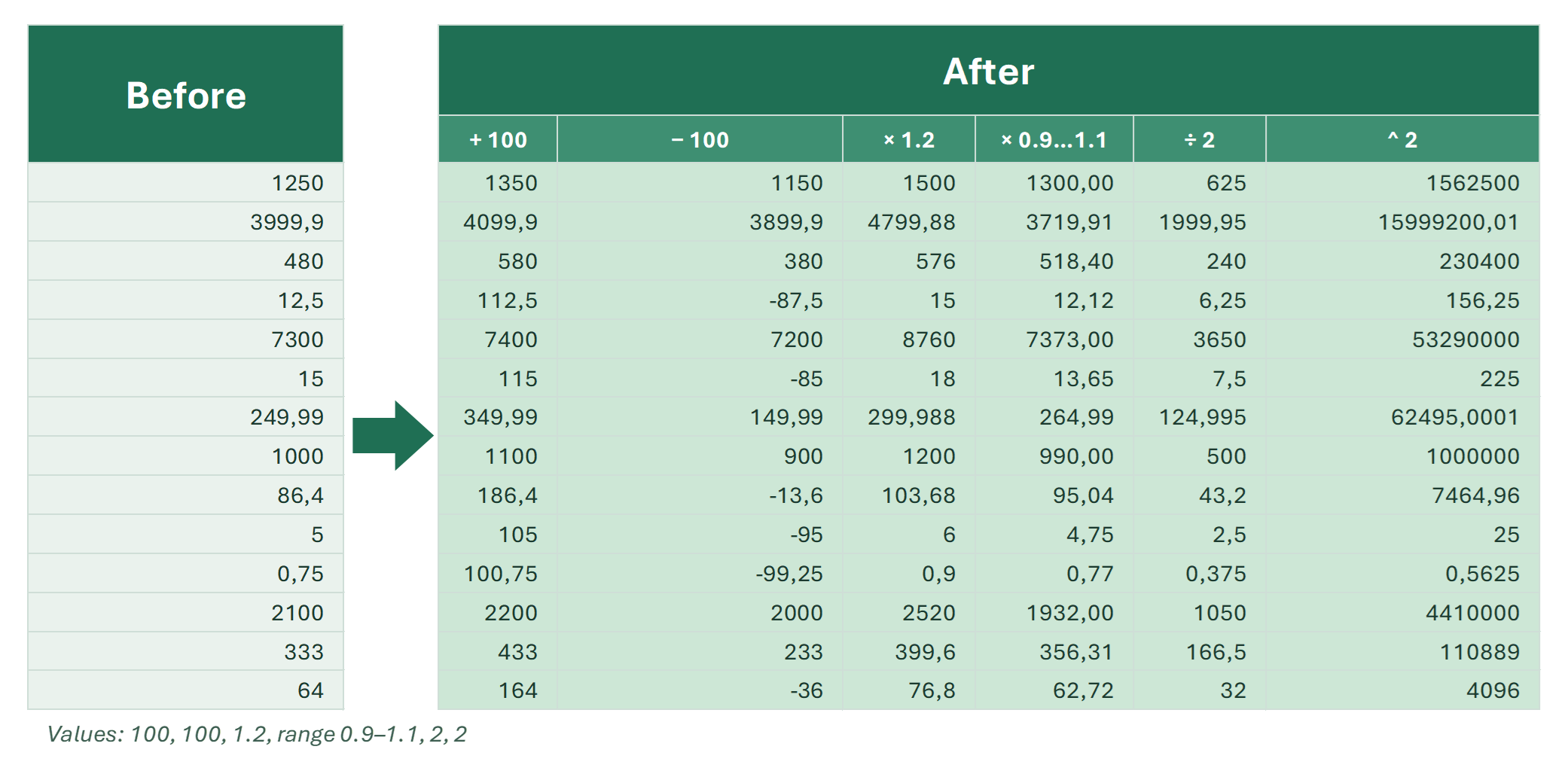
Addition, subtraction, multiplication, division and powers in Excel: operators table, arithmetic functions and tools to calculate without formulas.

What arithmetic operations are available in Excel? All of them. Arithmetic is a subset of broader math operations. In classic arithmetic there are five basic…

3 min
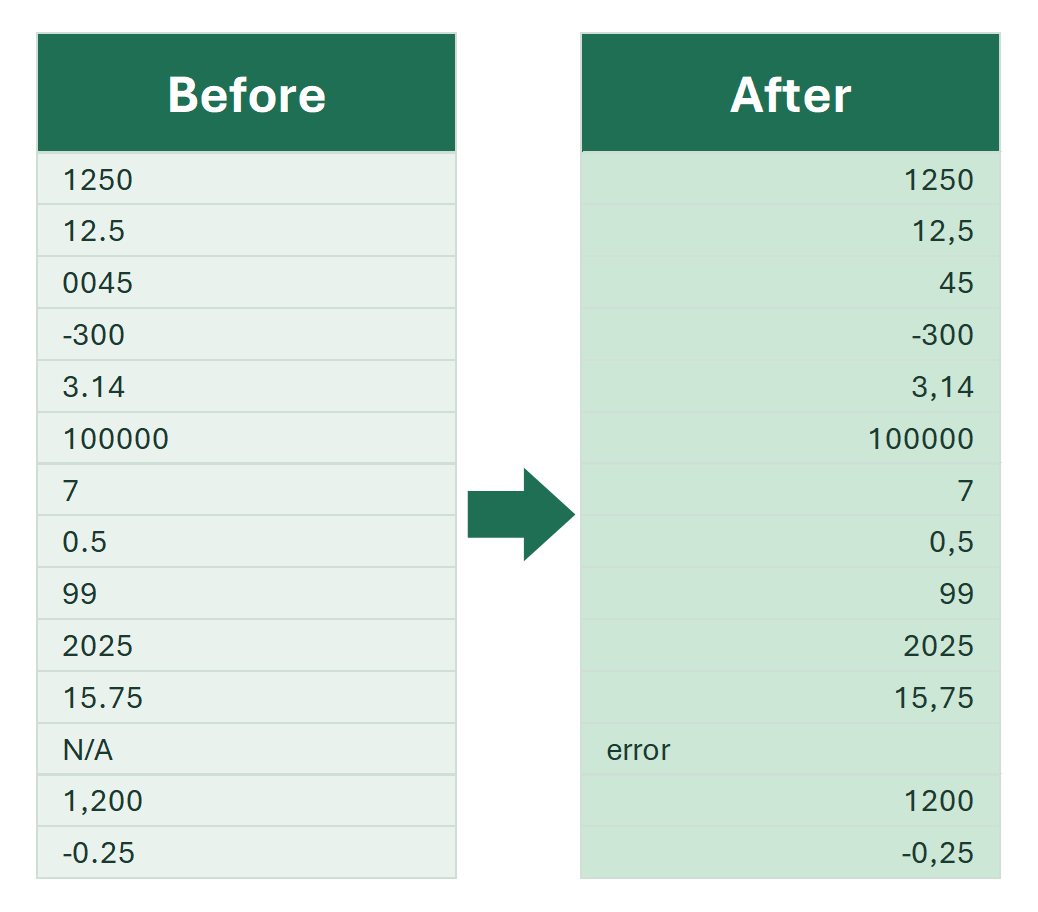
Convert numbers saved as text to real numbers

Cells show numbers but SUM doesn't work? Why numbers become text, how to spot them, and every way to convert them back — formulas and tools.

In the world of Excel, what you see isn't always what you get. A cell might look like a number, but secretly be formatted as text. This happens because Excel…

Count unique values in Excel

How to count unique values and repeated cells in Excel: COUNTA+UNIQUE, SUMPRODUCT+COUNTIF, GROUPBY, a pivot table and a one-click fast pivot.

How many times does each value occur in a column, and how many unique values are there at all? This is one of the first questions about any list: orders by…

7 min

How to add numbers in Excel

How to add in Excel: the plus operator, SUM, SUMIF and SUMIFS, AutoSum, pivot tables, Paste Special to add a number to a range, adding a percent.

Here are the main ways to add numbers in Excel: how to add two numbers in different cells, how to add a number to a whole range, and how to sum by condition. I…

Math functions and procedures in Excel

Overview of math functions and tools in Excel beyond basic arithmetic and rounding: conversion, combinatorial, trigonometric, exponential, logarithmic.

Mathematical functions and procedures in Excel cover a wide range of operations, from basic arithmetic actions to complex calculations involving numbers…

3 min

Multiply a column by a number in Excel

Multiply a whole column or range by a number or percentage in Excel: formulas, Paste Special, and a tool that multiplies values in place.

When working with price lists, statistics, or other numerical data, you often need a simple operation — multiplying an entire column or range by a specific…

4 min

Rounding in Excel

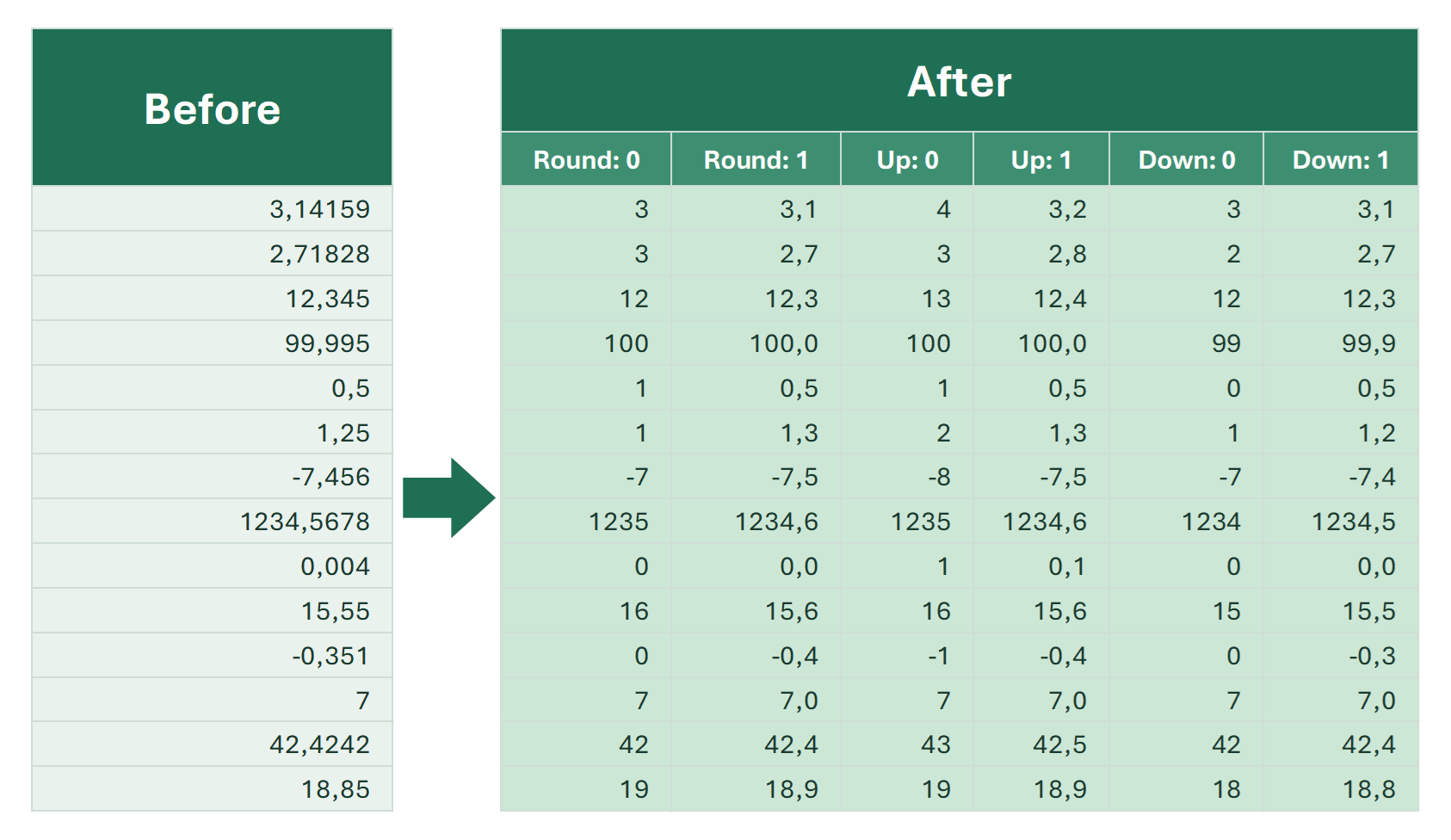
All ways to round in Excel: ROUND, INT, TRUNC, ROUNDUP, ROUNDDOWN, MROUND, CEILING and FLOOR. Negative numbers, dates and times.

Rounding in Excel brings numbers to a simpler form: prices to cents, quantities to whole units, times to the hour. There are quite a few functions for rounding…

Separate numbers from text in Excel cells

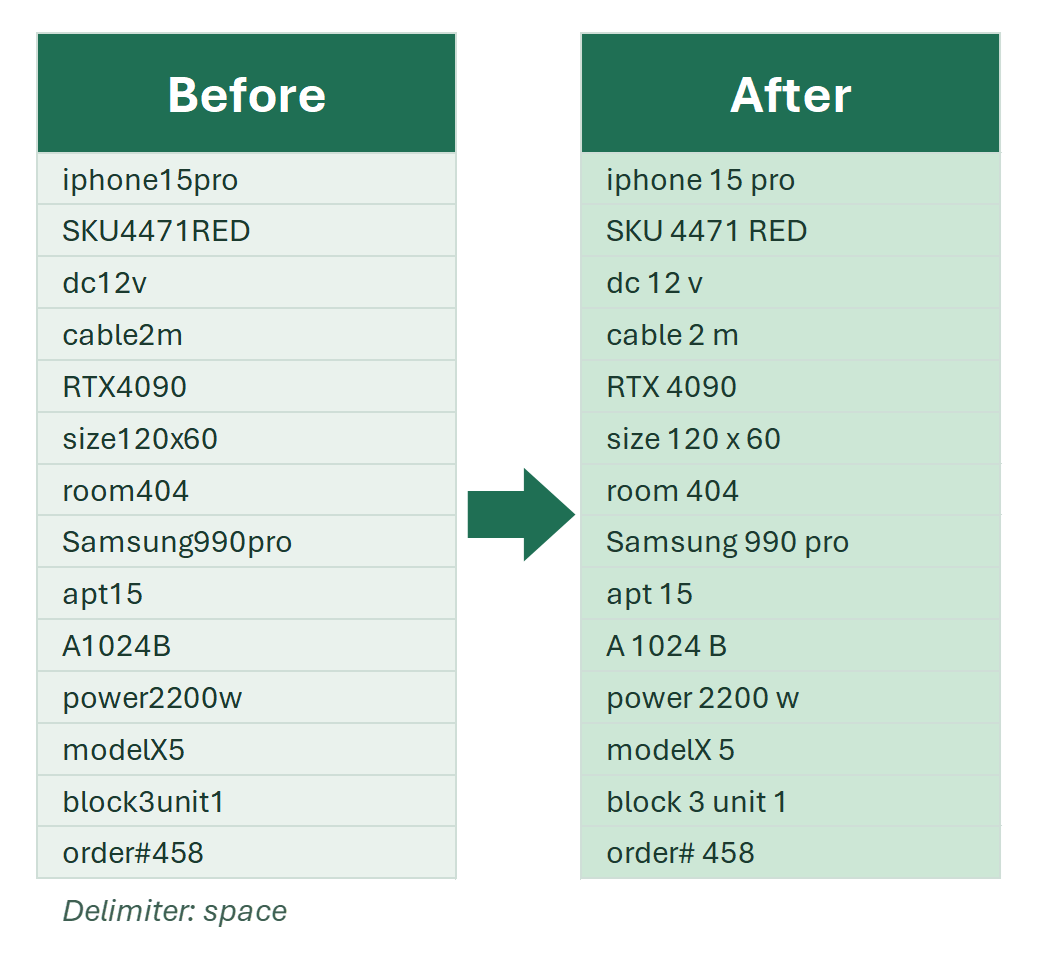
Separate letters and numbers stuck together in Excel cells: formulas for numbers at the start or end of text, regular expressions and a one-click tool.

Sometimes in Excel you’ll get data where text and numbers are combined, either intentionally or by mistake. For example, you might have a product code with…

Extracting and counting

Count repeated values in Excel

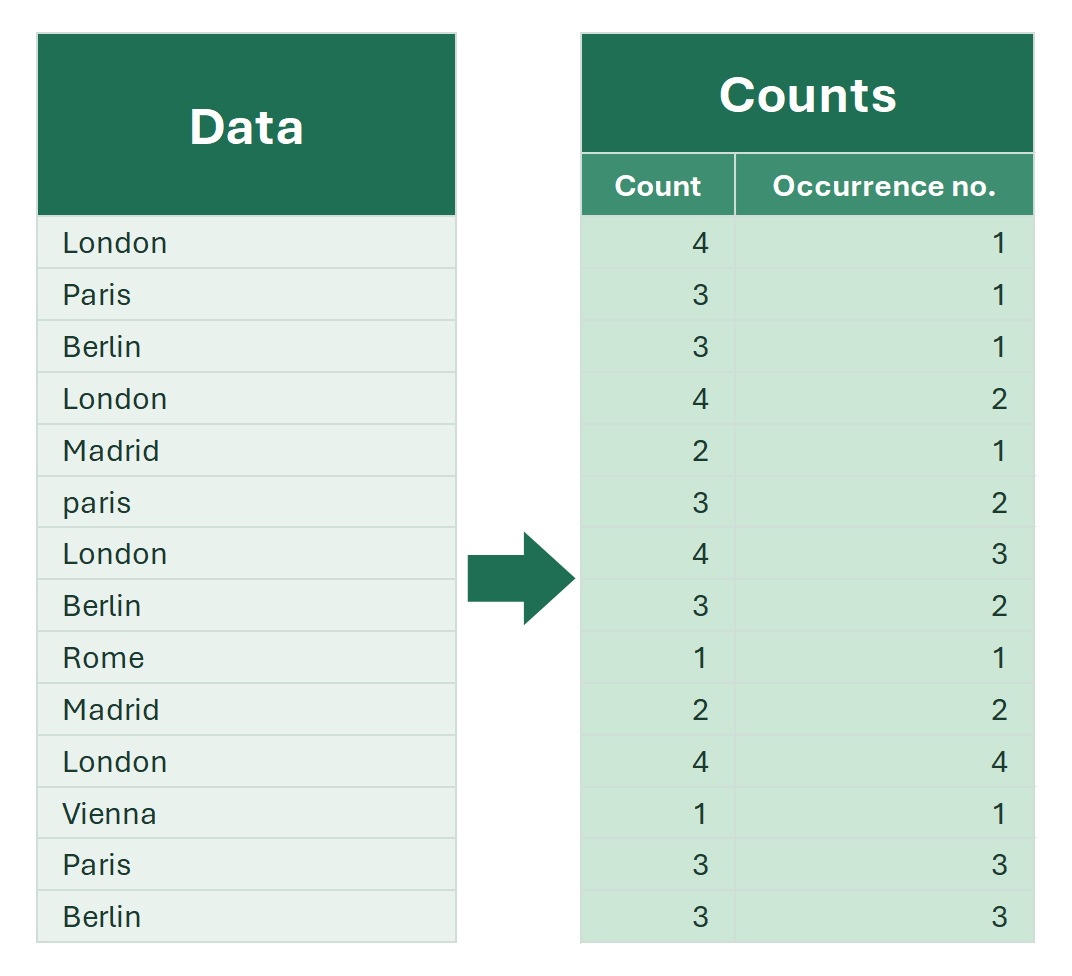
How to count how many times each value repeats in an Excel column: COUNTIF, the occurrence number, a case-sensitive count, a pivot table and !SEMTools.

When working with data in Excel, you often need to know how many times a value occurs in a column. It helps to analyze repeats, count the frequency of words or…

Cumulative share (running percentage) in Excel

How to calculate the cumulative share (running total percentage) in Excel: SUM with a growing range, SCAN in Excel 365, without sorting, and in one click.

When analyzing data, it’s important not only to sum the values, but to understand what share each row takes in the total on a running basis. This shows the…

Extract numbers from cells in Excel

Remove everything except digits from text cells: an array formula, a custom function (UDF), regular expressions, or a two-click tool.

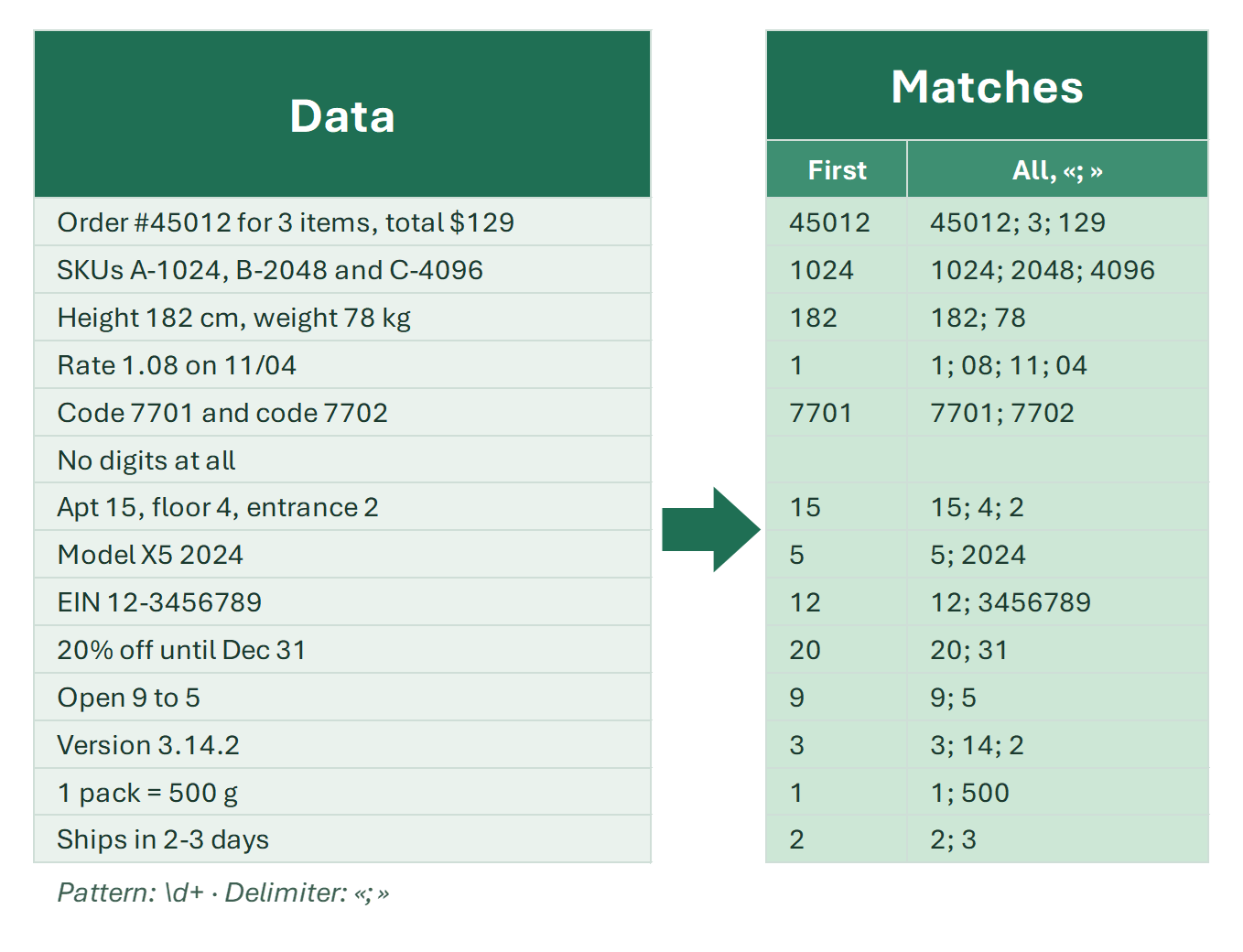
How can you remove all characters from text cells except numbers—essentially extracting just the numbers from them? There are several simple and more advanced…

How to count certain cells in Excel

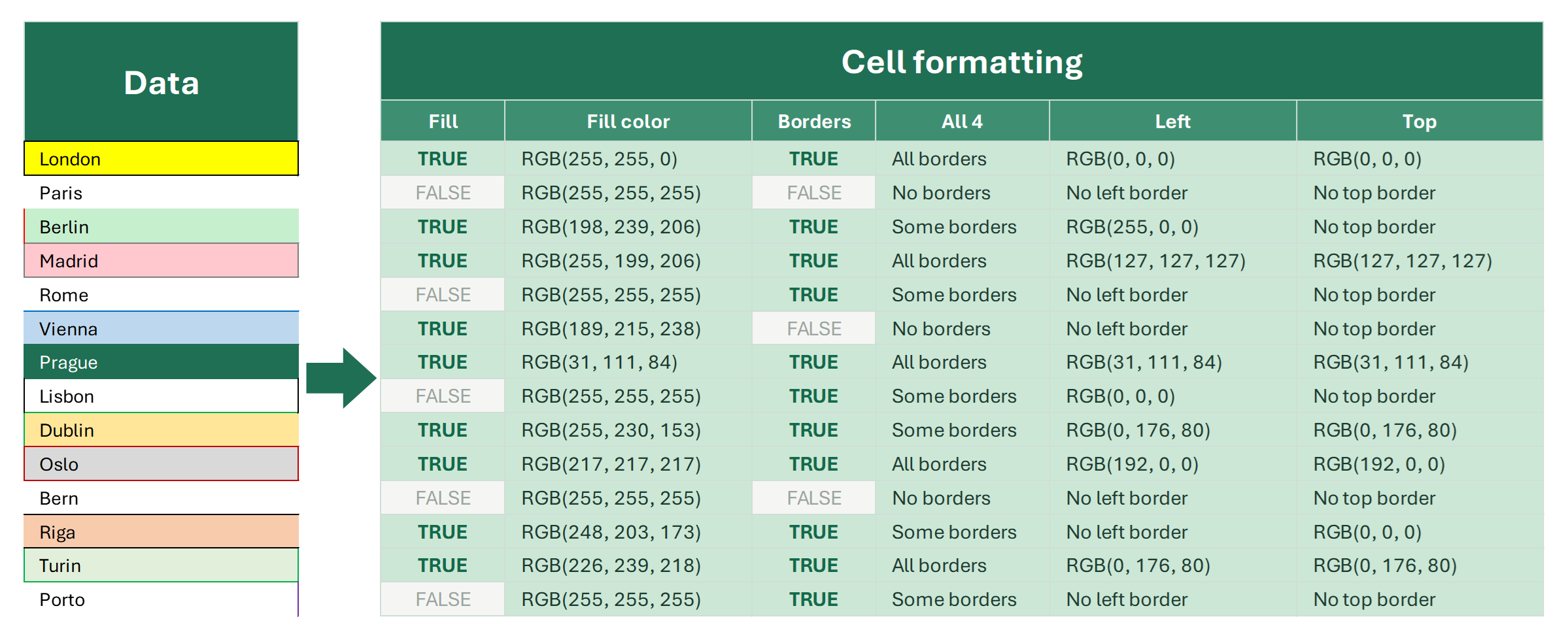
To count certain cells, first define the criterion. Count by value, formatting, formulas, color or content type — each case with formulas and tools.

"Counting certain cells in Excel" sounds like an easy task, but in practice it has so many variations that I can hardly list them all.

5 min

Statistical metrics in Excel

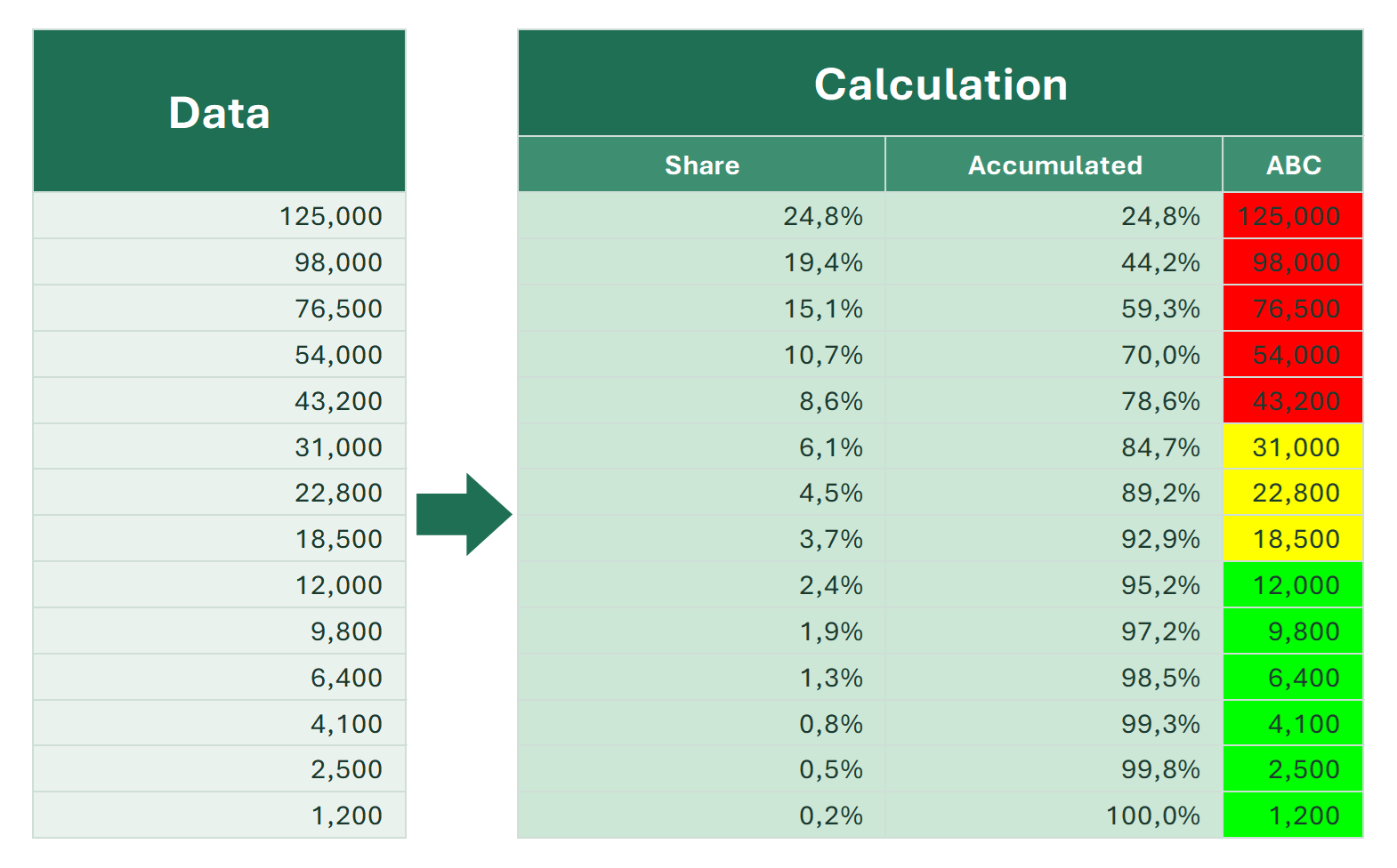
Count occurrences, the occurrence number, the share of the total, the cumulative share and ABC classes in Excel: COUNTIF and SUM formulas and a tool.

Excel has many tools for data analysis, but some simple metrics about the elements of a list are surprisingly awkward to get. That’s why the EXTRACT group of…

Function reference

ABS

How the Excel ABS function returns the absolute value of a number. Syntax, formula examples and typical uses: differences, deviations, negative numbers.

See also, and don't confuse with: ABC analysis in Excel

BIN2DEC

The BIN2DEC function converts binary numbers to decimal in Excel. Syntax, the 10-bit limit, negative numbers in two's complement and worked examples.

This function converts a binary number to decimal number system.

CONVERT

Convert inches to cm, pounds to kg, Fahrenheit to Celsius and more with the Excel CONVERT function. Syntax, unit codes and formula examples.

This function converts a numerical value from one unit type to its equivalent expressed in another unit type.

COUNTA

The COUNTA function counts non-empty cells in ranges. Syntax, examples, why it counts empty strings, and COUNTA vs COUNT and COUNTBLANK.

The function counts the number of non-empty cells in one or more selected ranges.

COUNTIF

The COUNTIF function counts cells that meet a criterion. Syntax, comparison operators, wildcards, dates and cell references, with examples and gotchas.

The COUNTIF function in Excel is used to count the number of cells in a range that meet a specific criterion. COUNTIF is very useful when you need to know how…

DEC2BIN

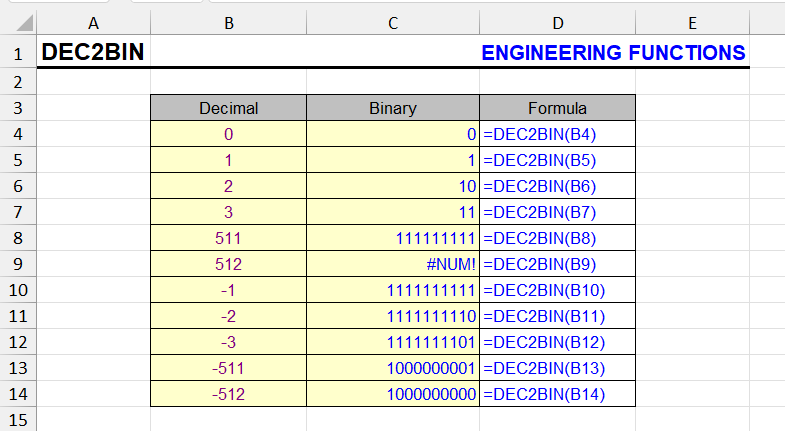
The DEC2BIN function converts decimal numbers to binary. Syntax, the -512 to 511 limit, padding with leading zeros and handling larger numbers.

This function converts a decimal number to its binary equivalent.

DEC2HEX

The DEC2HEX function converts decimal numbers to hexadecimal. Syntax, the places argument, negative numbers and formula examples.

This function converts a decimal number to its hexadecimal equivalent.

DELTA

The DELTA function returns 1 if two numbers are equal and 0 if not. Syntax, examples and how to use DELTA to count matching pairs in Excel.

This function compares two values and checks if they are exactly equal.

GESTEP

The GESTEP function returns 1 if a number is greater than or equal to a threshold and 0 otherwise. Syntax and examples for counting values above a step.

This function checks whether a number reaches a certain value (in other words, whether it's not less than the threshold).

HEX2DEC

The HEX2DEC function converts hexadecimal numbers to decimal. Syntax, limits, negative values in two's complement and a worked example.

This function converts a hexadecimal number to decimal.

PI

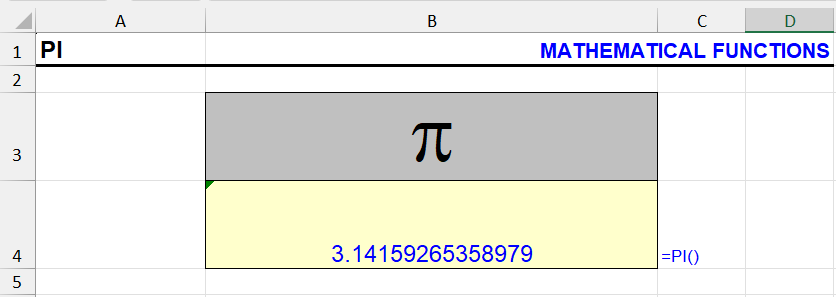
The PI function returns π to 15 digits. Many examples: area and volume of popular shapes as Excel formulas, circumference, degrees to radians.

This function returns the value of Pi with an accuracy of 14 decimal places. The function doesn't require any arguments, it returns the value by itself. Similar…

ROUND

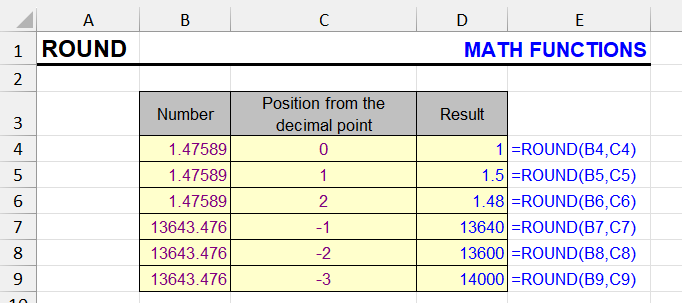
The ROUND function rounds numbers to N decimals, whole numbers, tens or hundreds. Syntax, arguments, negative digits and other rounding functions.

ROUND is an Excel function used in formulas to round numbers according to standard mathematical rules.

ROUNDDOWN

The ROUNDDOWN function rounds a number towards zero to the given digits. Syntax, arguments, and how it differs from ROUND, INT and TRUNC.

When rounding in Excel, you often need to round numbers down - to whole numbers or several decimal places.

ROUNDUP

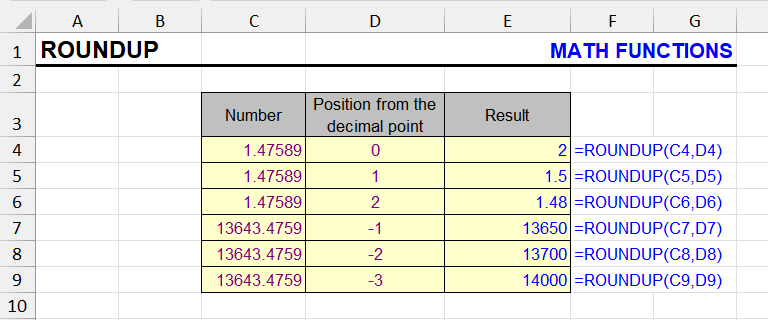
The ROUNDUP function rounds a number away from zero to the given digits. Syntax, examples for prices and quantities, and ROUNDUP vs CEILING.

Rounding in Excel is one of the most important procedures when working with numerical data.

SEQUENCE

Generate sequences of numbers, dates and grids with the dynamic array SEQUENCE function in Excel 365 and 2021. Syntax and practical examples.

The SEQUENCE function is available in modern versions of Excel, including Excel for Microsoft 365, Excel 2021 and Excel 2024. It is part of the dynamic array…

Statistical functions in Excel

Excel statistical functions: the top 20 with examples (COUNT, AVERAGE, MEDIAN, STDEV.S, FREQUENCY, FORECAST) and the full list with versions.

Statistical functions in Excel are a powerful toolkit for data analysis. They calculate averages, the median, the standard deviation and many other statistics…

SUMIFS

The SUMIFS function sums values that meet several conditions: text, numbers, dates, wildcards. Syntax, examples, SUMIFS vs SUMIF vs SUMPRODUCT.

The SUMIFS function is one of the most useful and powerful Excel functions for data analysis. It allows you to sum values from a specific range that meet…

SUMPRODUCT

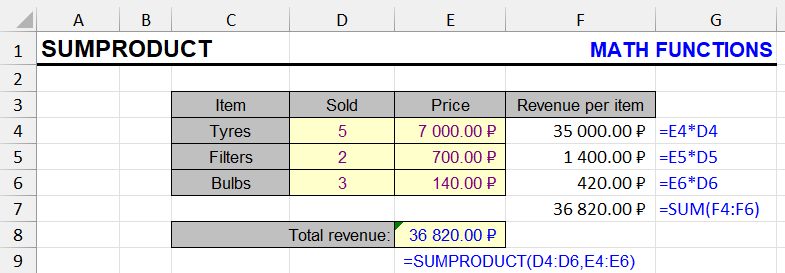
The SUMPRODUCT function multiplies ranges and sums the results. Weighted averages, conditional sums and counts, and its edge over similar functions.

This function uses at least two ranges or arrays, multiplying and summing their elements.

Other articles

Count cells with numbers in Excel

How to count digits in cells even when other characters are present, and how to count cells that contain only numbers or any digits.

When working in Excel, you often need to determine how many cells in a range contain numbers. This can be useful for cleaning imported datasets, validating…

Find numbers in text cells

Find cells that contain digits in large text data: a formula to check for digits, a tool to find specific digits and regex patterns.

Sometimes you need to find numbers in a range of Excel cells, but they are mixed with text: order numbers in comments, years in titles, house numbers in…

8 min