Features of !SEMTools
↑ Навигация по задачам в Excel и возможностям надстройки !SEMTools ↑

Text and characters

How to remove, extract, replace and count characters and words in Excel cells: with formulas, regular expressions and one-click !SEMTools tools.

Finding data

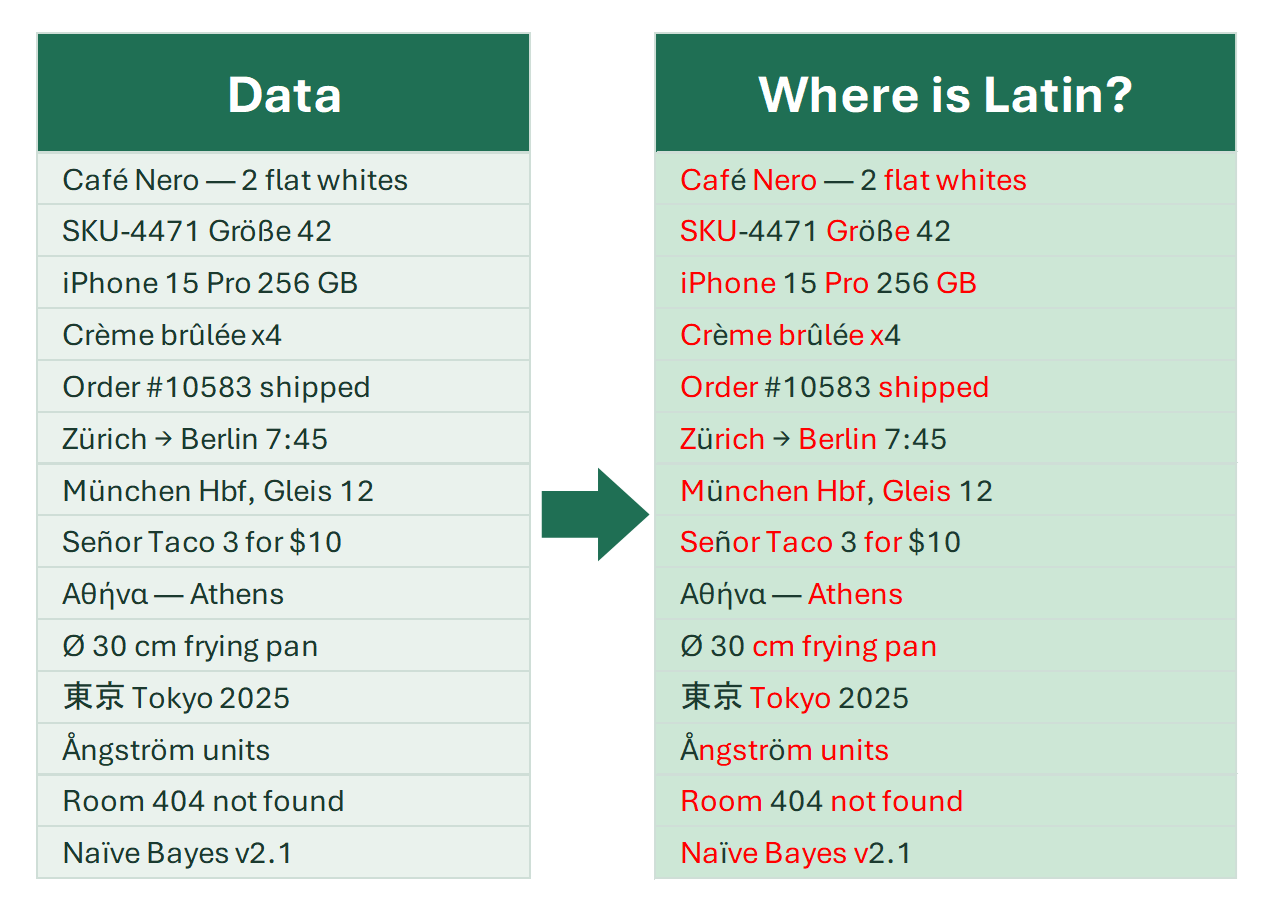
Detect text characters

Find cells that contain text, letters, Latin or Cyrillic characters, or digits in imported data, and filter out junk rows with formulas or a tool.

When working with imported content or data from external sources, you often need to filter out junk rows that don’t contain text and keep only those that do.

4 min
Find alphanumeric characters in Excel

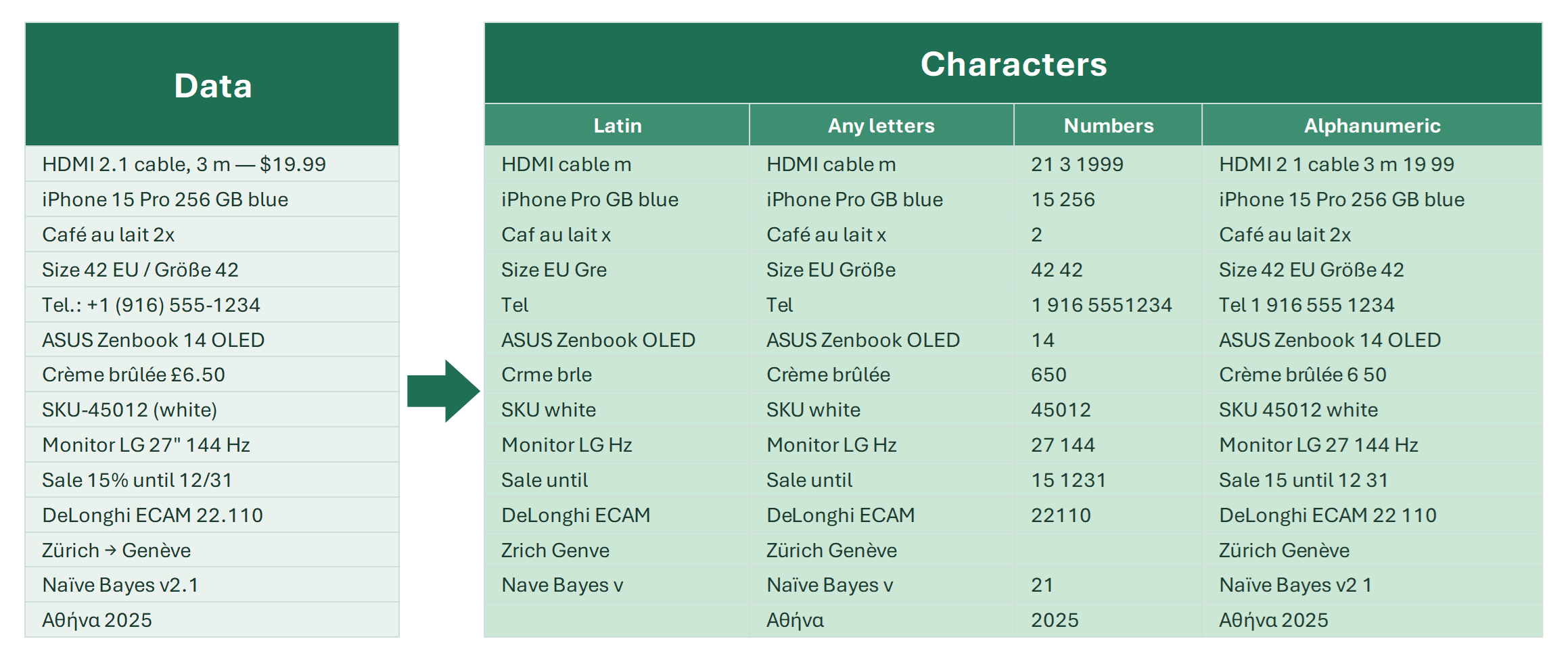
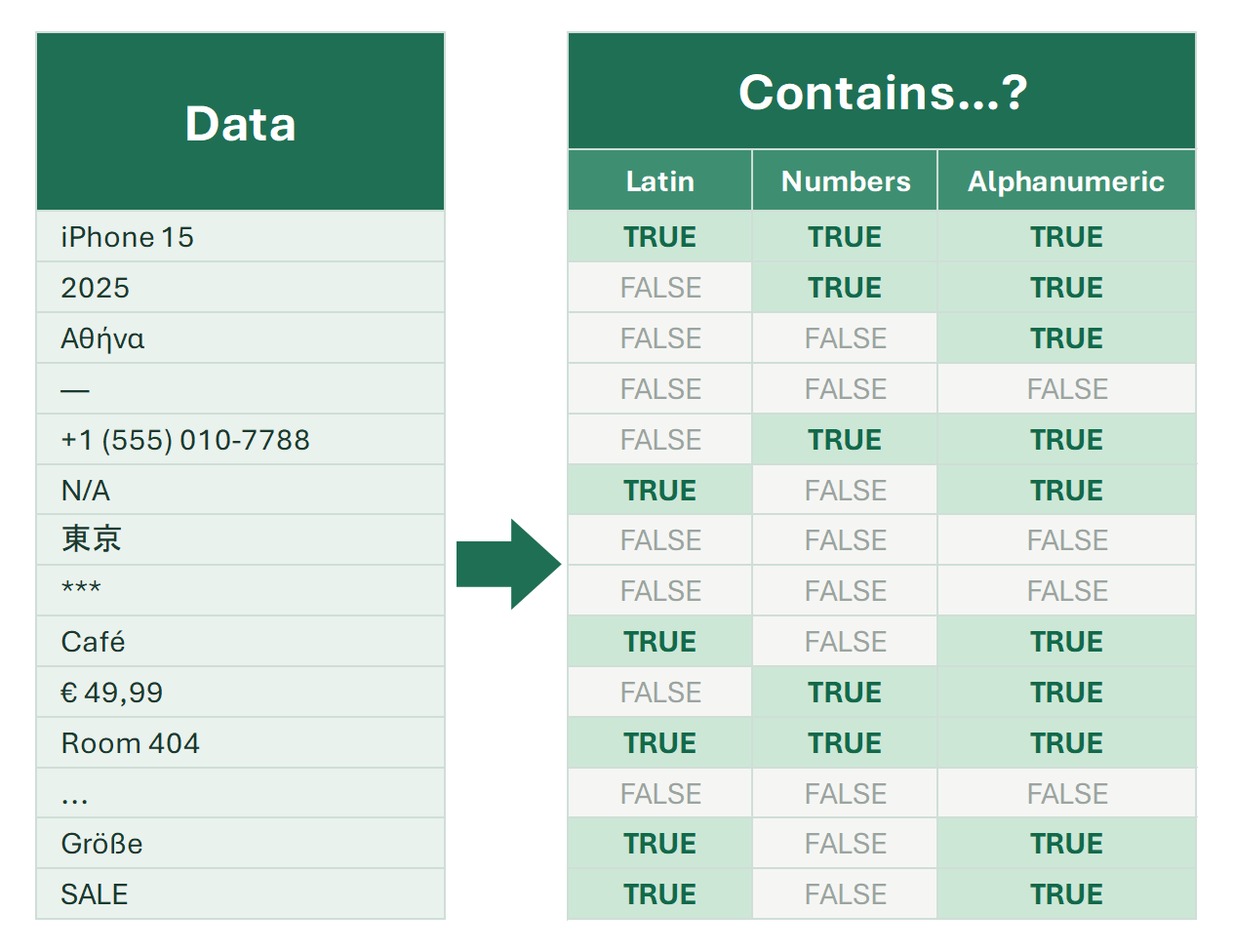
Check if a cell contains letters and digits: formulas for Latin characters and numbers, accented characters, regular expressions and a tool.

Alphanumeric characters—letters and numbers—are common building blocks of real-world data: names, IDs, order numbers, emails, and more. If you need to identify…

8 min

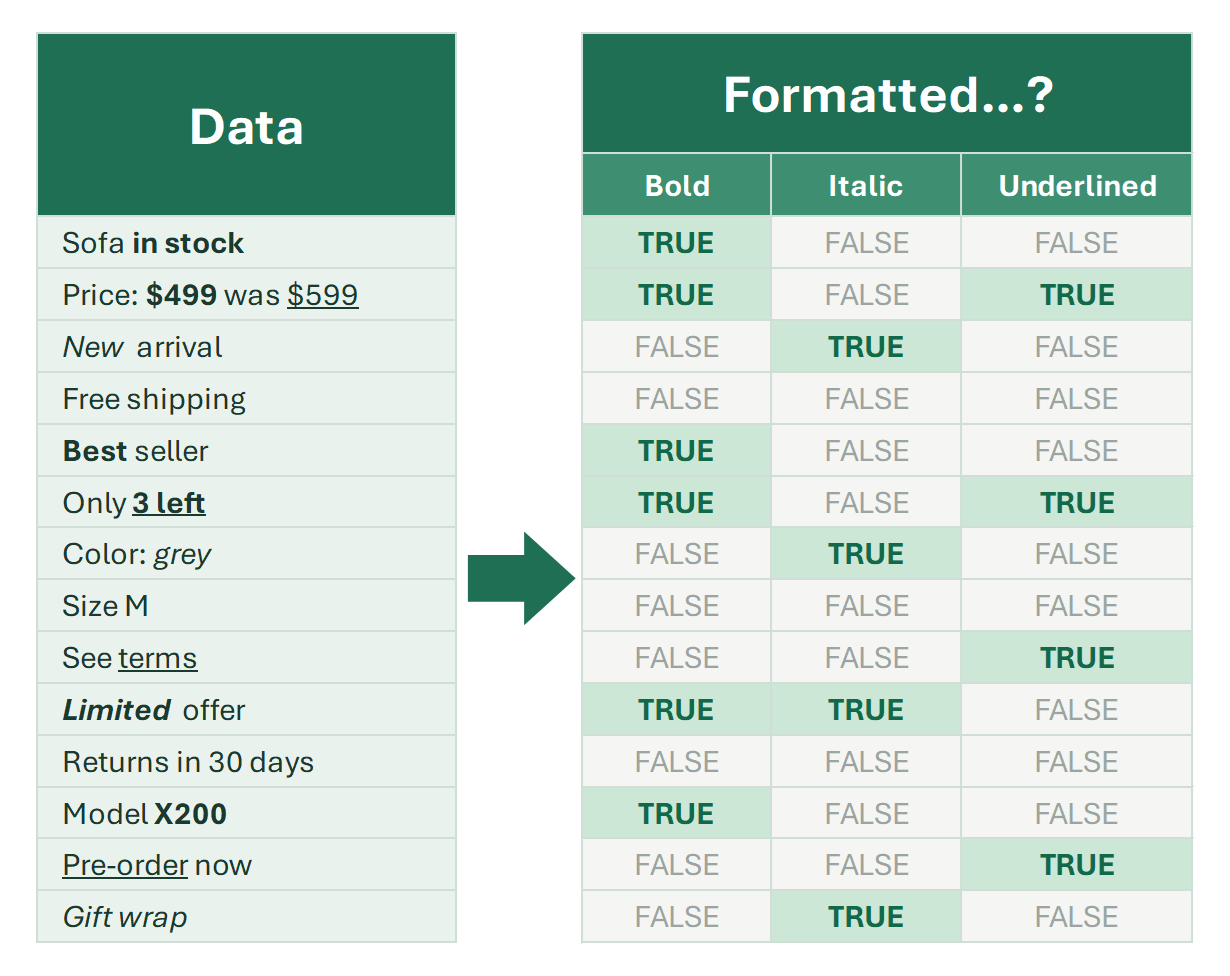
Find bold text in Excel

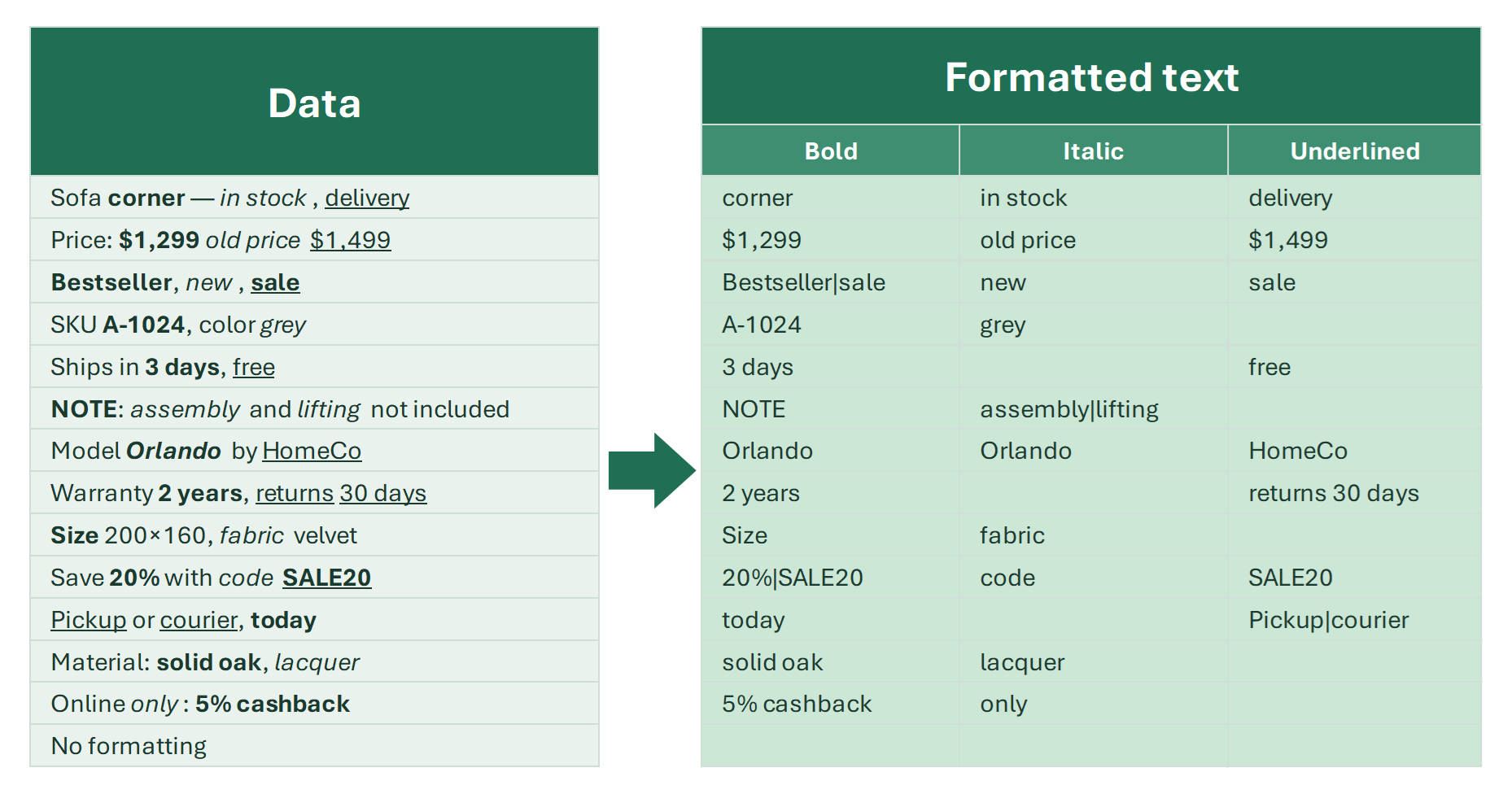
Detect cells with bold characters in an Excel column: Find and Replace by format, or a tool that marks bold cells TRUE/FALSE for filtering.

Is the font bold in the cells of your Excel column? How can you detect and identify cells that contain bold-formatted characters?

3 min

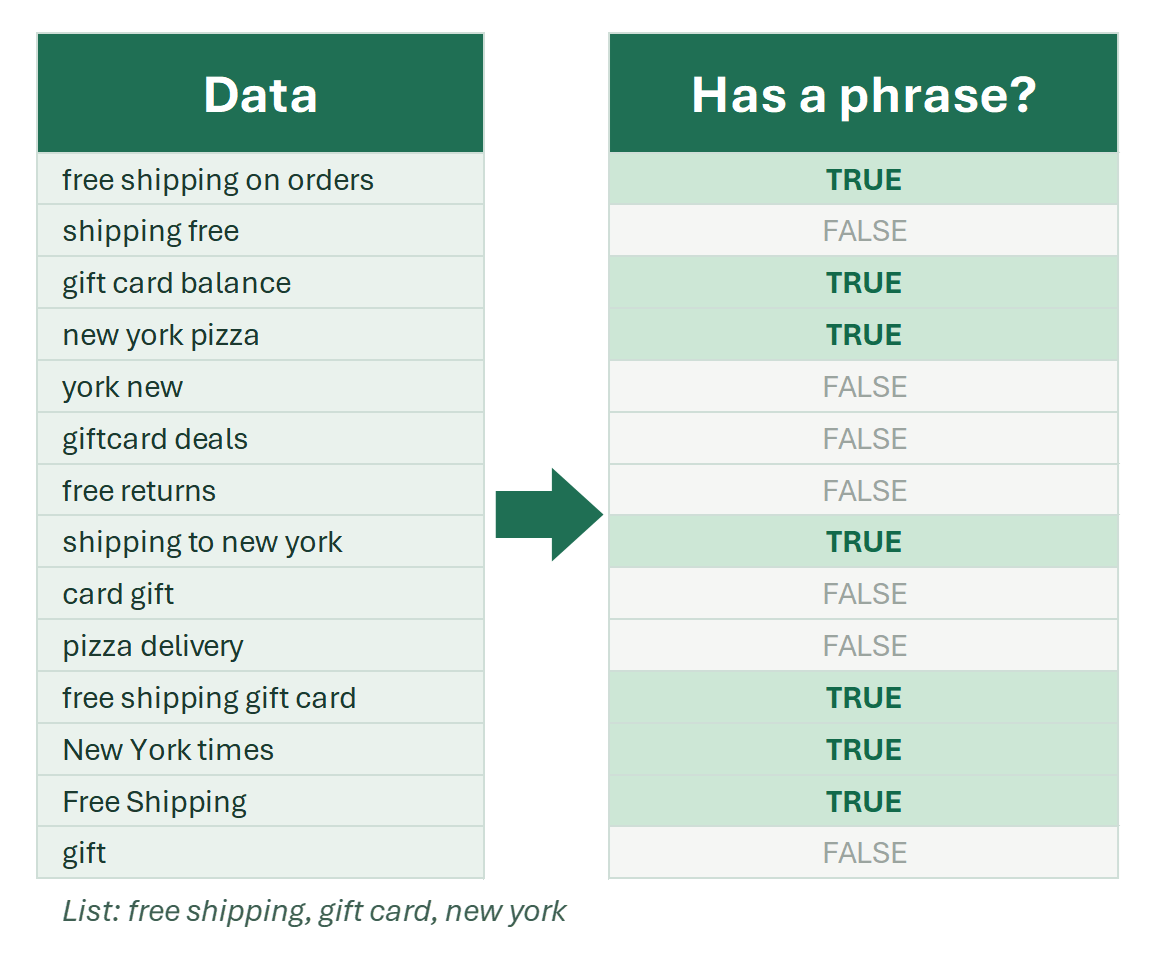
Find phrases in Excel

A single word doesn't always carry a clear meaning. Find phrases in cells instead: cities, countries and other toponyms, or your own list.

Sometimes finding words in cells does not answer all questions, because the word itself does not always carry an unambiguous meaning.

7 min

Find specific characters in Excel

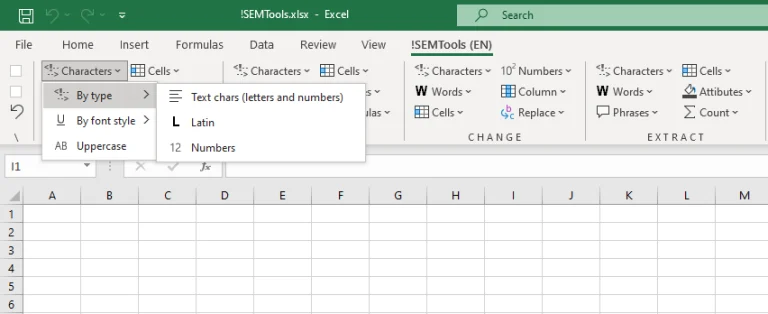
Tools to find specific characters in Excel cells by case, font style, script, digits or type, in a couple of clicks, with TRUE/FALSE output.

The Find Characters menu of the !SEMTools add-in answers one question in a click: does a cell contain certain characters or not? Digits, letters, uppercase…

8 min

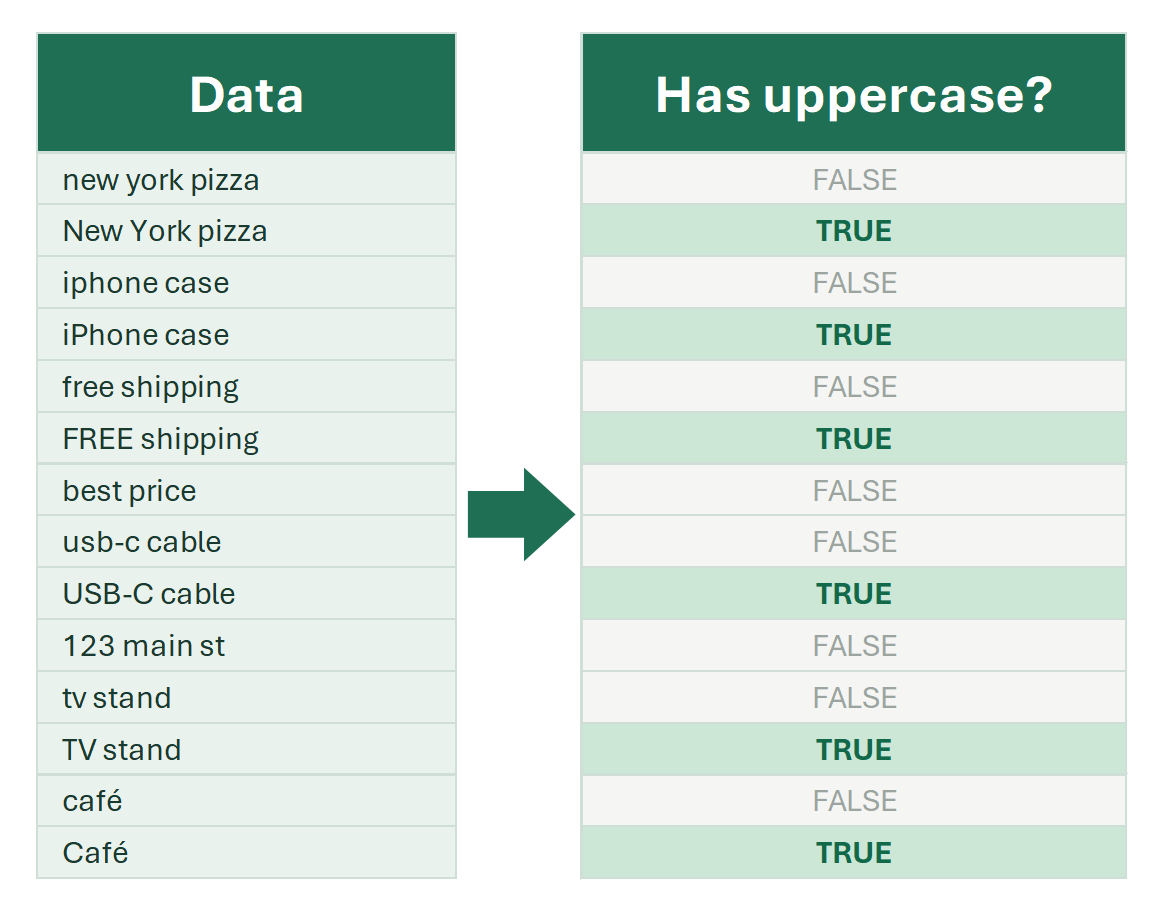
Find uppercase or lowercase letters in Excel cells

All named entities share capital letters. Detect whether a cell contains uppercase or lowercase letters with formulas, EXACT or a tool.

Finding named entities is a task in many professions. It comes up wherever text contains proper names: brands, people’s names, places, organizations and other…

8 min

Find words in Excel

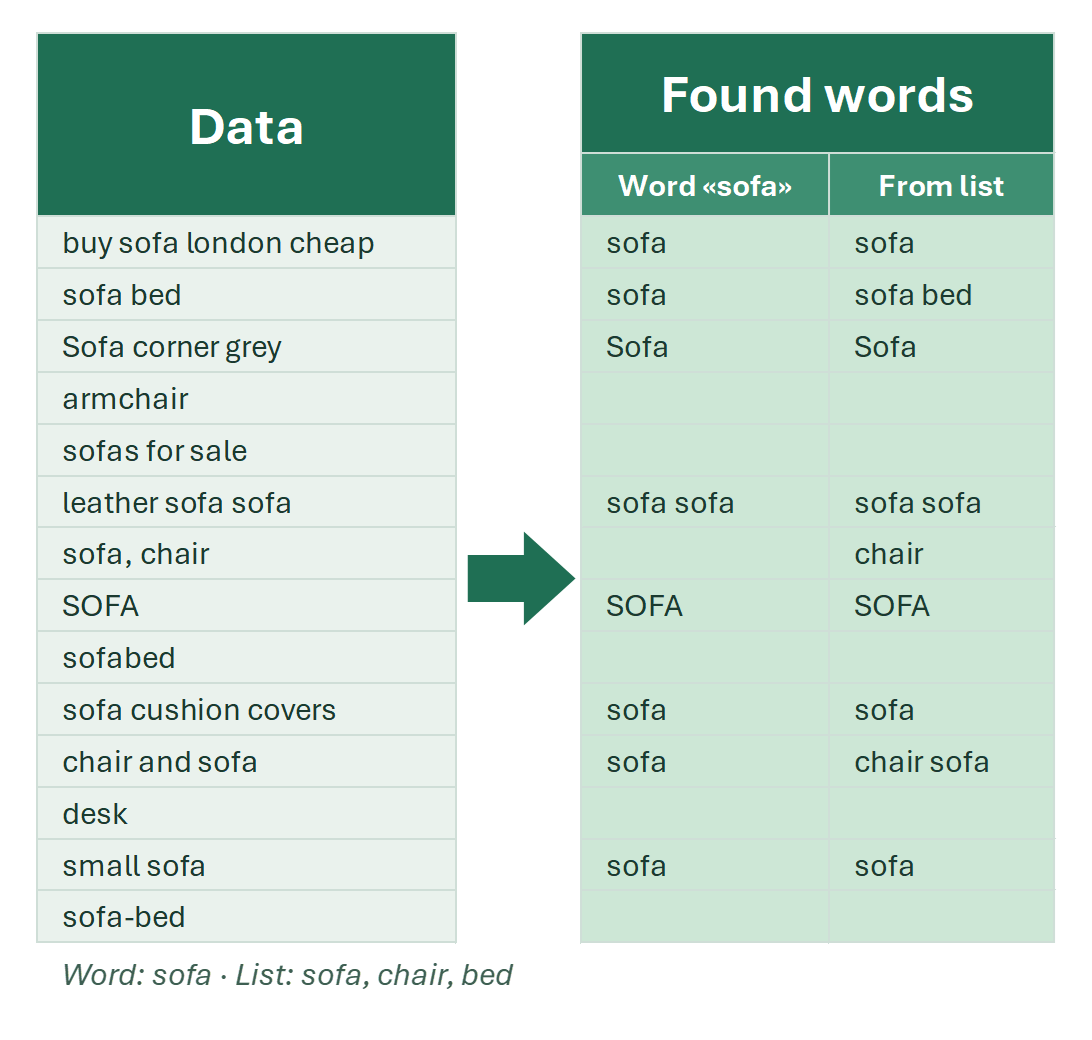
Tools to find words in Excel cells by whole-word match, pattern, letter case or regex. What counts as a word vs a pattern, with use cases.

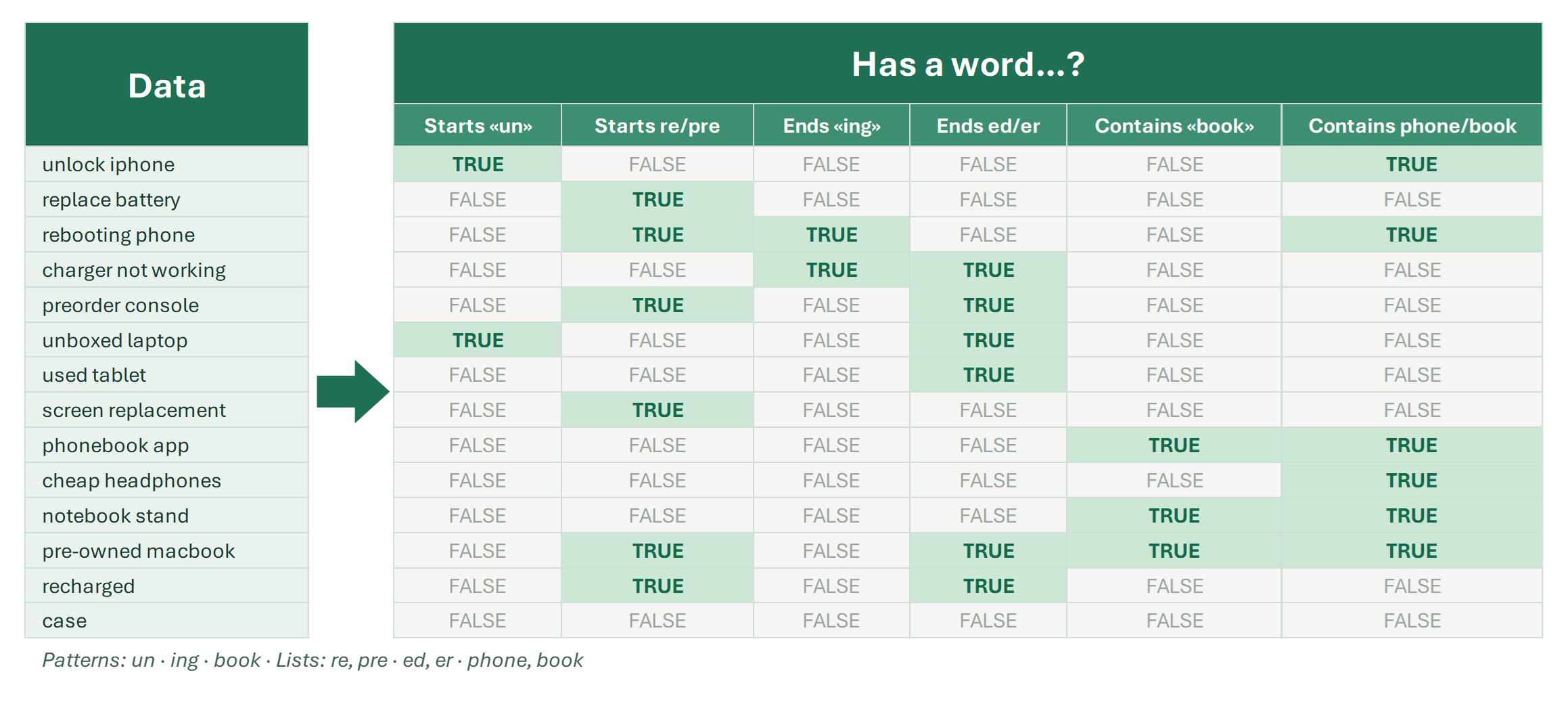
The Find Words section in the !SEMTools Excel add-in helps you locate words inside cells based on a variety of criteria. Just like other tools in the add-in…

4 min
Find words repeated inside cells

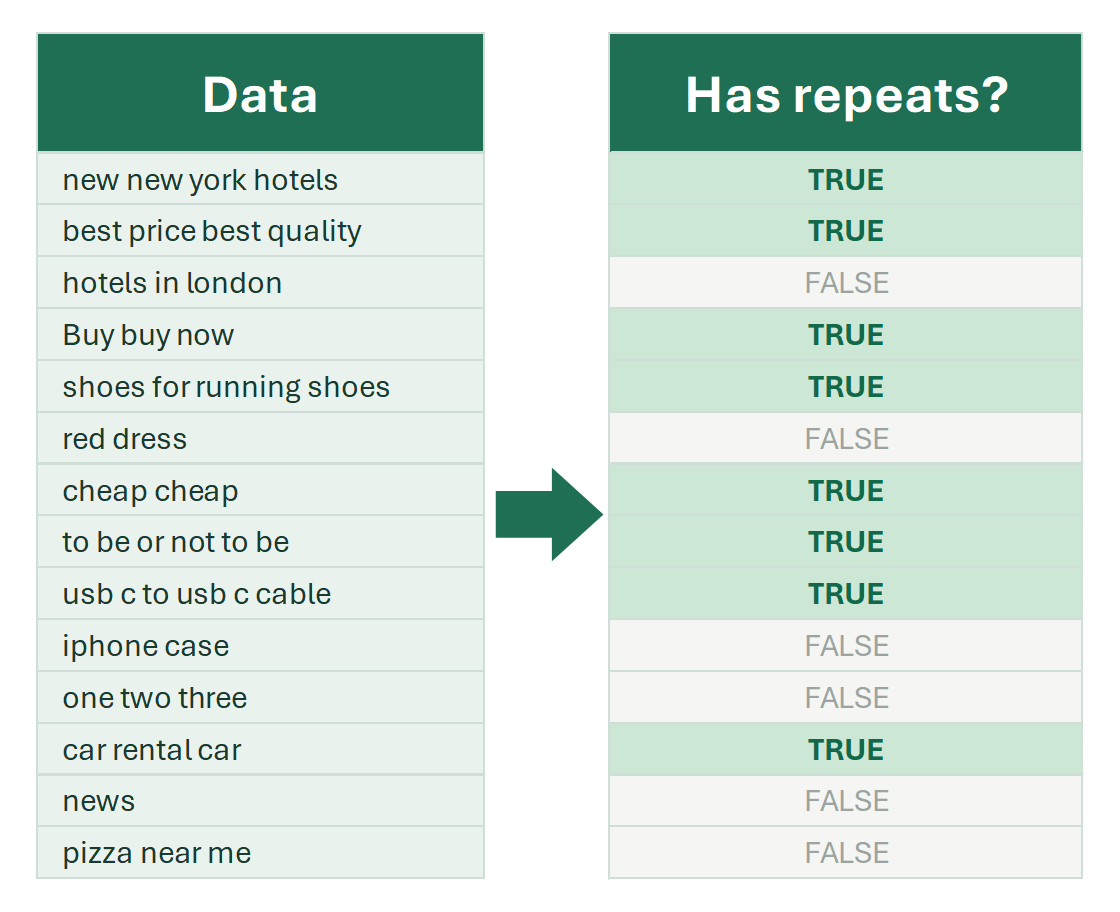
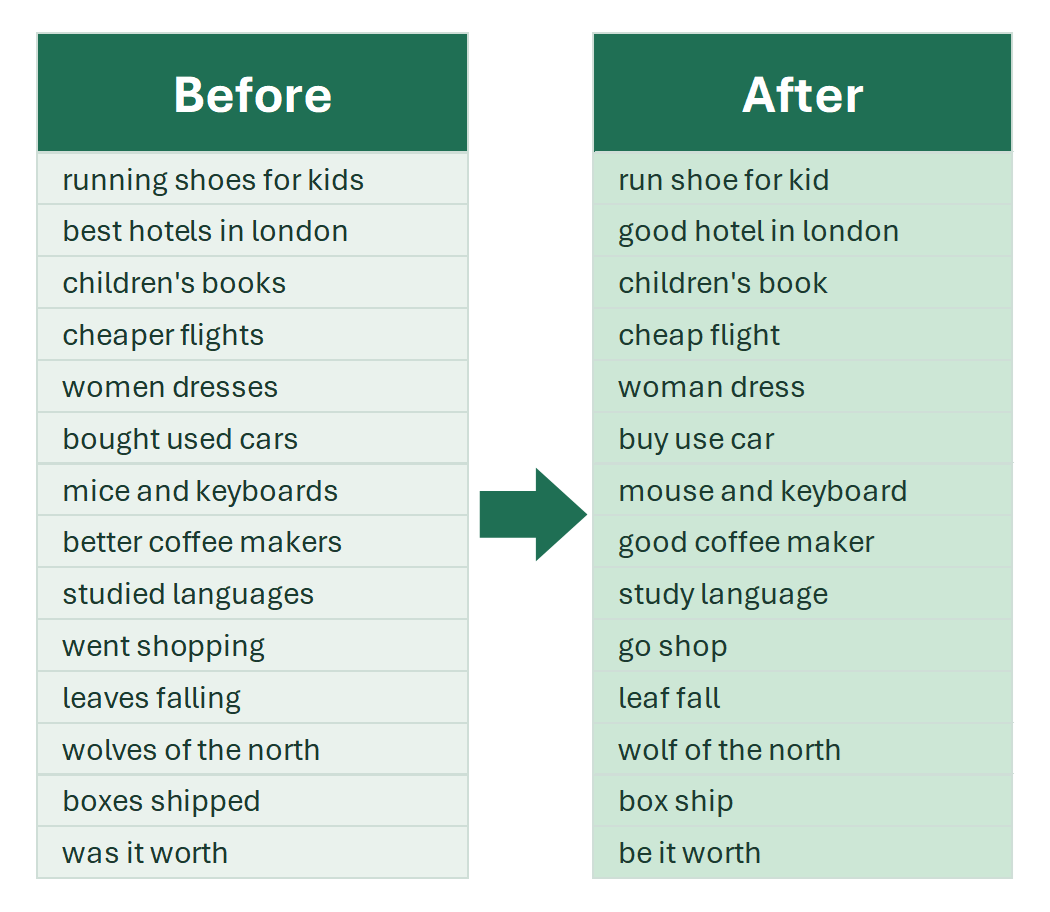
A tool that checks whether a cell contains the same word more than once, and finds the most repeated words in a text range. Delete them too.

This procedure uses a straightforward algorithm that searches for repeated words within cells. If a cell contains words that repeat, it returns TRUE. If no…

2 min

How to find words in Excel (by exact match)

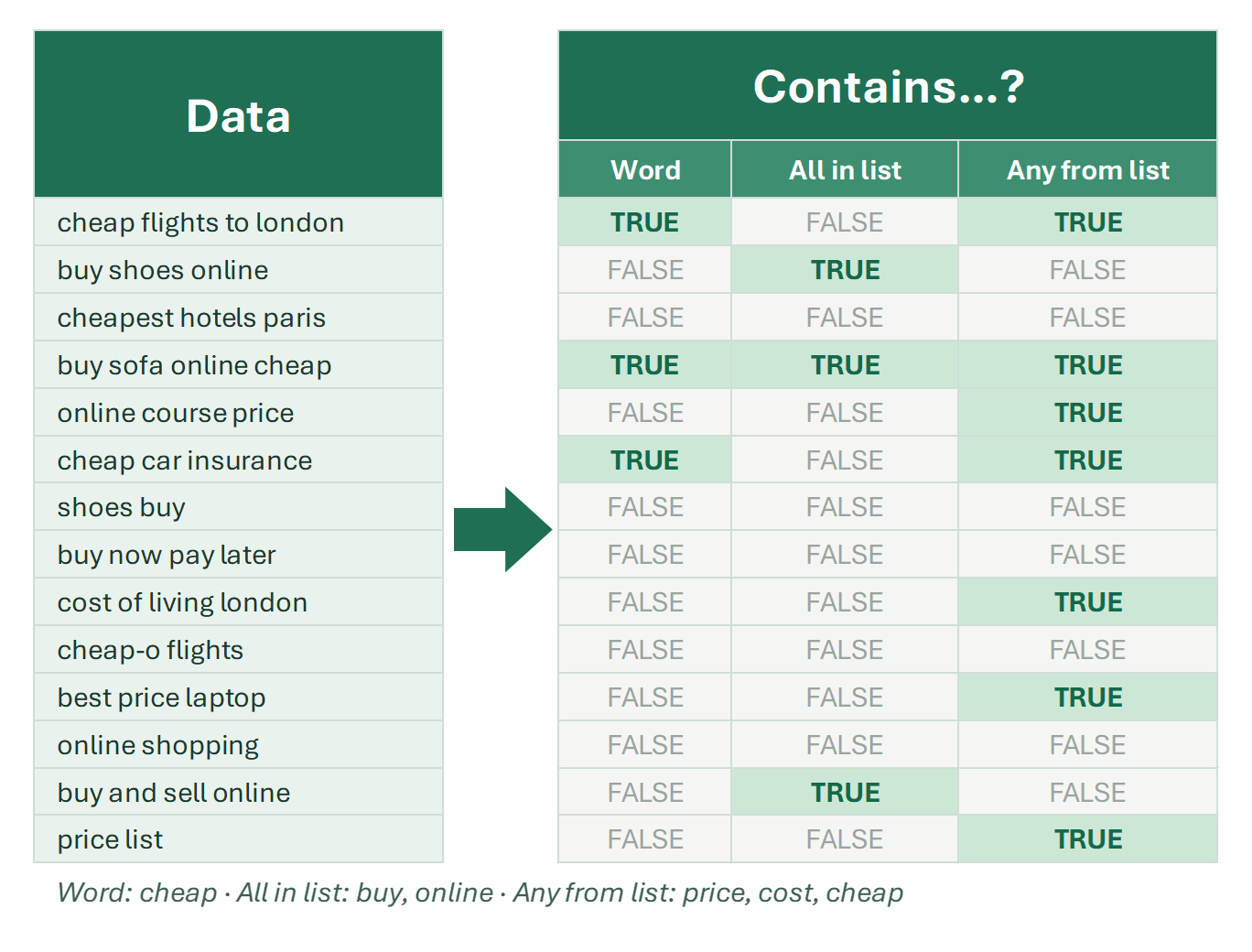
Every way to search for whole words in Excel, not parts of other words. Filter rows containing a word or words from a list — formula and tool.

How is searching by words different from a simple text search?

6 min

Regular expressions in Excel | Find, extract and replace text

Find, delete and replace characters, words and cell contents with regex in Excel: REGEXMATCH, REGEXEXTRACT, REGEXREPLACE functions and tools.

Many people have heard of regular expressions, but not everyone knows that Microsoft Excel supports them “under the hood.” Regular expressions allow you to work…

22 min

Deleting data

Delete cells containing numbers

Remove cells or rows that contain numbers in Excel: built-in tools for numeric cells, helper-column formulas for any digit, and a one-click tool.

There are many times you need to remove values that contain number characters — for example, cleaning product names like “iPhone 14 Pro,” stripping order IDs…

5 min

Delete first word in Excel cell, delete first N words in cells

Delete the first word, or the first 2, 3 or N words, from Excel cells. The formulas you need, a regex formula, and a two-click tool.

Sometimes in Excel, you need to delete the first word — or even the first few words — from each cell’s text. You can build a formula for it, but combining…

4 min
Delete multiple phrases from text in Excel

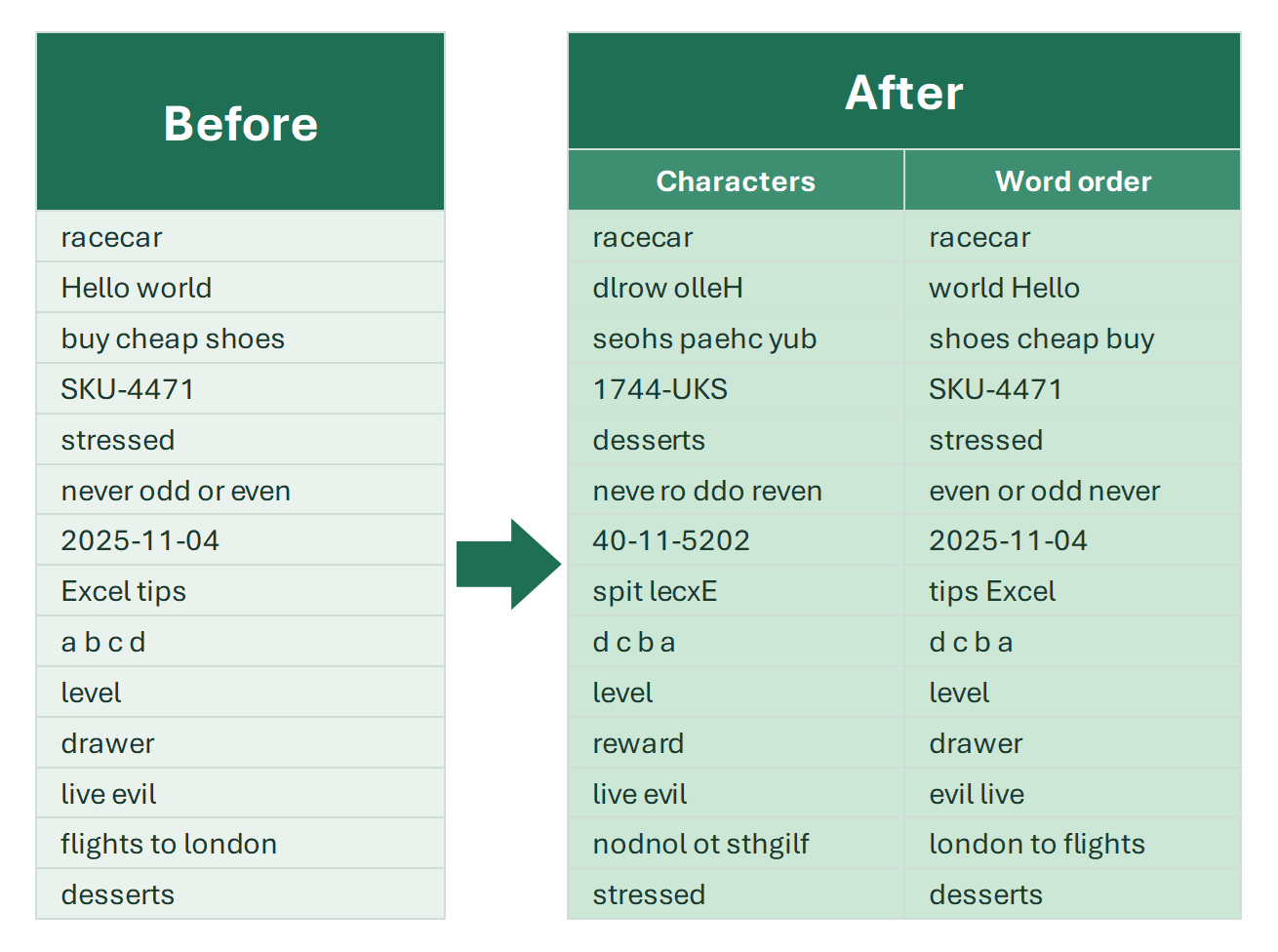
A tool to delete phrases from Excel cells without leaving fragments: remove cities and other toponyms, or your own list of phrases, in bulk.

We've already discussed how to delete words in Excel, even the shortest ones from cells. However, you often need to delete phrases, not just words. The usual…

4 min
Delete multiple words from Excel cells

You have a list of words and need to remove all of them from a list of phrases. Delete every occurrence at once, with or without replacement.

Sometimes you need to clean house in Excel - removing specific words from your text cells. You've got your list of unwanted words, and now you need to delete…

3 min
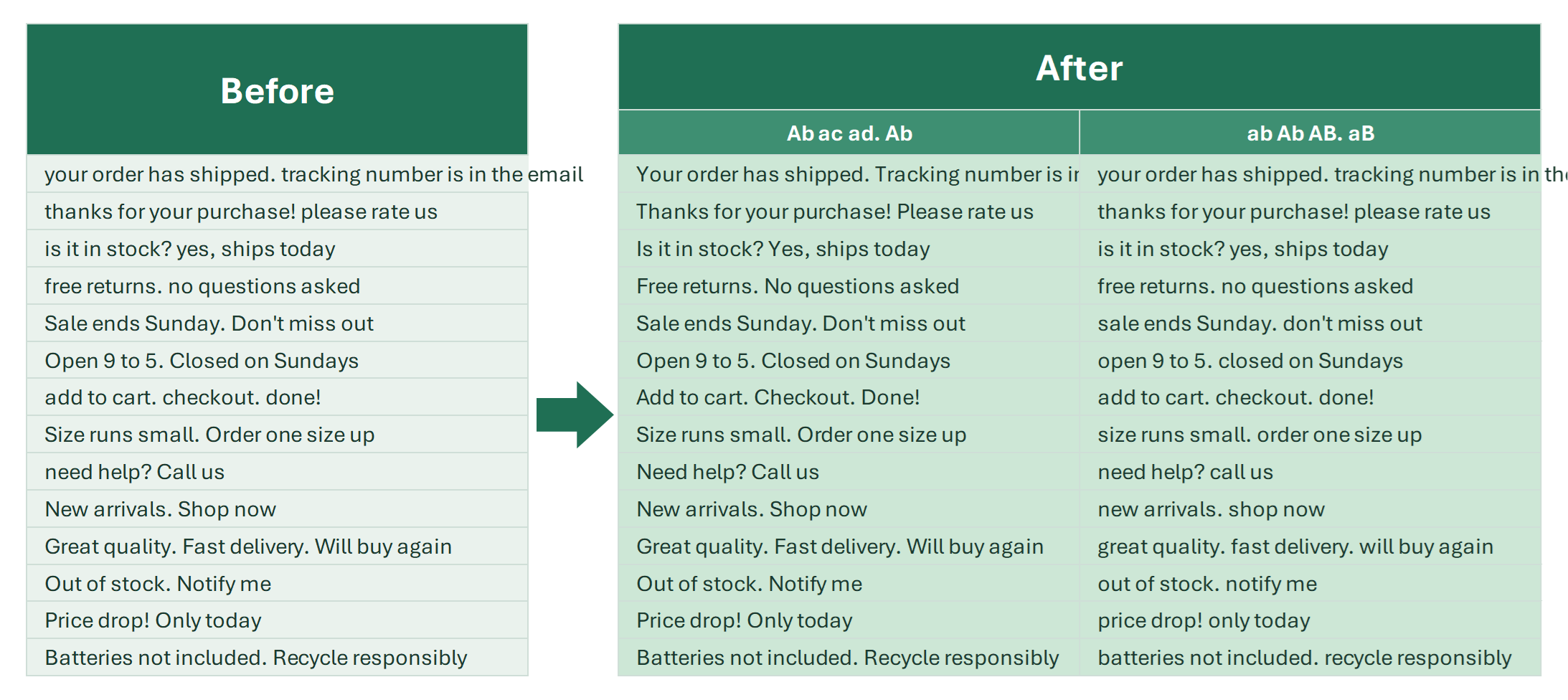
Delete repeated (duplicate) words in Excel
Delete repeated words inside Excel cells, from machine errors or manual input: an Excel 365 formula, or a two-click tool for exact and fuzzy duplicates.
When analyzing text data, you’ll often need to remove repeated words. Sometimes duplicates come from automation errors, sometimes from manual input — either…

8 min

Delete the last word in Excel cells / delete the last N words

Delete the last word or last N words from one cell or a whole column: function combinations, regular expression formulas and a tool.

Sometimes you need to remove the last word, or several words, at the end of text in Excel cells: trim a color or size from product names, cut a city off the end…

13 min

Delete words containing Latin characters

Delete whole words that contain Latin letters, or only words made purely of Latin letters, from Excel cells. No formulas or helper columns.

Need to delete words with Latin letters in Excel? This page shows how to do it instantly with !SEMTools — no formulas, no helper columns.

3 min

Delete words in Excel

How to delete specific words from an Excel column: words with Latin letters, digits or patterns, the first or last words, or a whole list of words.

The !SEMTools add-in can remove words from text in many ways. Below are the cases with links to more detailed descriptions of the corresponding functionality.

3 min

Deletion tools

Tools to delete specific rows, cells, characters, words, ranges and formulas in Excel by one or several conditions, plus formula alternatives.

How do you delete unnecessary data in Excel tables in bulk? To answer this, first figure out what the data you want to delete consists of and what it has in…

4 min

How to delete text after a character in Excel

Delete everything after a comma, space, slash or word in Excel cells: Find and Replace, LEFT and SEARCH, TEXTBEFORE and a 2-click tool.

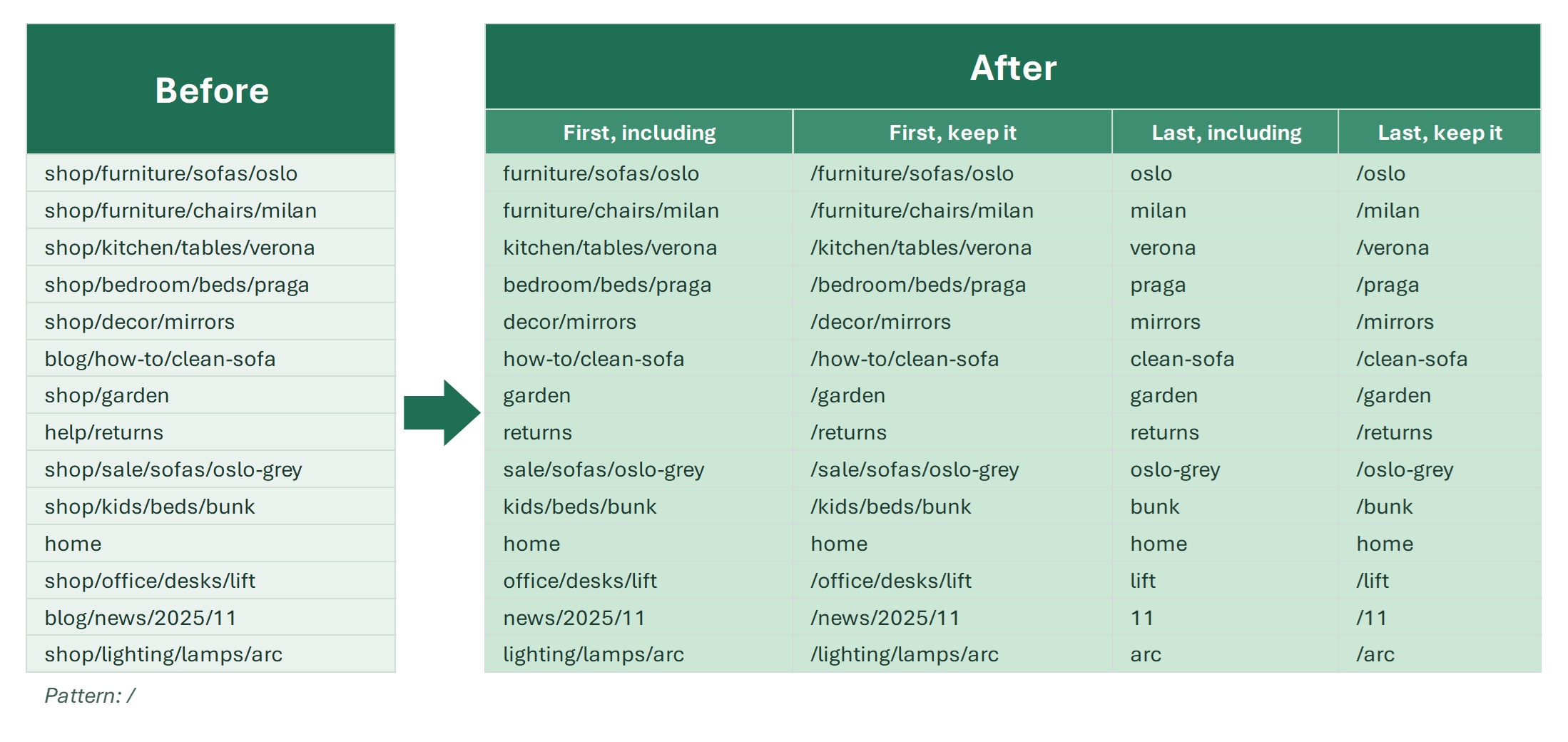
To delete text after a character in Excel, the fastest no-formula way is Find and Replace: press Ctrl+H, type “,*” in Find what and leave Replace with empty.…

7 min

How to delete text up to a certain character in Excel

Every way to delete text in cells up to any character or sequence — space, comma, dot, digit — inclusive or not, first or last occurrence.

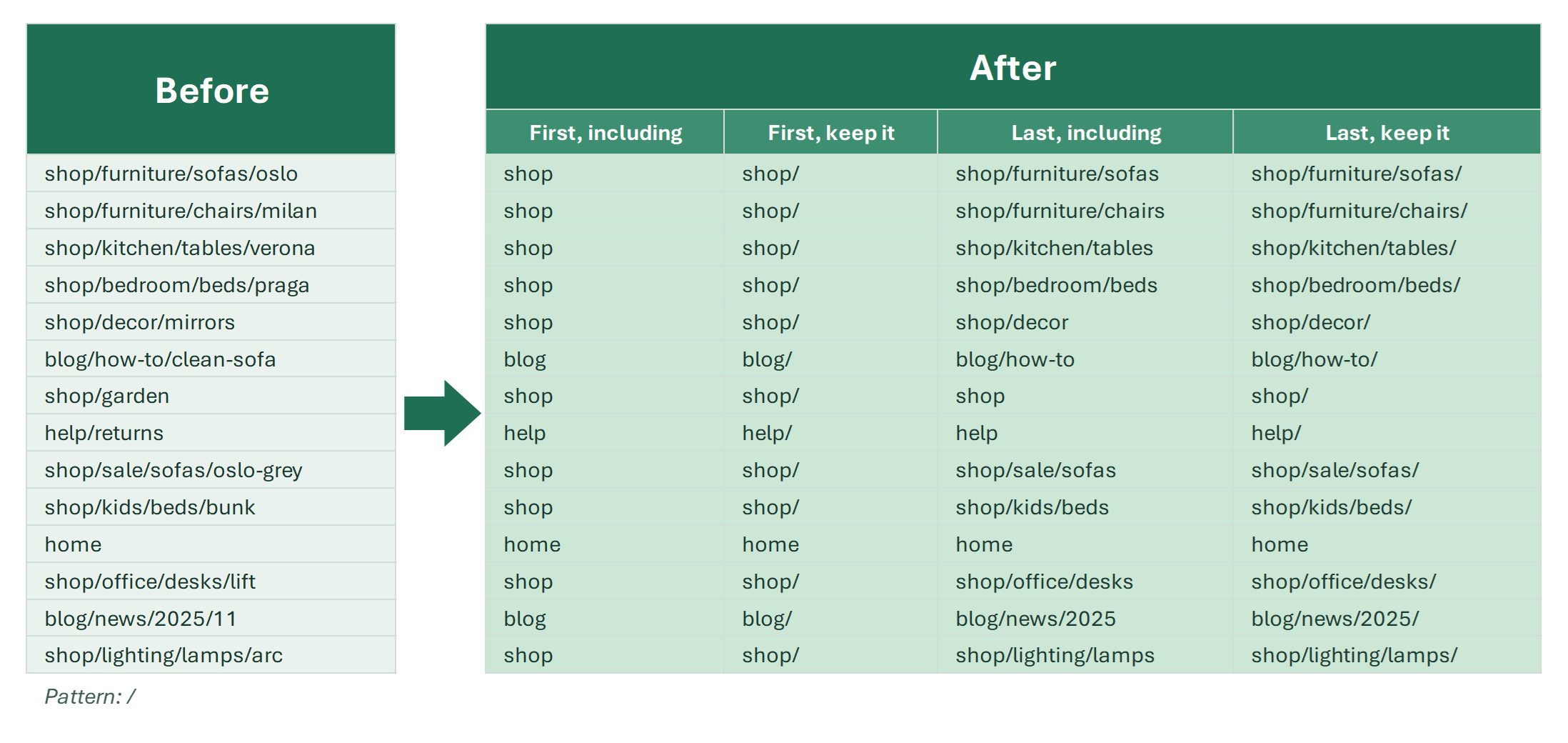
In Excel, you quite often need to remove everything in a string before a certain character. It can be a single character (a space, a period, a comma, a colon)…

9 min

Remove characters from cells in Excel

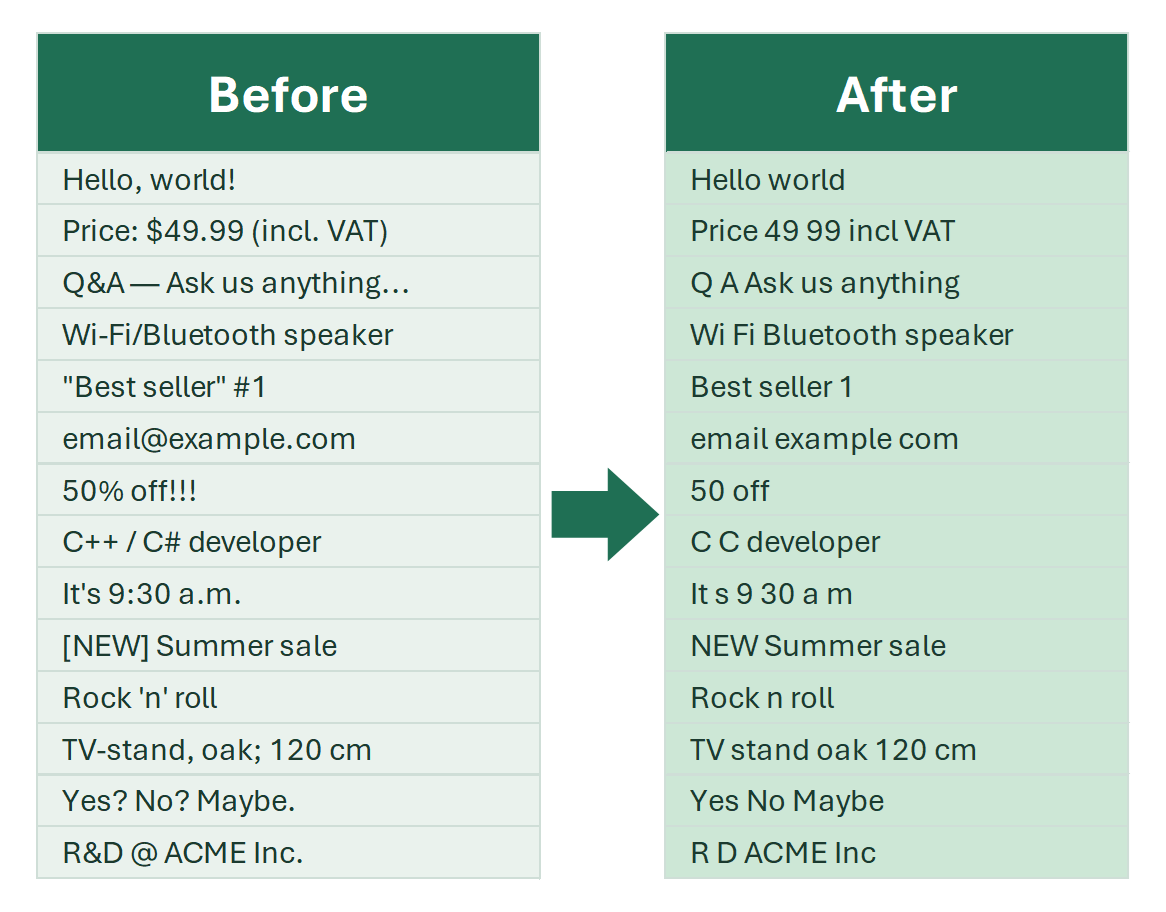
Delete any unwanted characters in Excel: punctuation, extra spaces, characters on the left or right, by type or before a character. Formulas and tools.

As an Excel consultant, I often get asked about removing unwanted characters from spreadsheets. Before suggesting a solution, however, it's important to clarify…

4 min

Remove duplicate lines inside an Excel cell

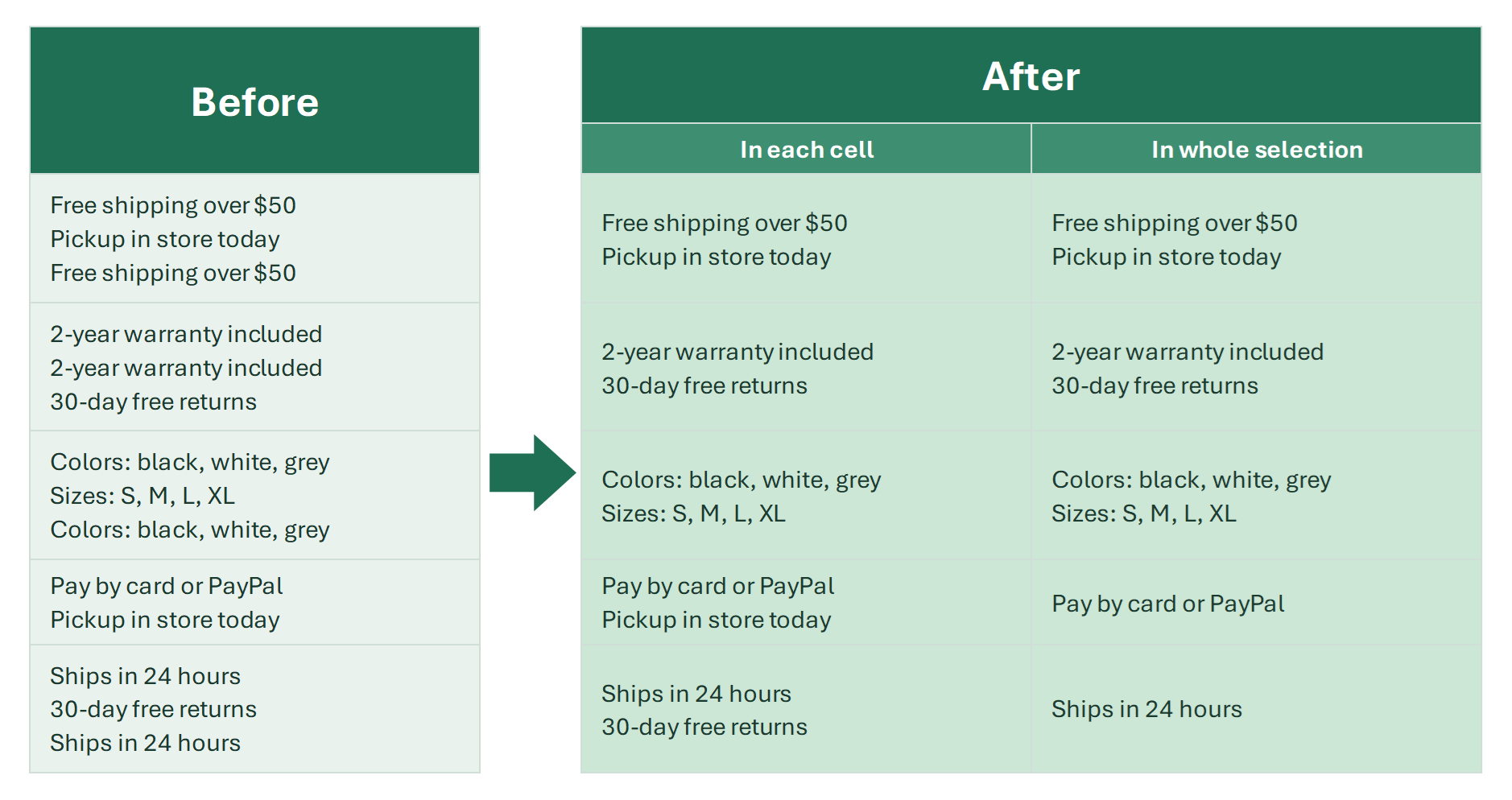
Remove repeated lines inside Excel cells: a TEXTSPLIT and UNIQUE formula for Excel 365, and duplicates in each cell or across a selection in 2 clicks.

Duplicate lines inside an Excel cell are a typical side effect of joined descriptions and specs: “Free pickup today” twice in one cell, “2-year warranty”…

6 min

Remove empty lines inside an Excel cell

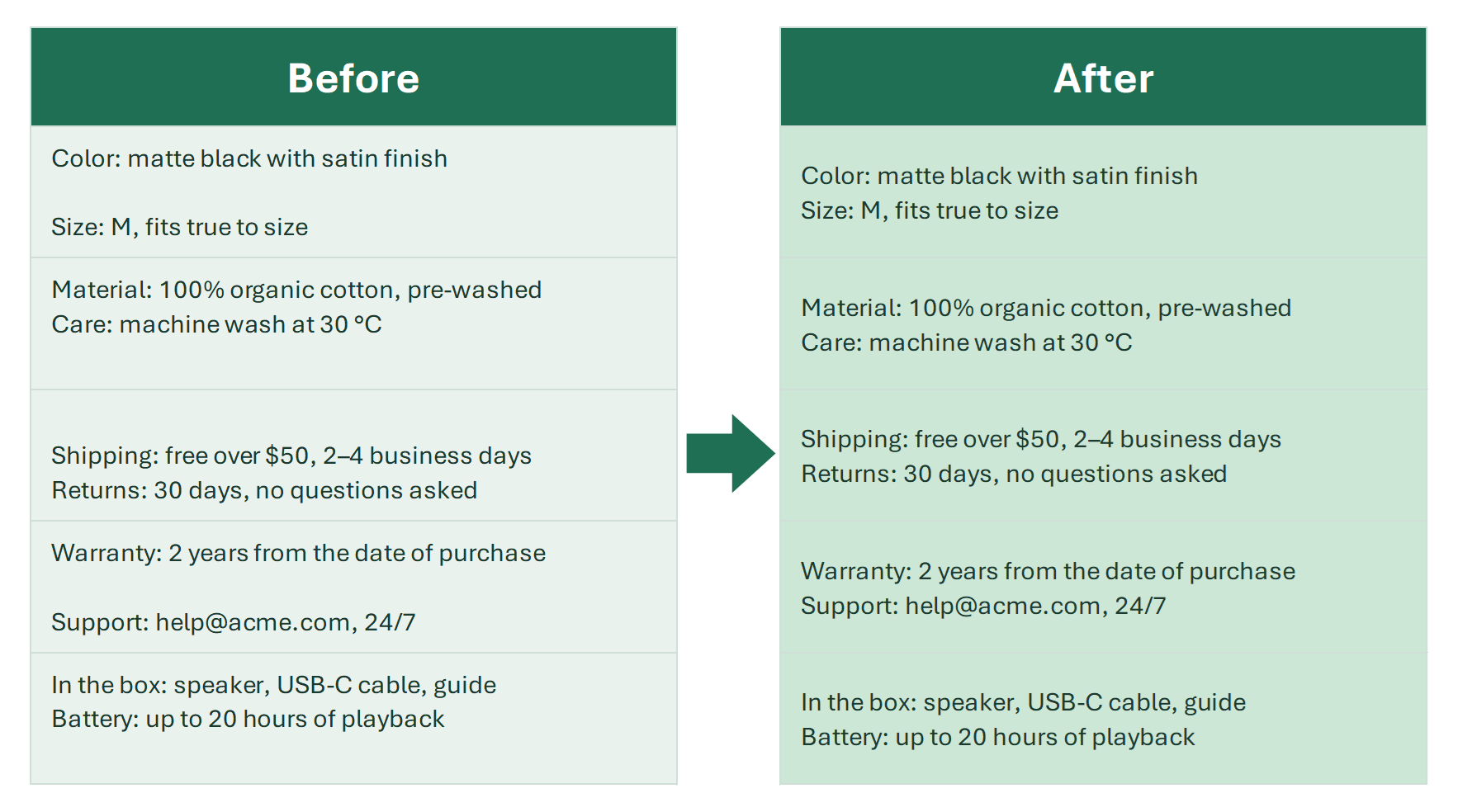
Remove blank lines and extra line breaks inside Excel cells: Ctrl+J in Find and Replace, SUBSTITUTE and TEXTSPLIT formulas, and one click for a whole range.

Empty lines inside an Excel cell appear when you paste text from emails, websites or CRM exports: double line breaks between paragraphs and extra ones at the…

6 min

Remove extra spaces from cells (trim column) in Excel

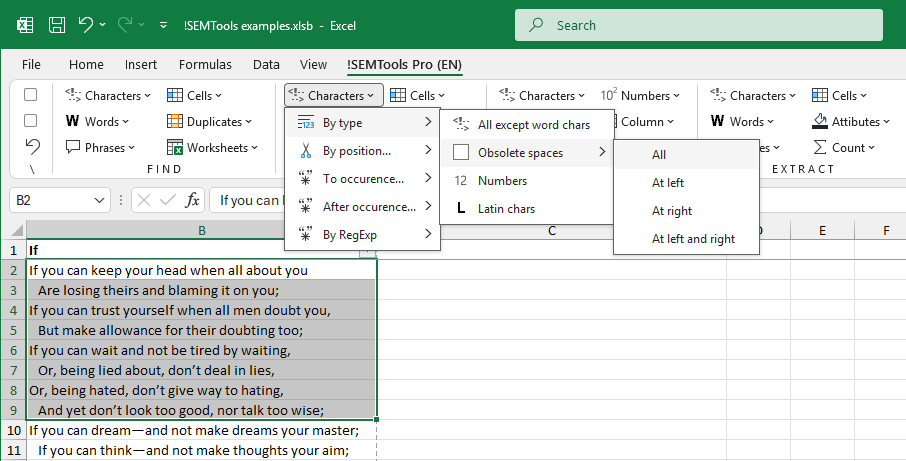
Remove unwanted spaces at the start of cells, end of lines and between words: Find and Replace, TRIM, non-breaking spaces, and a one-click tool.

The biggest frustration with extra spaces is that they’re invisible.

5 min

Remove first N characters (from left) in Excel cells

Delete the first character or first N characters from every cell in a couple of clicks, or with a RIGHT/LEN or REPLACE formula.

How to remove the first character or the first several characters in an Excel cell? A product code before the name, a numbering “1. ”, an apostrophe or a…

12 min

Remove last N characters (from right) in Excel

Delete the last character or last N characters from every cell in a column in one click, or with a LEFT/LEN formula. Examples included.

Removing the last characters in Excel cells is one of your everyday tasks if you work a lot with text data: a trailing comma, a unit of measure, a code at the…

13 min

Remove Latin characters from text in Excel

Delete Latin characters from text with built-in Excel methods and the !SEMTools tool. Also remove words with Latin letters or whole cells that contain them.

Detecting the presence of Latin letters in a cell is easy. Removing them cleanly is trickier because Excel has no single built-in command to strip an entire…

5 min

Remove numbers from text in Excel cells

Excel has no built-in way to strip all digits at once, but it's possible: Find and Replace, a formula, or a two-click tool. Also remove words with numbers.

Excel doesn’t offer a built-in function or tool to remove all number characters from a range of cells in bulk. However, there are a few practical workarounds…

5 min

Remove Punctuation in Excel — Keep Only Letters and Numbers

Strip punctuation from Excel cells and keep only letters and numbers: an Excel 365 formula, regular expressions, or a two-click tool. Use cases included.

When you analyze text data in Excel, you often need to remove punctuation from cells and keep only letters and numbers: before counting words, comparing…

7 min

Changing and replacing

Add a character, word, other text to multiple cells in Excel

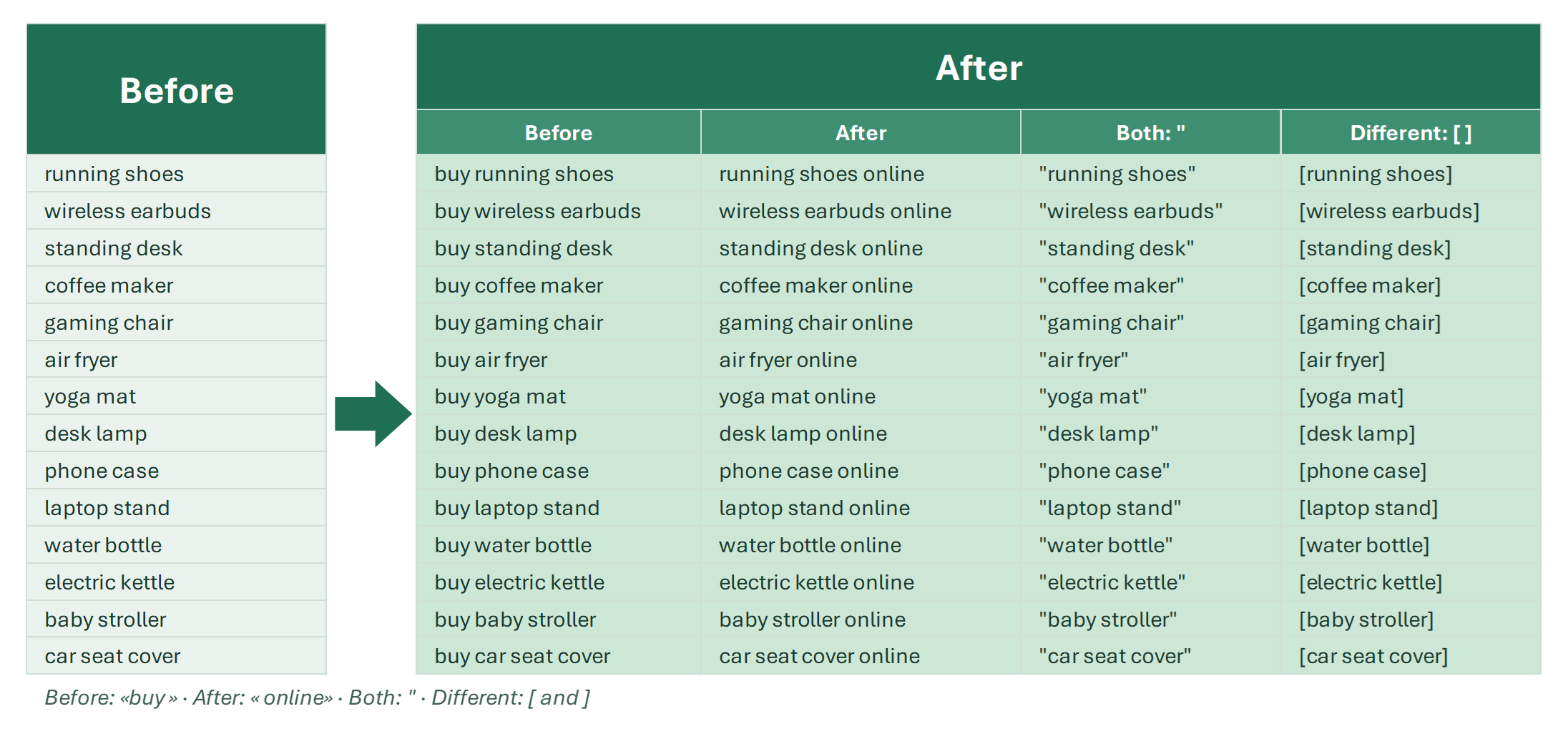
Add a character, word or text to the beginning or end of every cell in a column. All insertion examples: formulas, Flash Fill and a one-click tool.

Sometimes, when working with large datasets in Excel, you need to add a specific piece of text to every cell in a column — either at the beginning or the end of…

5 min

Add characters before or after every word in cell

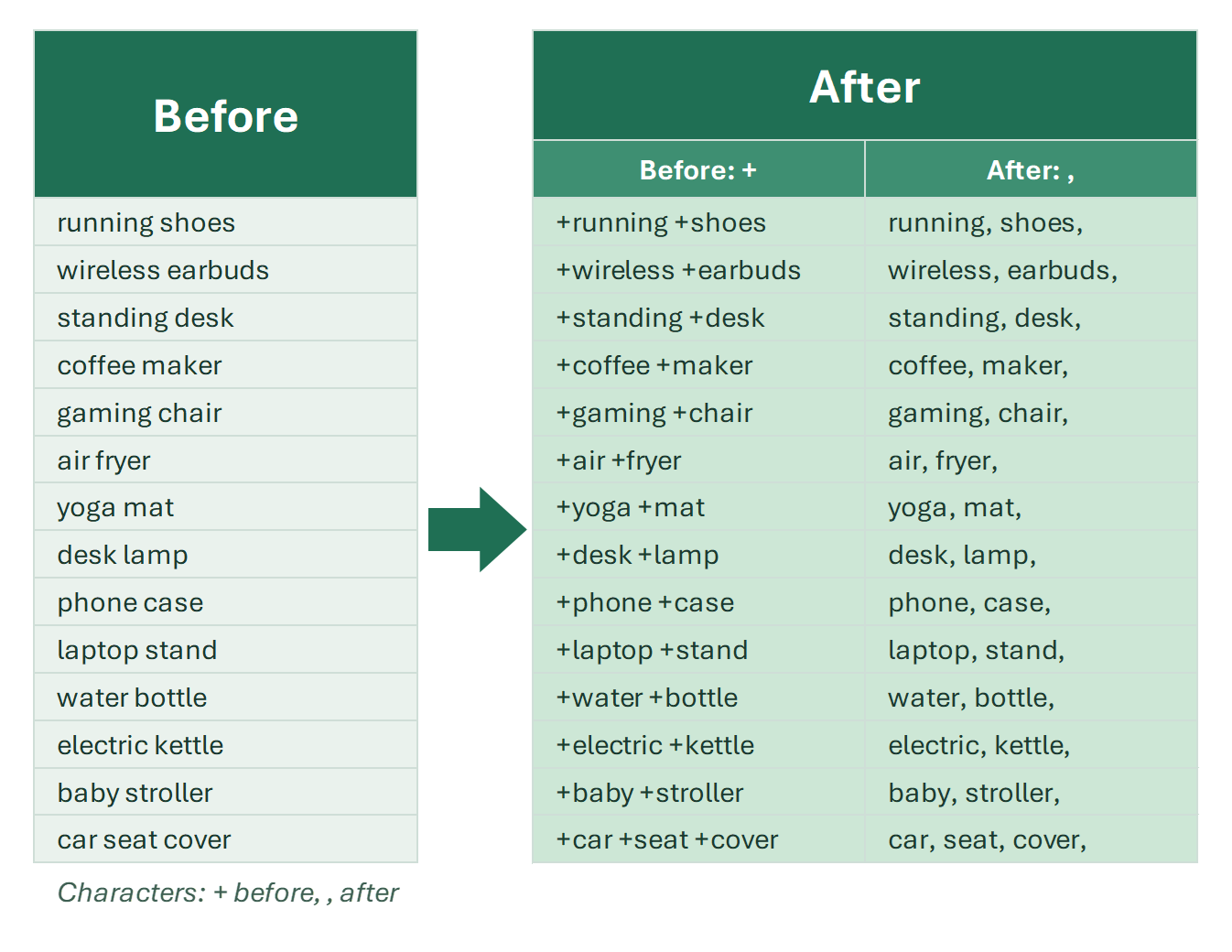
Add any character before or after each word in a cell, like + or quotes for keywords. Formula combinations, pitfalls and a two-click tool.

In a previous article, we looked at how to add a symbol, word, or text to all cells in a column. That approach works for adding something once at the beginning…

6 min

Change & replace tools

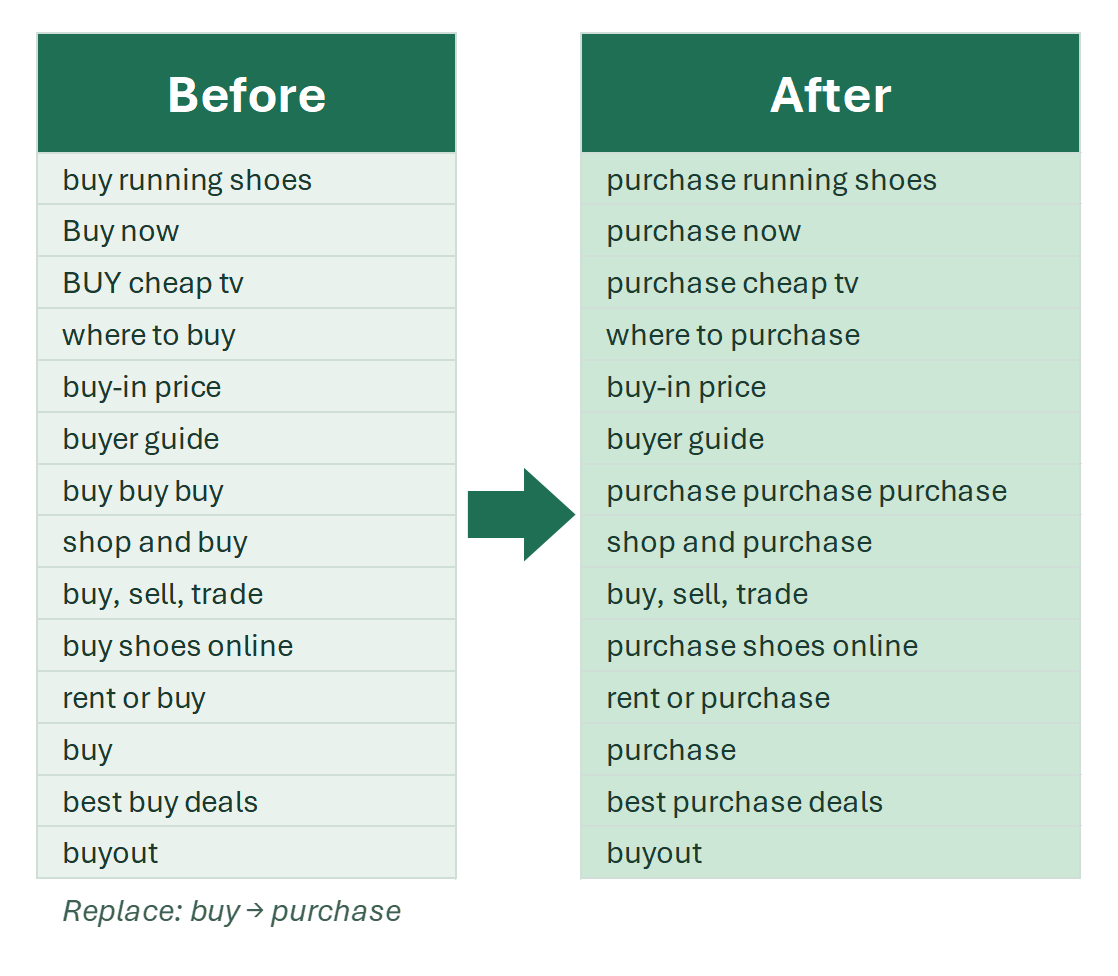
Tools and functions that change data in Excel in bulk: single characters, words, cells, numbers or whole ranges — case, transliteration, replacement.

The macros in this group are responsible for changes you want to make to specified entities — characters, words, cells, or ranges. Before using them, it’s…

3 min

Change case in several cells at once

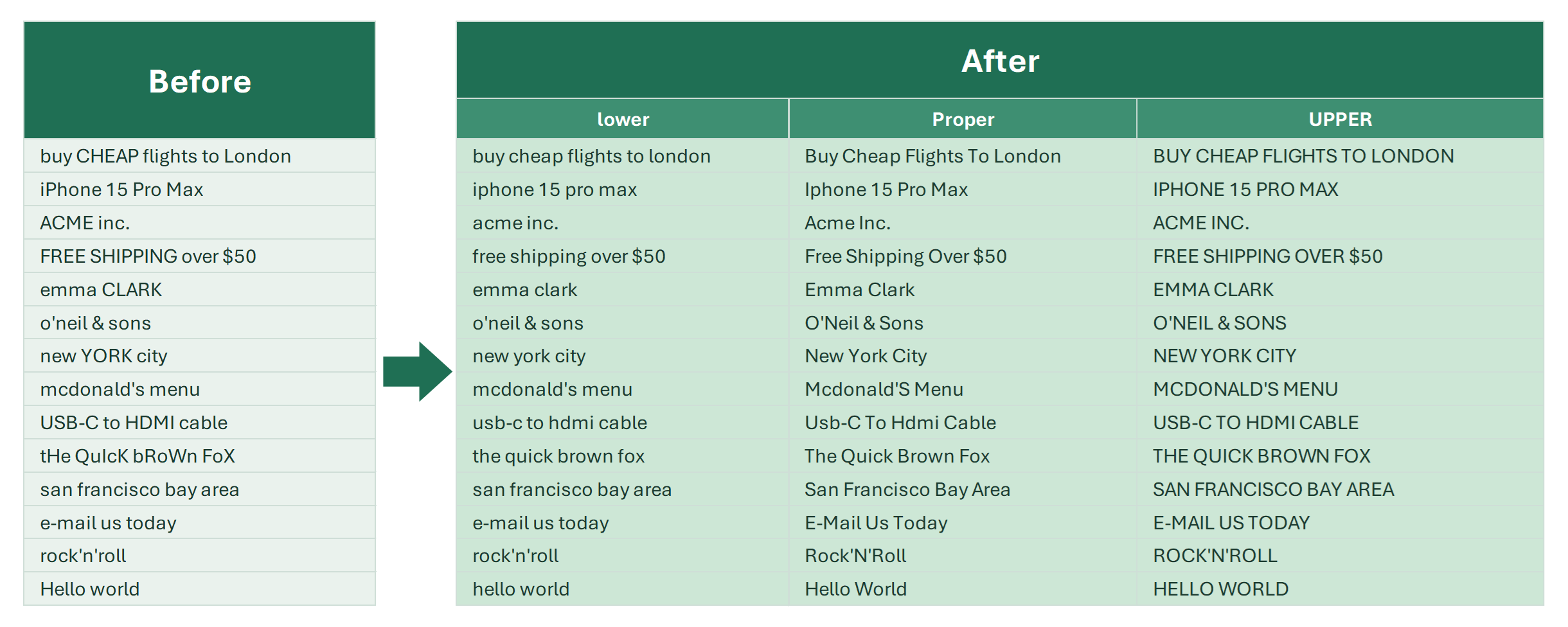
Uppercase, lowercase, capitalize words or sentences, fix Latin words and abbreviations: UPPER, LOWER, PROPER formulas and one-click case tools.

When you work with text in Excel, sometimes all the letters are in the wrong case — everything is SHOUTING IN UPPERCASE, or all in lowercase with no capital…

7 min

Change Characters in Excel

Tools to change characters in Excel cells in bulk: letter case, Cyrillic to Latin, diacritics to plain Latin letters, quotation marks.

Among all text operations in Excel, modifying characters is one of the most common tasks. The most frequently modified are alphabetic characters.

3 min

Change multiple cells at once in Excel

Tools to change many Excel cells at once: insert characters, reverse word or character order, sort words in a cell alphabetically, translate.

Office workers often face tasks that require updating numerous entries in Excel. Whether it's applying a new formula, adjusting budgets, or updating client…

5 min

Change word order in Excel cells

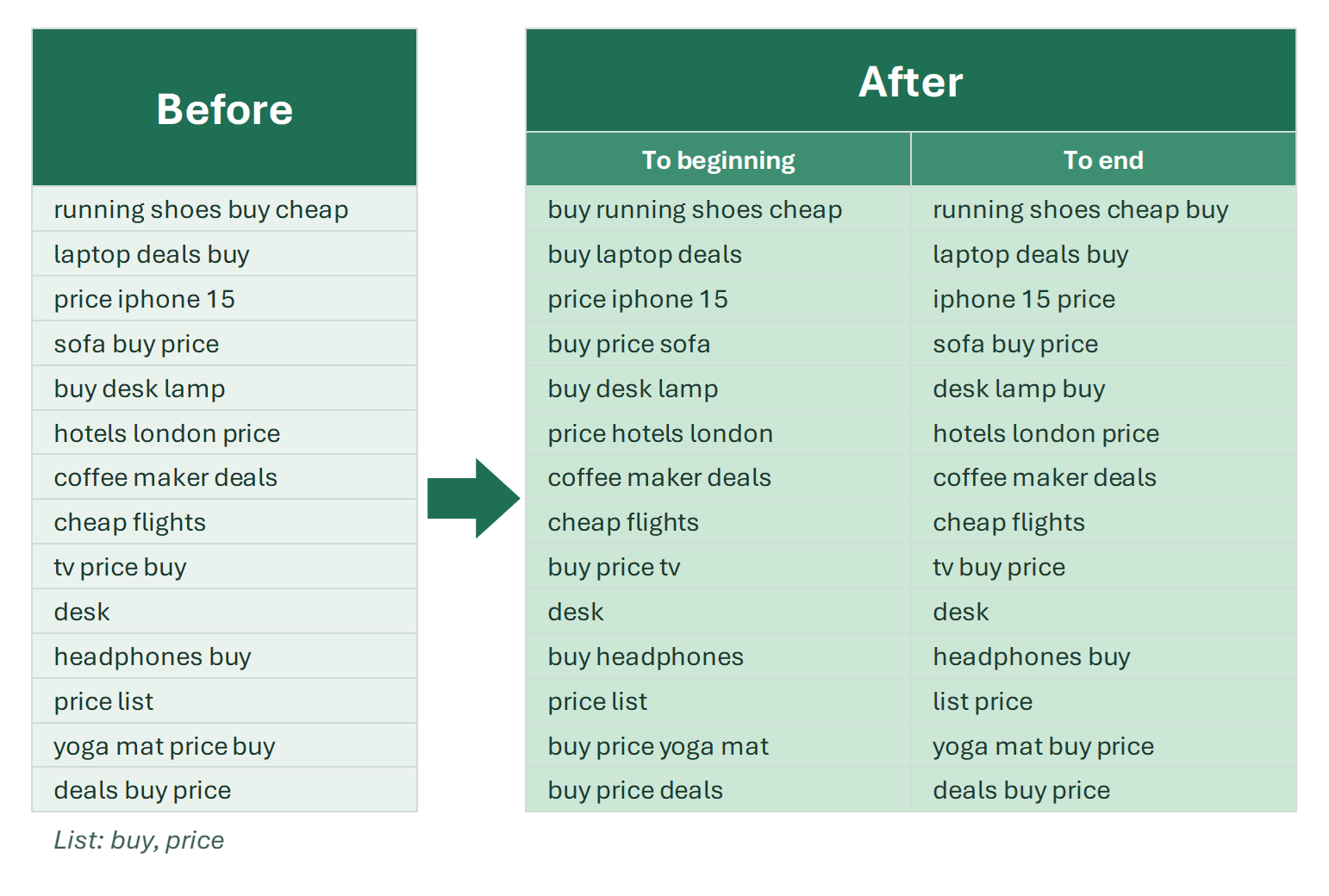
Sort words in a cell alphabetically, reverse their order, swap them, or move specific words to the beginning or end of a cell with one tool.

In rare but important cases when working with Excel, you may need to change the order of words inside cells.

3 min

Change words in Excel

Tools to change words in Excel cells: letter case, add characters before or after each word, lemmatize, move words, split text and numbers.

Words are a more changeable entity than symbols, because have more attributes. They have:

2 min

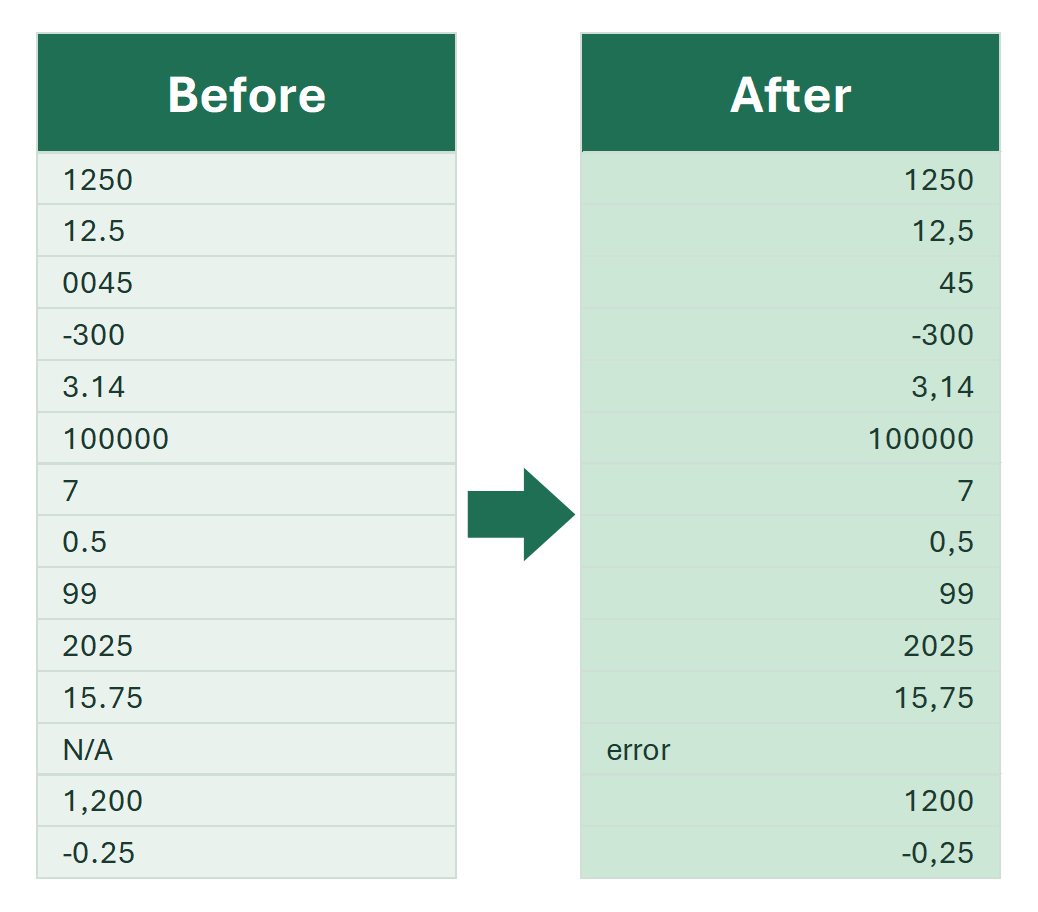
Convert numbers saved as text to real numbers

Cells show numbers but SUM doesn't work? Why numbers become text, how to spot them, and every way to convert them back — formulas and tools.

In the world of Excel, what you see isn't always what you get. A cell might look like a number, but secretly be formatted as text. This happens because Excel…

How to find and replace multiple values in Excel in bulk

How to find and replace many values in Excel in one go: Find and Replace, wildcards, nested SUBSTITUTE and a bulk replace tool driven by a list.

You may be looking for the REPLACE function in Excel. This page is about bulk find and replace. If you only need to find cells, see how to find cells by several…

15 min

Lemmatize words in Excel cells

Lemmatize text in Excel: process tens and hundreds of thousands of rows instantly for keyword grouping and analysis. How the tool works, step by step.

Lemmatization is the process of transforming a word into its base form, or lemma. The lemma differs depending on the part of speech. For example:

Reverse text in Excel: flip characters in a cell

Reverse the characters in a cell: a SEQUENCE formula for Excel 365, TEXTJOIN for 2019, a VBA function and a tool that flips cells in place.

The tool in this article is available in !SEMTools Lite and Pro.

10 min

Sentence case in Excel: capitalize first letter in all cells

Make the first letter of a cell uppercase and the rest lowercase in Excel. Formulas for sentence case and a one-click tool for whole columns.

Making the first letter in a cell uppercase is one of the most common text-cleaning tasks in Excel. Why? Text often loses its correct letter case during…

17 min

Separate numbers from text in Excel cells

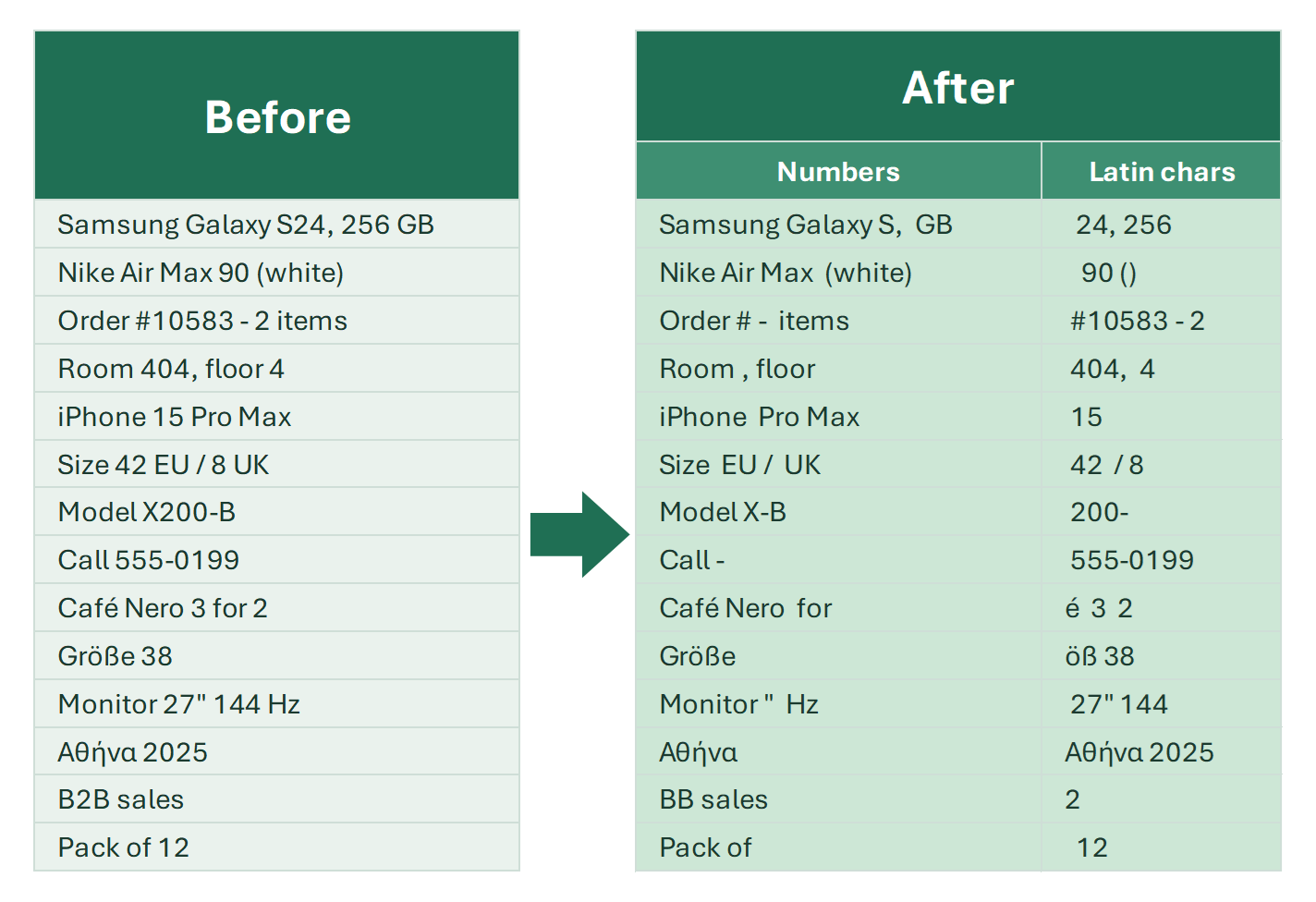
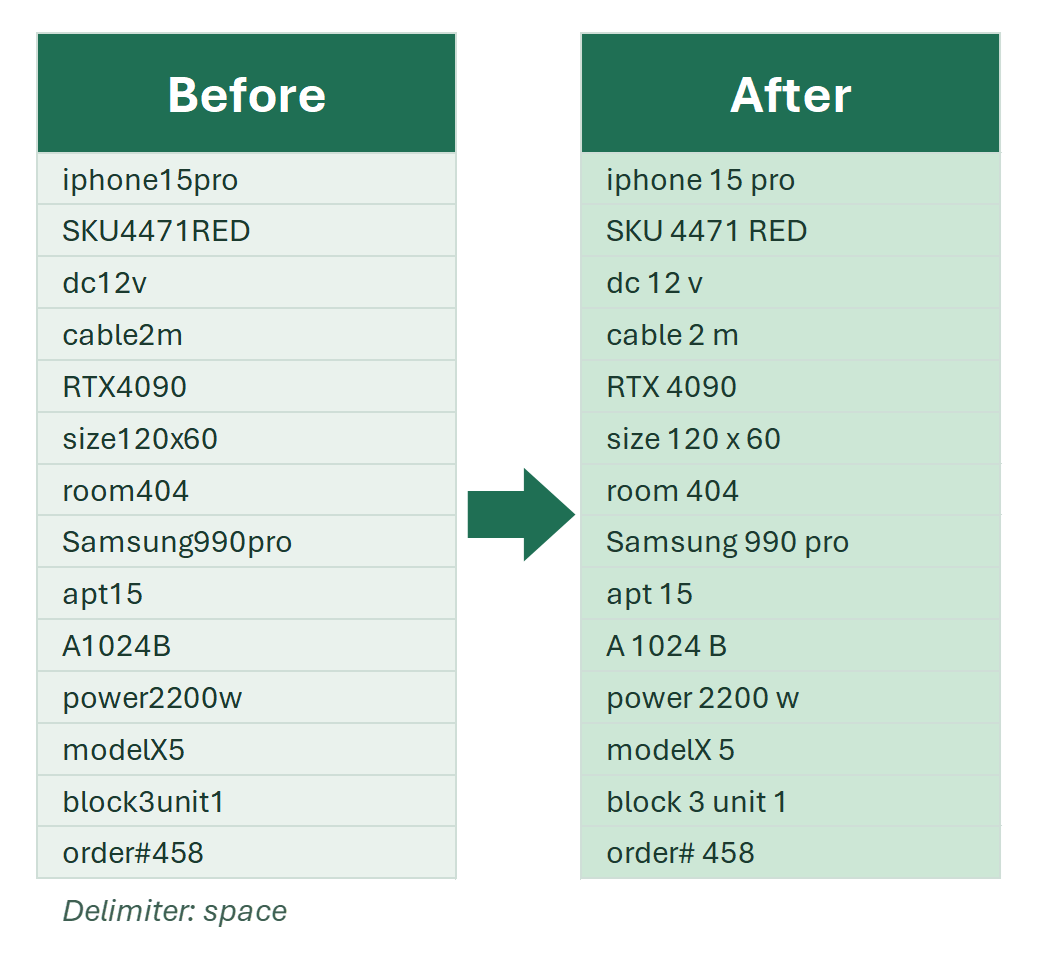
Separate letters and numbers stuck together in Excel cells: formulas for numbers at the start or end of text, regular expressions and a one-click tool.

Sometimes in Excel you’ll get data where text and numbers are combined, either intentionally or by mistake. For example, you might have a product code with…

Split a cell into rows in Excel

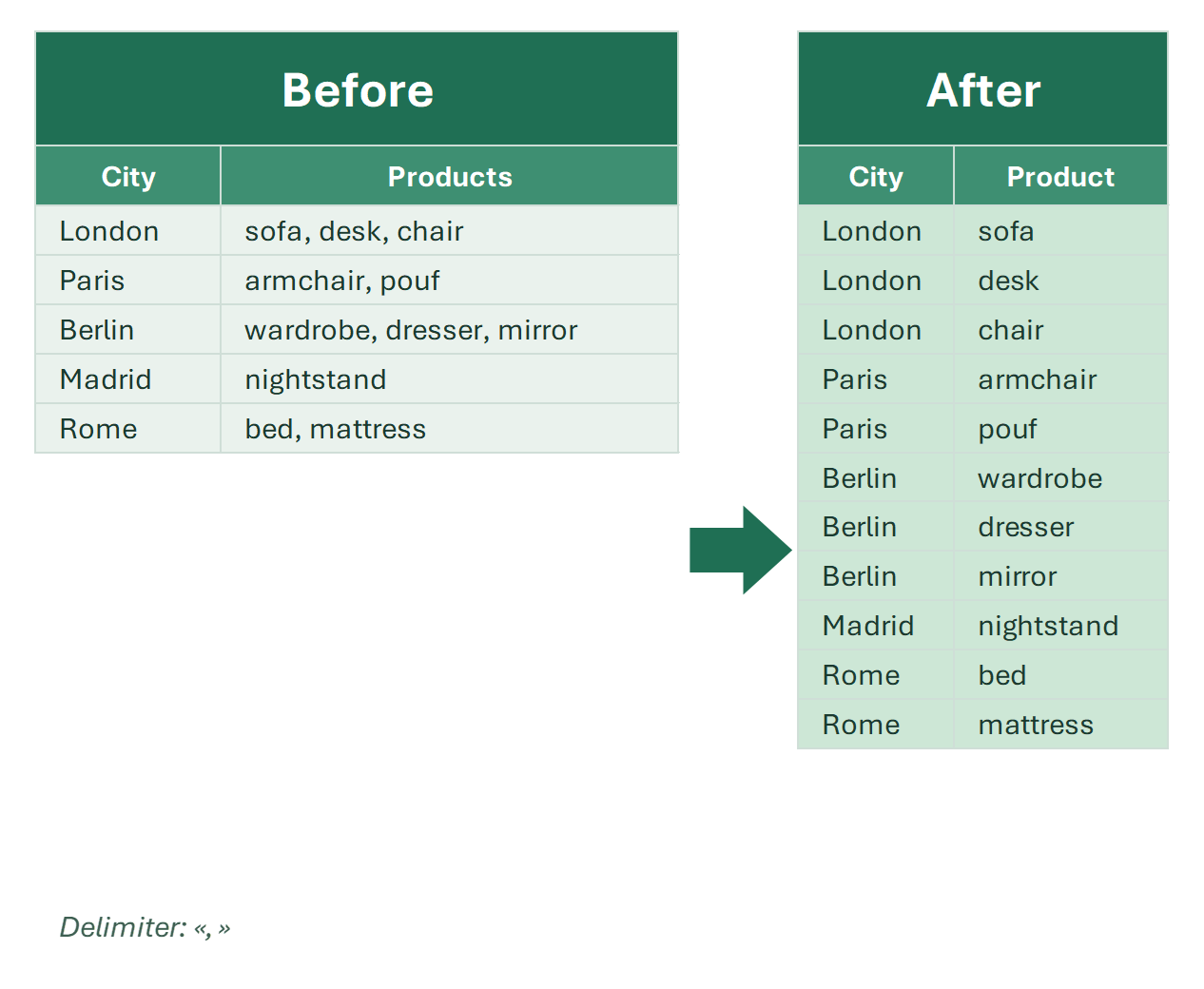
How to split a cell into multiple rows in Excel: TEXTSPLIT, a whole table with categories in one formula, Power Query and “Unpivot and split 2nd column” in !SEMTools.

Splitting a cell into rows in Excel means taking a cell with a list — “carrot, onion, potato” — and putting each value on its own row. For one cell, the formula…

7 min

Text translation in Excel

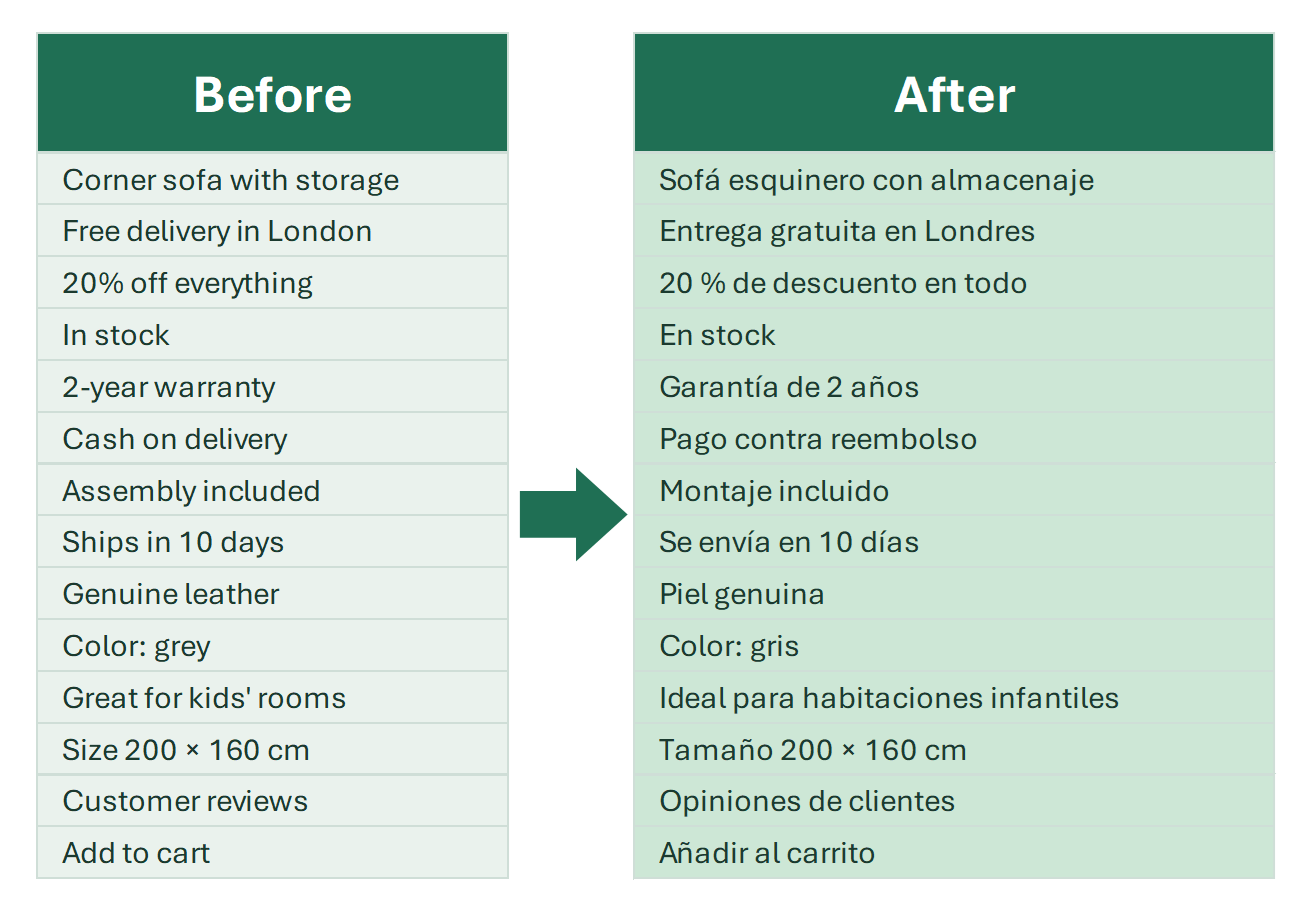
Translate text in Excel between 100+ languages: free functions, Microsoft Translator, Google Translate and DeepL APIs, AI models. Pros and setup.

An Excel translator can be useful for anyone localizing websites, application interfaces, or other large volumes of text. It’s also helpful when you have text…

3 min

Translate text in Excel with DeepL

Translate Excel cells with DeepL, one of the most accurate machine translators. Connect the DeepL API and translate a whole column with one tool.

DeepL is a translation service based on deep learning and neural networks—something you can guess from its name (Deep Learning).

Translate text in Excel with Google Translate

Translate whole columns with Google Translate in Excel: a GOOGLETRANSLATE equivalent, one-click translation tool and paid API setup.

Google Translate is a convenient tool for quick, high-quality text translation. However, the web version of the service is not very practical when you need to…

Extracting and counting

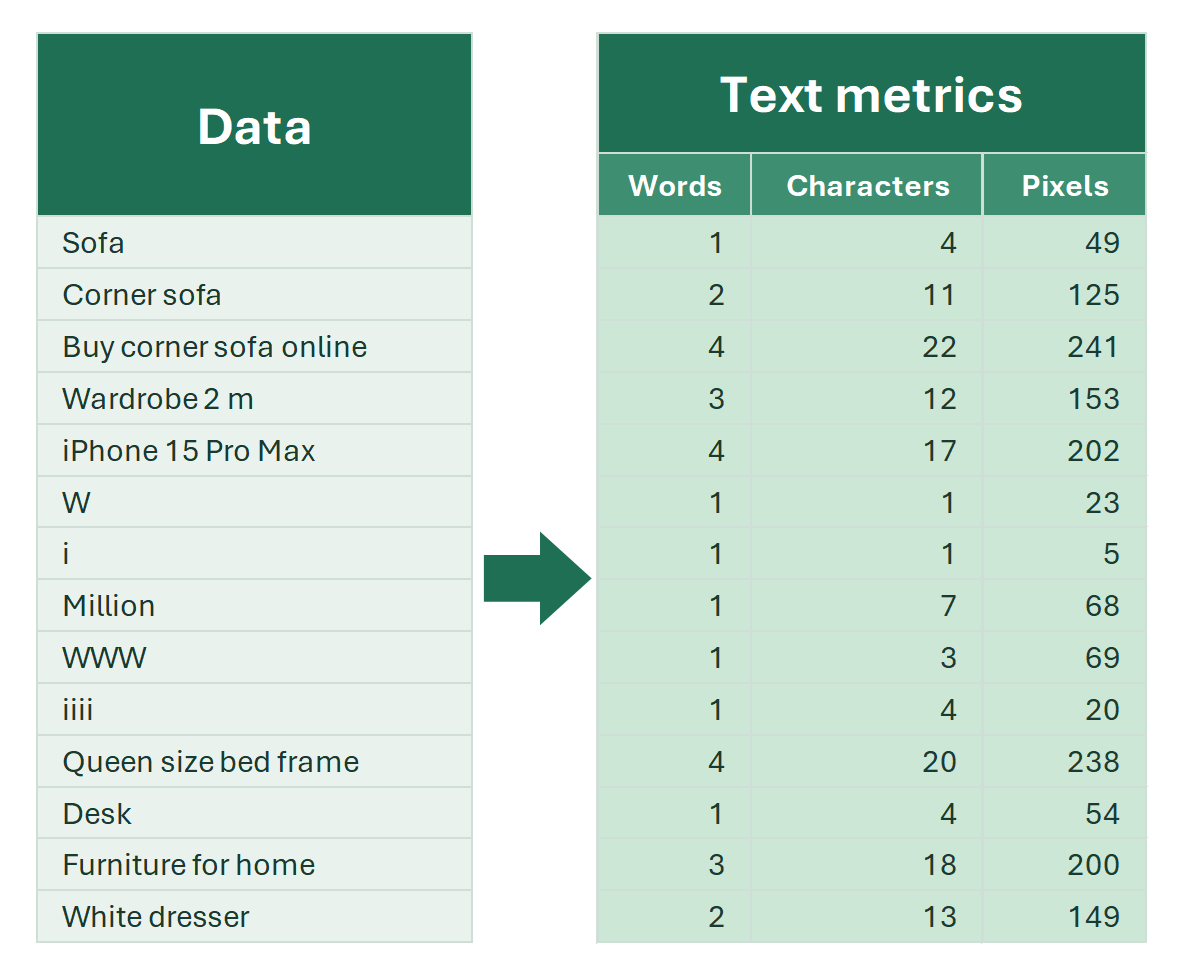
Count characters inside cells

Count characters in a cell or range with LEN, count specific characters or digits, and count characters across many cells at once with a tool.

Counting characters in Excel is often essential — the only question is which approach to use. The right method depends on your scenario and constraints.

6 min

Count words in Excel cells

Unlike Word, Excel can't count words natively. Formulas to count words in a cell, count specific words, and list unique words with frequency.

Excel doesn’t natively work with “words” as an entity — it only recognizes cells and the characters inside them. Spaces are just another character, not a…

6 min

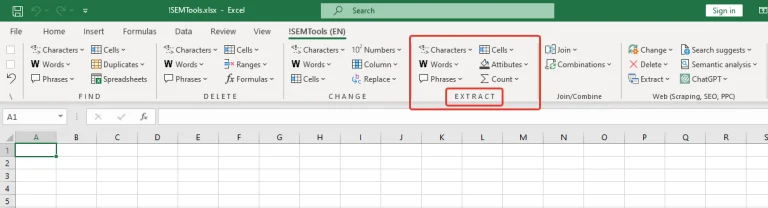
Data extraction tools in Excel

Tools to extract characters, words, phrases and cells that match a condition or criterion from Excel tables, with formula alternatives.

When working with data, you often need to select only those entries that meet a specific condition. The data can be very different – entire cell values or just…

4 min

Extract a given list of words from cells in Excel

Extract words from your own list or built-in marker lists out of Excel text — a task Excel can't do natively. Also list all unique words.

When working with large text datasets, there are times when you need to find words from a specific list in a column. But not just find them—if a cell contains…

3 min

Extract bold text from cells in Excel

Copy only the bold keywords from text pasted from external sources. A ready-to-use VBA function to extract bold text and sum values in bold cells.

Sometimes, when copying text from external sources, you may only need to extract the words that are in bold. Excel’s standard functions don’t provide a way to…

2 min

Extract characters by condition in Excel

Tools to extract characters from Excel cells by condition: numbers, letters, Latin or Cyrillic, by position or font style, with formula alternatives.

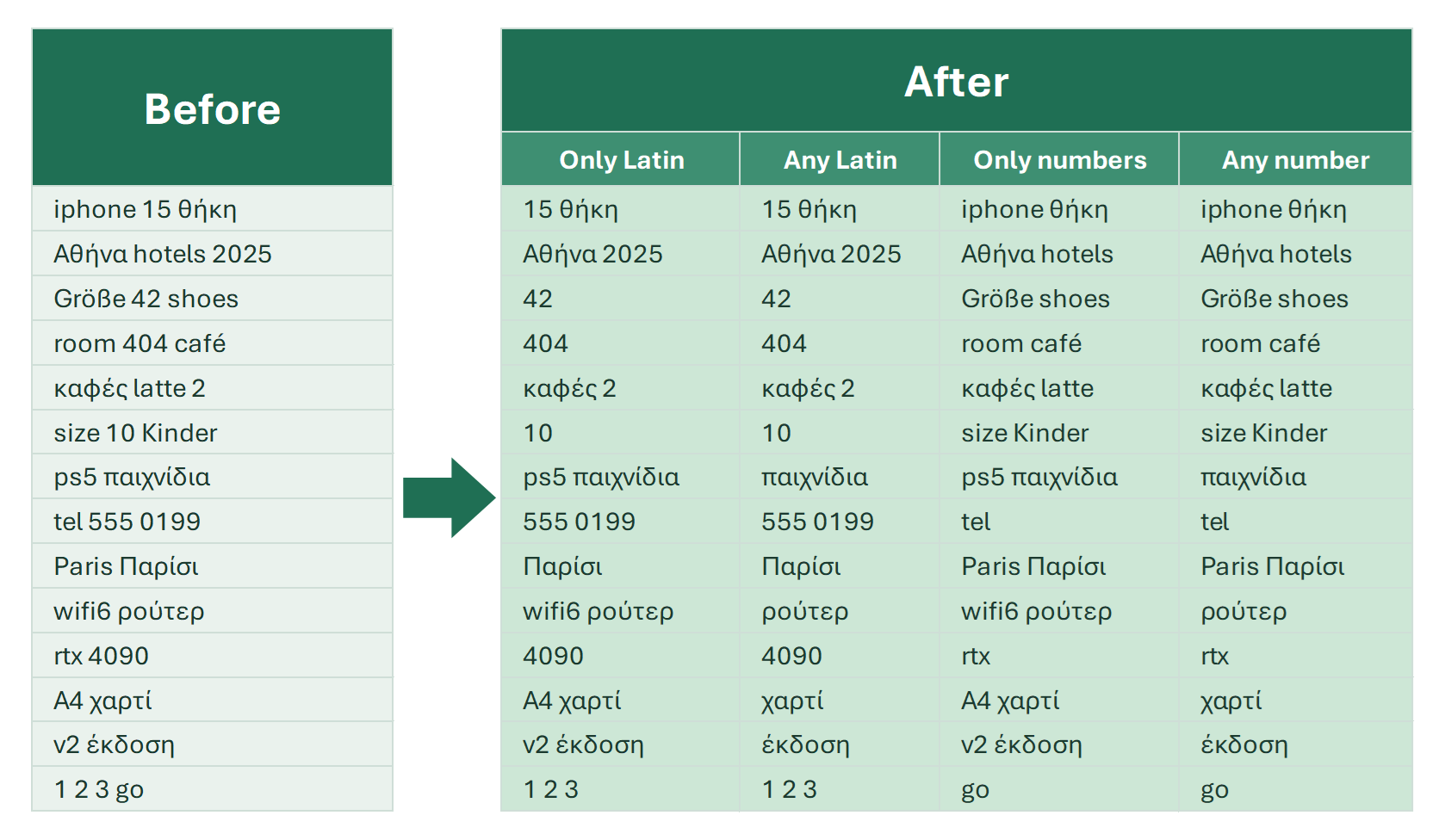
Sometimes just finding specific characters in Excel isn’t enough—you also need to extract them to use in your logic or analysis. That’s exactly what the Extract…

2 min

Extract characters by their position in the cell

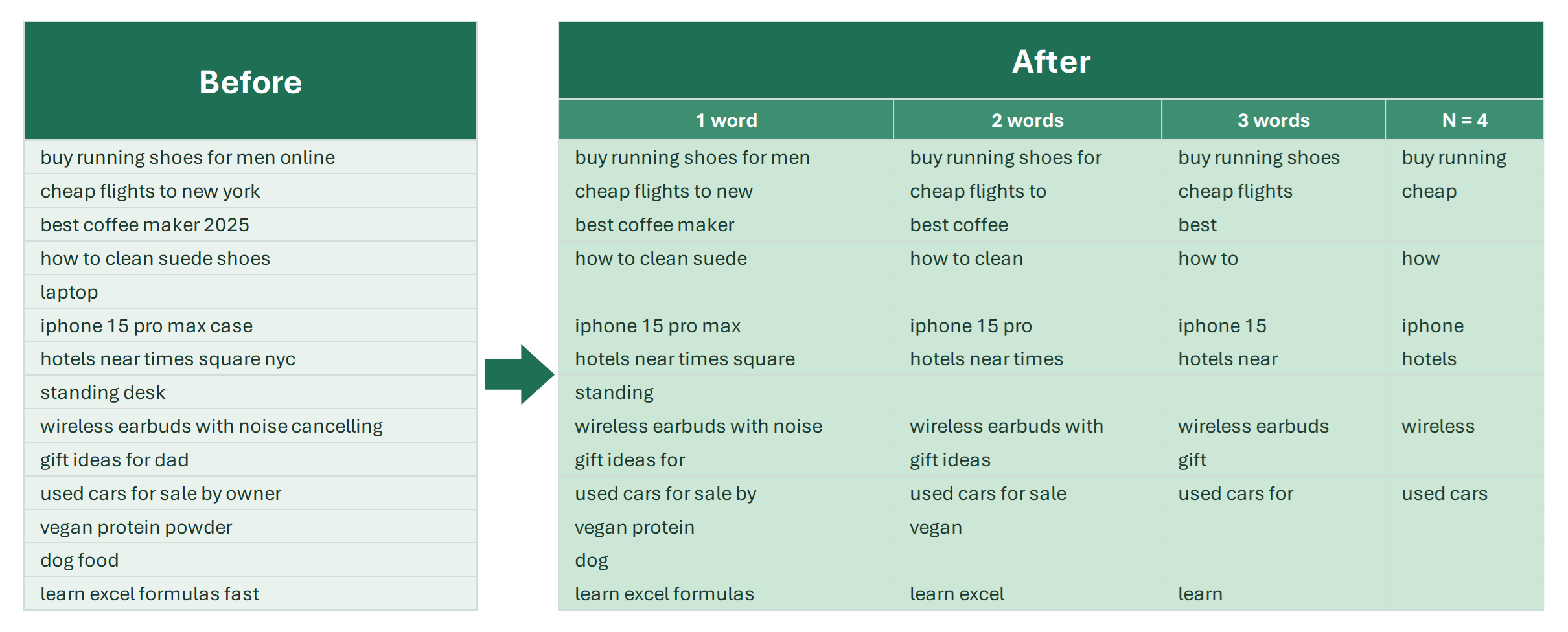
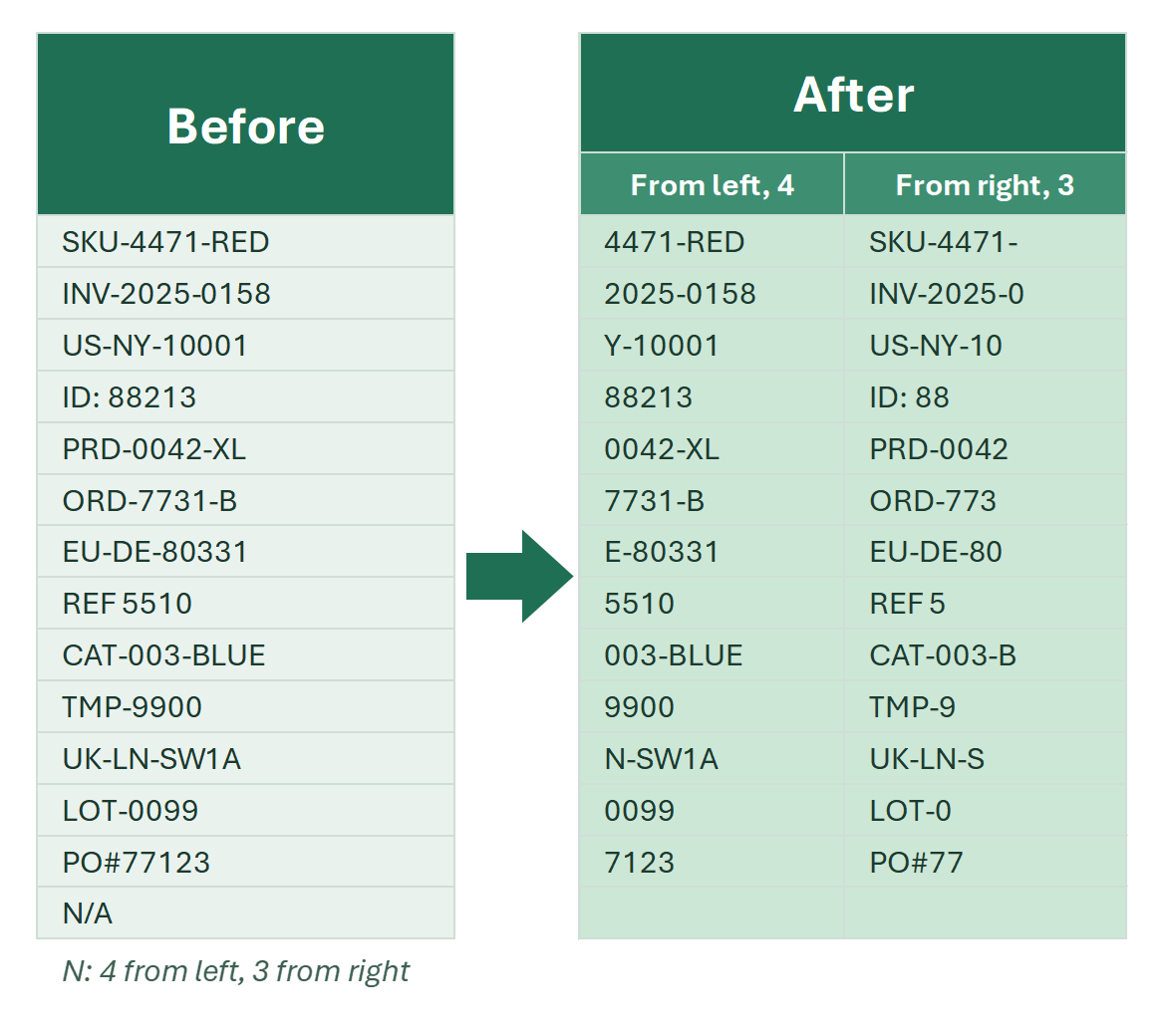
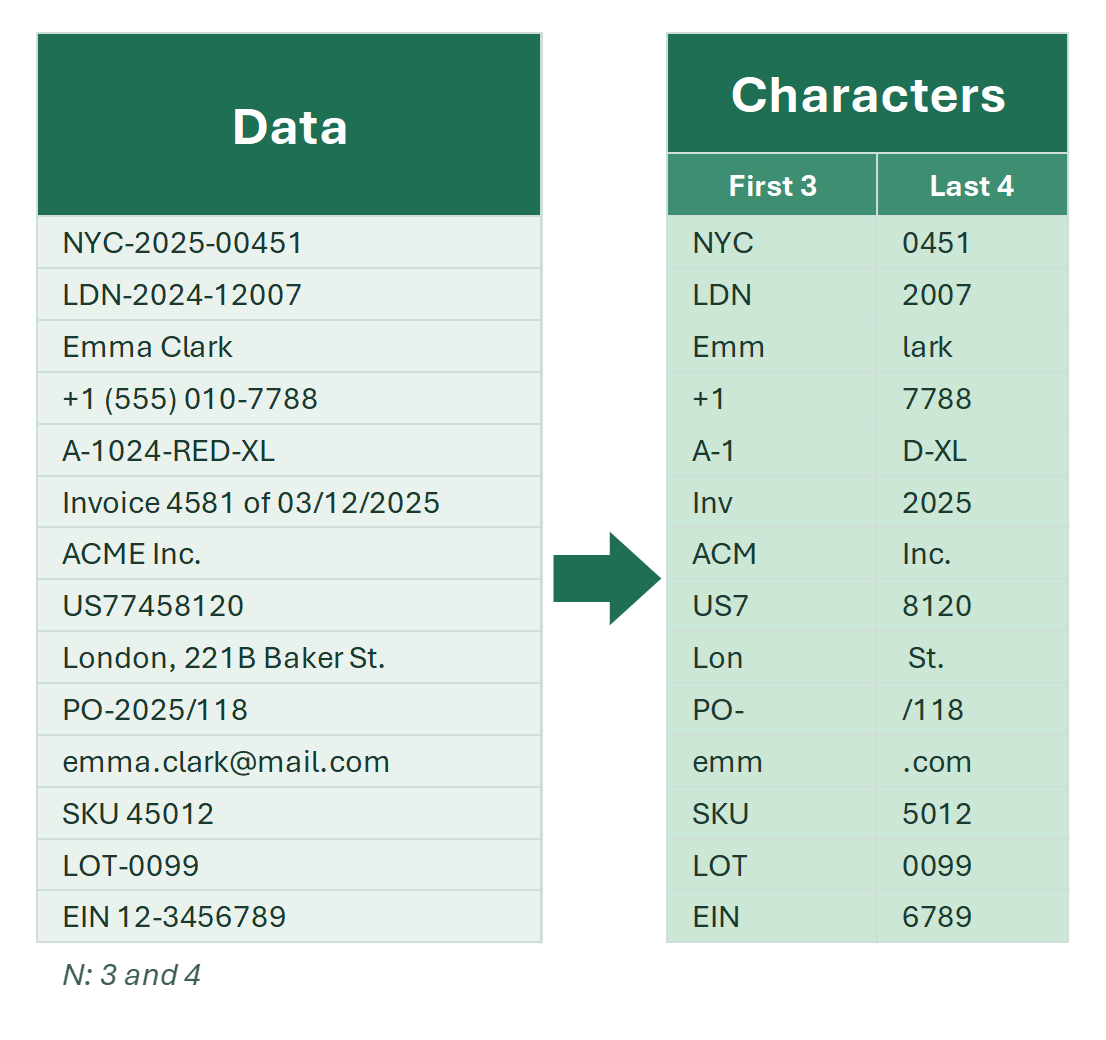
Take the first N, last N or any N characters in a row from a cell by position: LEFT, RIGHT and MID formulas and a one-click tool.

Extracting characters from a cell based on their position is a common task. Typically, the specific text segments one needs to extract

3 min

Extract first N characters in Excel

Keep the first character or first N characters of a cell: LEFT, Text to Columns, Flash Fill, regular expressions and a tool. Each method explained.

The simplest task is to take the first character from a cell and place it into a neighboring column. Or, keep only the first 2, 3, 4... N characters from it.

6 min

Extract last characters from cells in Excel

Extract or split off the last characters of cells in a column with the RIGHT formula or a one-click tool. A detailed step-by-step guide.

When working with text, you may often need to take the last characters from cells in a column and place them into a neighboring column. Or, you might want to…

3 min

Extract letters (Latin) in Excel

Pull English (Latin) letters out of Excel cells: letters only, words with single spaces, or names and brands. Regex, examples and a tool.

Latin alphabet characters (A–Z, a–z) are the most widely used writing system in the world. They are the foundation of English and many other major languages…

8 min

Extract numbers from cells in Excel

Remove everything except digits from text cells: an array formula, a custom function (UDF), regular expressions, or a two-click tool.

How can you remove all characters from text cells except numbers—essentially extracting just the numbers from them? There are several simple and more advanced…

Extract phrases from text in Excel

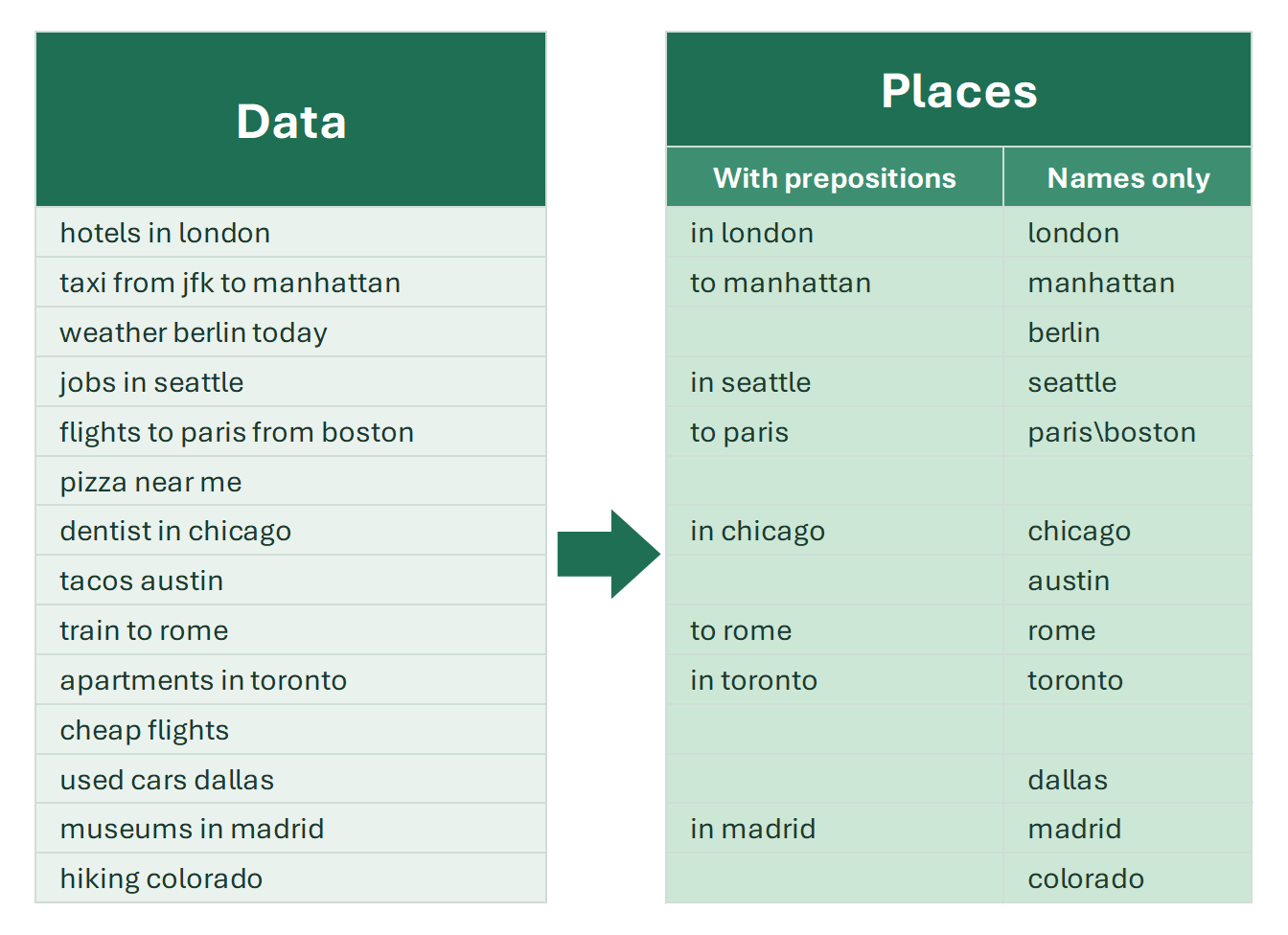
A tool to extract phrases from a list out of Excel data, including two-word city names and other toponyms, with or without prepositions.

Like extracting individual words, extracting phrases is not a built-in feature in Excel. Before you delete phrases from text, it’s important to make sure no…

Extract text after a character in Excel

Get the text after a comma, @ or the last slash in Excel cells: MID and SEARCH, TEXTAFTER in Excel 365, the REPT trick and a 2-click tool.

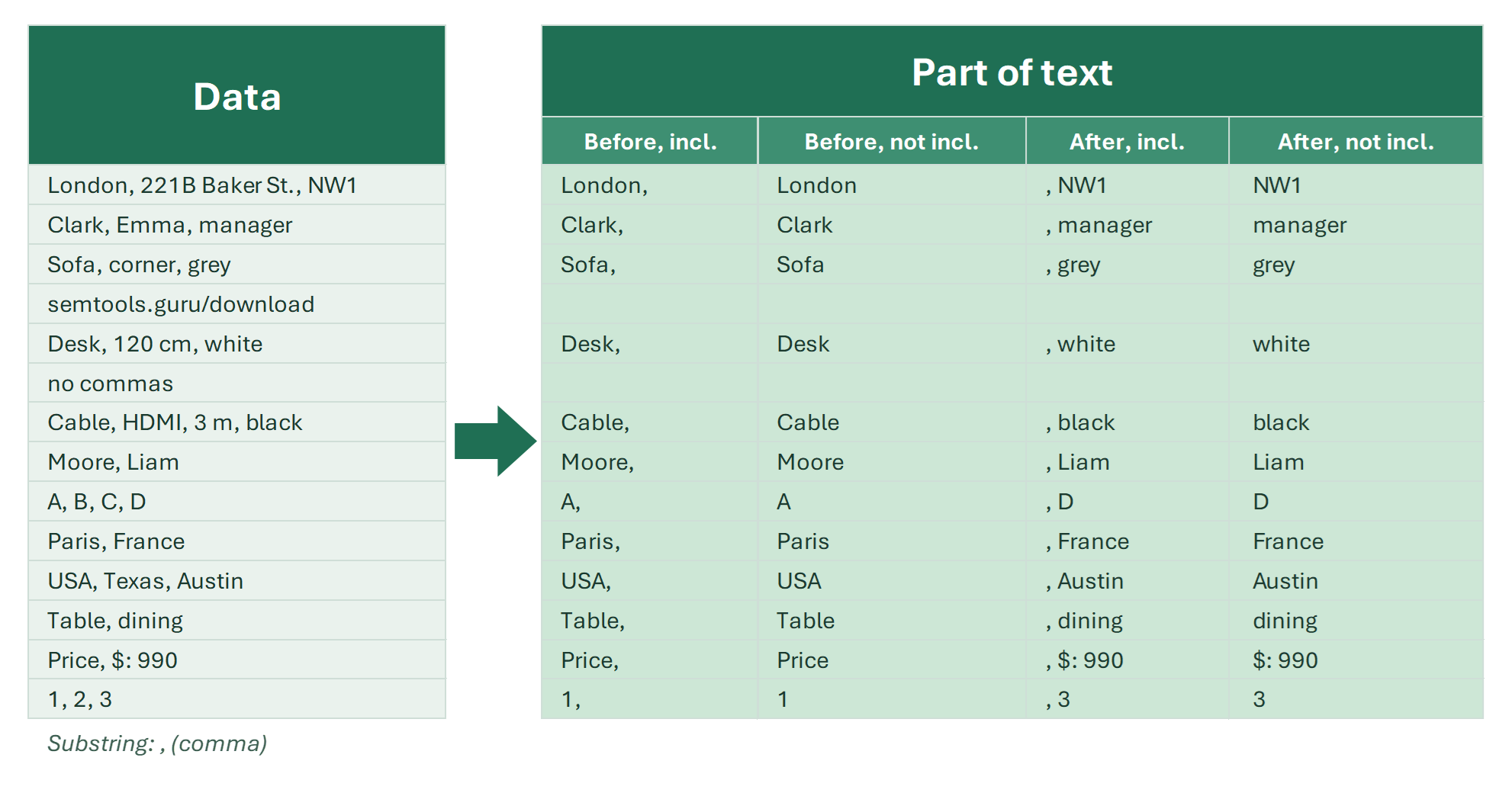
To extract text after a character in Excel, use =MID(A2,SEARCH(",",A2)+1,LEN(A2)), or =TEXTAFTER(A2,",") in Excel 365. It takes the tail of the string: a file…

6 min

Extract text before a character in Excel

Pull the text before a comma, space, @ or word out of Excel cells: LEFT and SEARCH, TEXTBEFORE in Excel 365, Text to Columns and a 2-click tool.

To extract text before a character in Excel, use =LEFT(A2,SEARCH(",",A2)-1), or =TEXTBEFORE(A2,",") in Excel 365. It takes the start of the string, such as a…

5 min

Extract words from text in Excel

Tools to extract words from Excel strings by position, Latin letters, digits, regular expression or matches with words from a list.

The menu will be needed in cases where you need to extract, pull words out of cells.

3 min

Get the first words of Excel cells

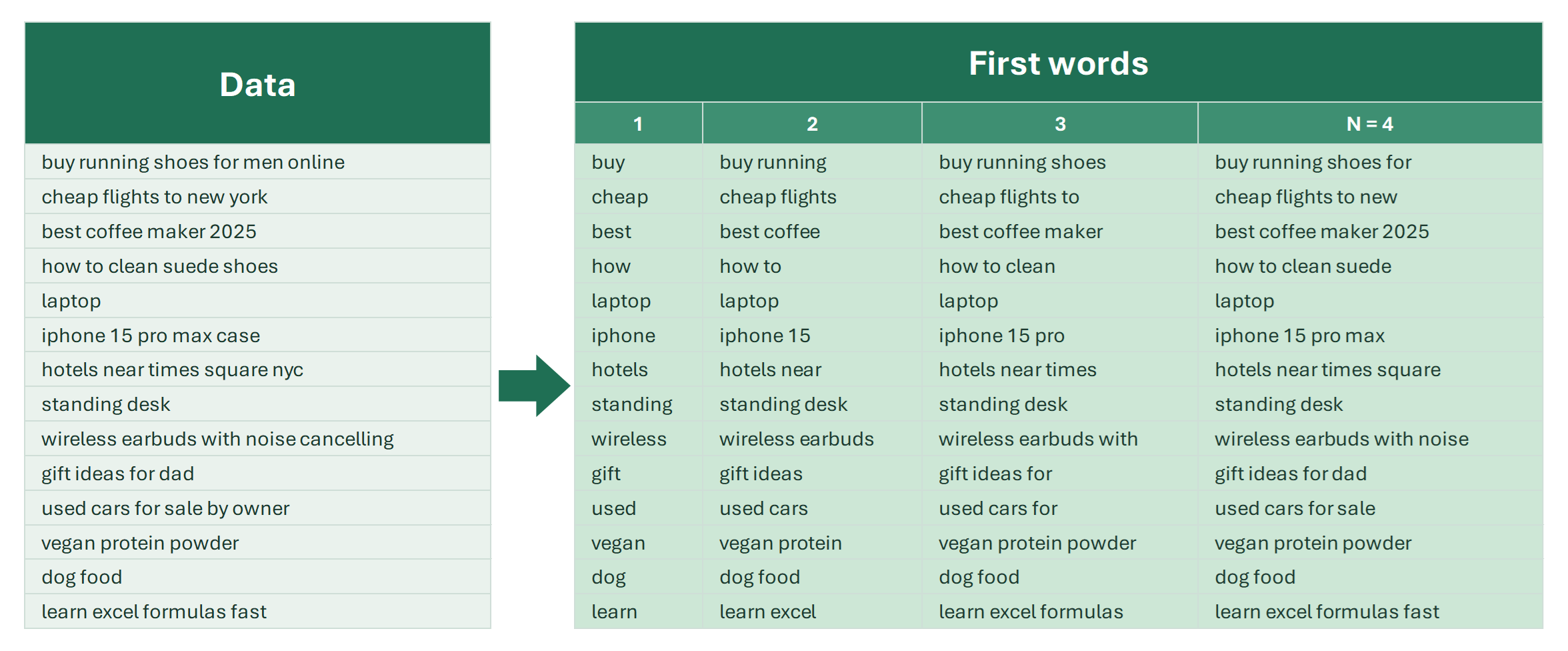
Get the first word, or first 2, 3 or N words, into a separate cell, keep only them in the original, or capitalize them. Formulas and a tool.

The first word of a cell, everything before the first space, often draws the attention of anyone who works with text data. You need to treat it as a separate…

9 min

SEO and PPC tools

QR code generator in Excel

How to create QR codes in Excel: the IMAGE formula with ENCODEURL in Microsoft 365, its drawbacks, and bulk QR code generation in any Excel version.

QR codes have become part of everyday life: we see them on business cards, tickets, product packaging and in business processes. They let you pass on a link or…

5 min

Slug generator in Excel: SEO-friendly URLs

How to turn page titles into SEO-friendly URL slugs in Excel: a REGEXREPLACE formula, transliterating diacritics, removing punctuation and stop words.

Human-readable URLs, or slugs, are an important element of SEO and user experience. The main requirements for a slug are simplicity, clarity and universality.…

Function reference

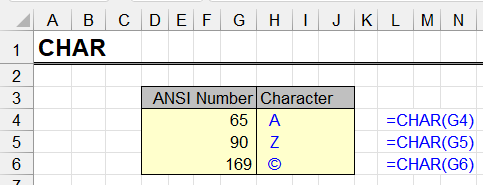
CHAR

The CHAR function returns a character by its ANSI code. Syntax, code table, line breaks with CHAR(10), and a trick to build an A–Z alphabet in Excel.

This function converts an integer to the character that corresponds to it in the current ANSI encoding used by the operating system.

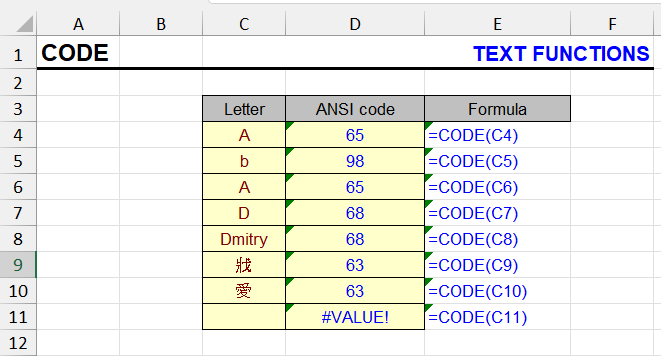
CODE

The CODE function returns the ANSI code of the first character in a string. Syntax, examples, and how to detect hidden characters.

This function returns the ANSI value of the first character in the input string. Simply put - it converts a letter to a number (which corresponds to it in the…

CONCATENATE

Join text from cells with the CONCATENATE function, & , CONCAT or TEXTJOIN. How to combine a date and text without the date turning into a number.

The function performs the concatenation operation.

EXACT

The EXACT function compares two strings and returns TRUE only on an exact, case-sensitive match. Syntax and examples for true duplicates.

This function compares two text items and determines if they are exactly the same.

FIND

The FIND function returns the position of text inside a string, case-sensitive. Syntax, examples, FIND vs SEARCH, and how to handle the #VALUE! error.

This function searches for text within another text fragment using case-sensitive search. This distinguishes it from the SEARCH function, despite having an…

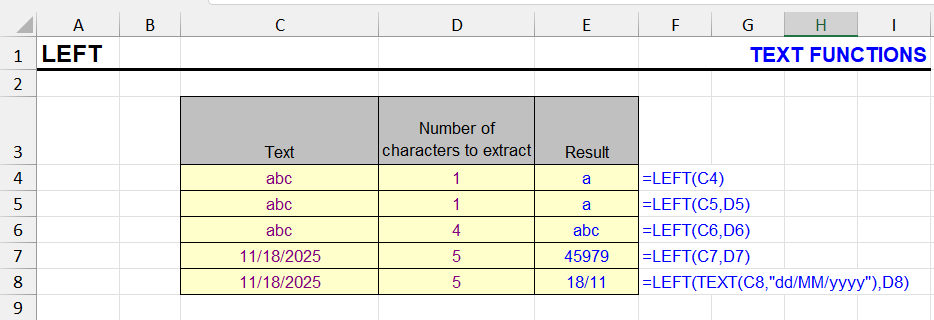
LEFT

The LEFT function extracts the first N characters of a string. Syntax, combinations with FIND and SEARCH, text before a character, array formulas.

Returns the first N characters of text from the left.

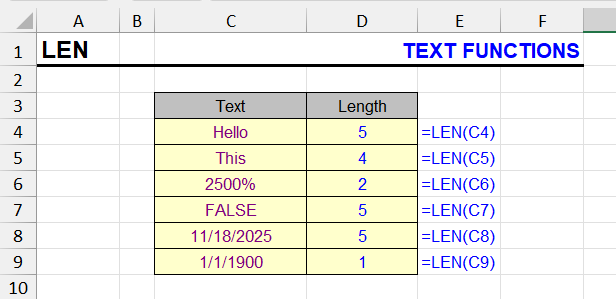
LEN

The LEN function counts characters in a cell, including spaces. Count specific characters and words, LEN with TRIM, and LEN in array formulas.

This function allows you to count the number of characters in a cell, including spaces and numbers, in this string expression. Pay attention to the examples…

LOWER

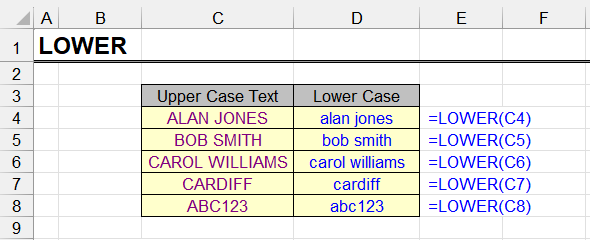
The LOWER function converts text to lowercase. Syntax, examples, combining with UPPER and PROPER, and making only the first letter uppercase.

The LOWER function converts all letters in the value passed to it to lowercase. Everything that has no case, such as digits, punctuation and spaces, stays as it…

MID

The MID function extracts a substring from a given position. Syntax, combinations with FIND and SEARCH, text between characters, array formulas.

MID extracts a text fragment from the middle of a text string.The function needs to know at which position the fragment to extract begins and how many…

PROPER

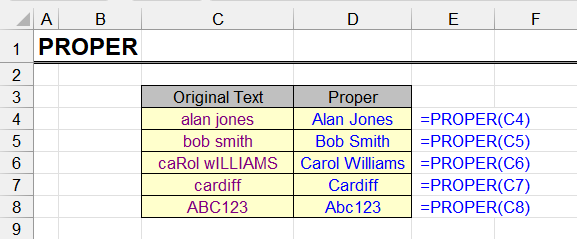
The PROPER function capitalizes the first letter of every word. Syntax, examples, issues with apostrophes and abbreviations, and how to fix them.

This function converts the first letter of each word to uppercase and all subsequent letters to lowercase.

REGEXEXTRACT

The REGEXEXTRACT function in Excel 365: syntax and return modes, how to extract a number, email, phone and text after a label with regular expressions — with examples.

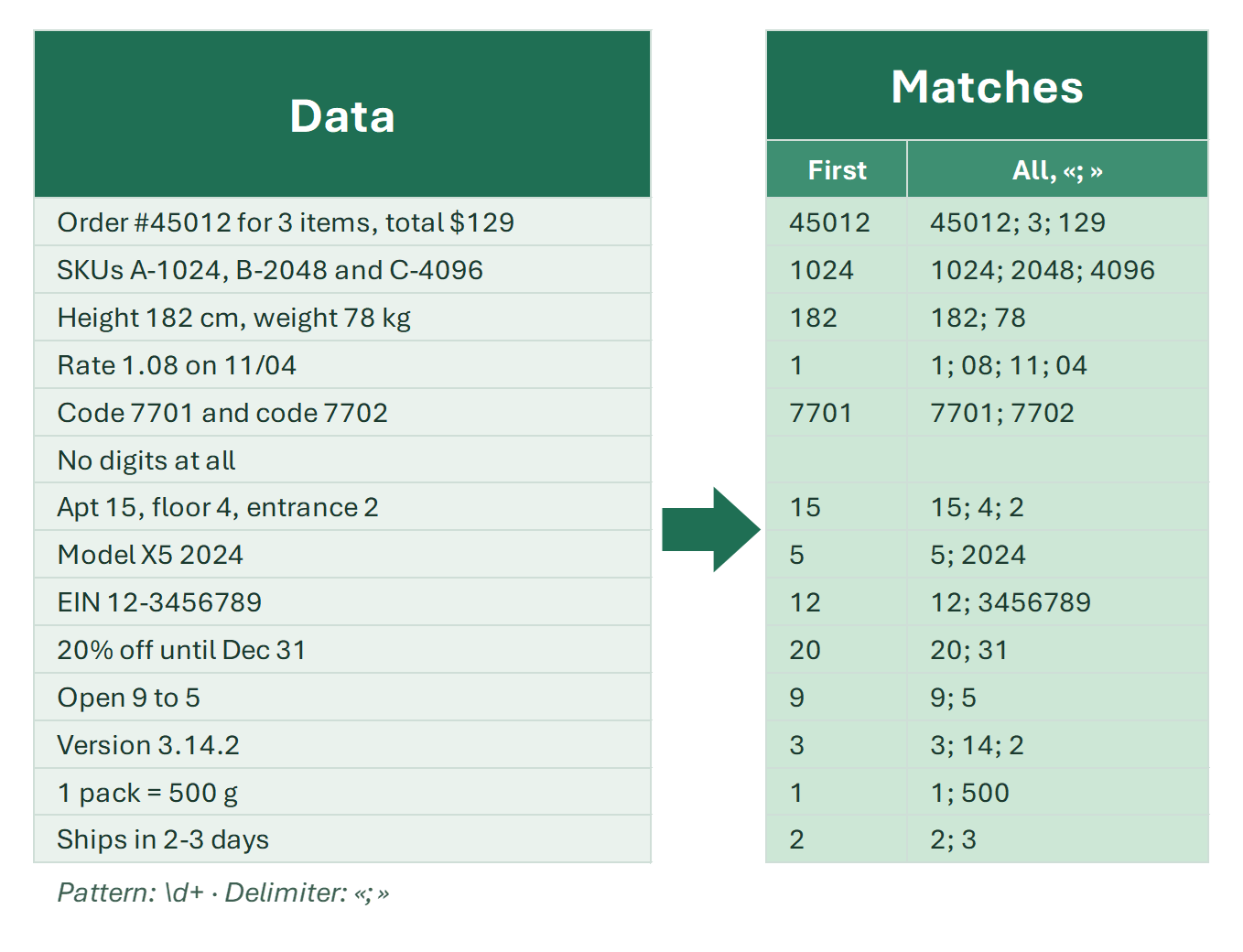
The REGEXEXTRACT function in Excel pulls out the part of a text that matches a regular expression: =REGEXEXTRACT(A2,"\d+") returns the first number in a cell…

REGEXREPLACE

The REGEXREPLACE function in Excel 365: syntax, removing digits and characters, Nth occurrence, $1 $2 groups and masking data with regular expressions — with examples.

The REGEXREPLACE function in Excel replaces the parts of a text that match a regular expression: =REGEXREPLACE(A2,"\d","") removes all digits from a cell…

REGEXTEST

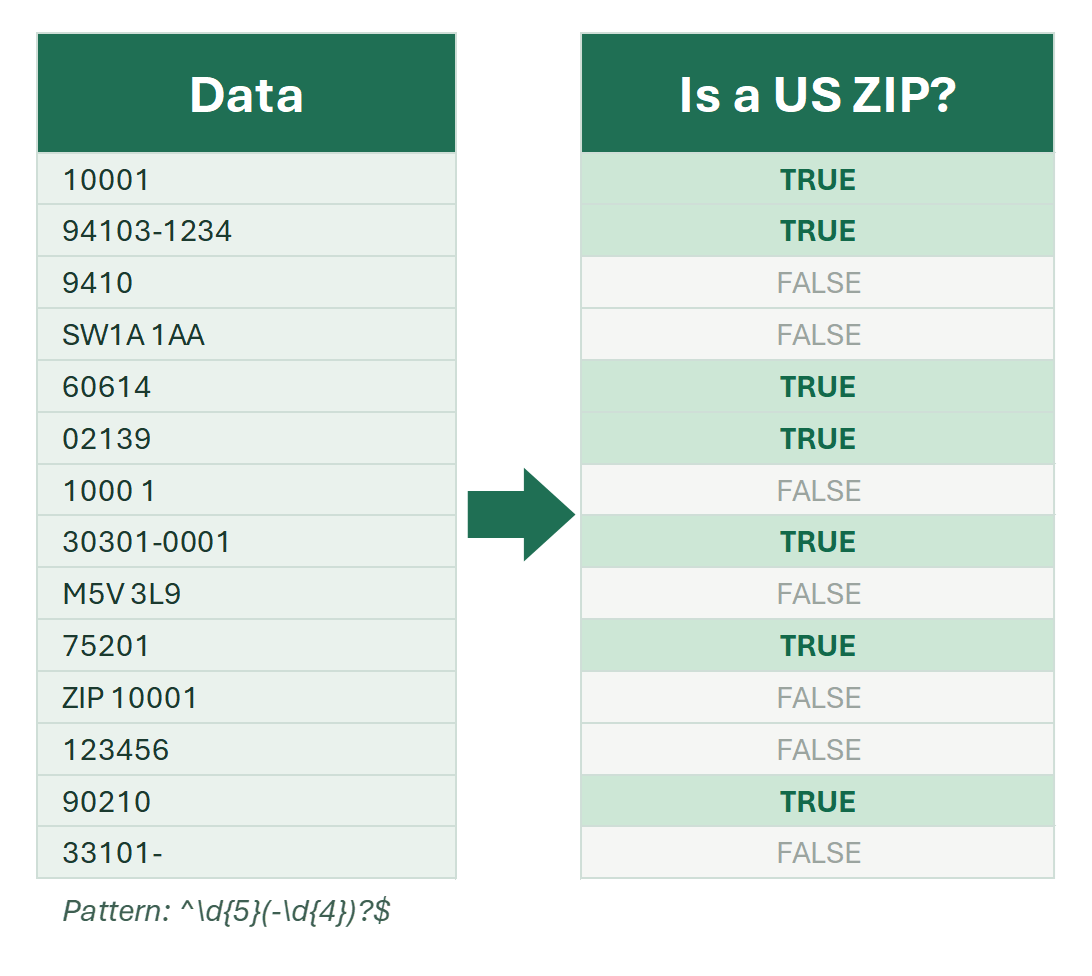
The REGEXTEST function in Excel 365: syntax, validating phone numbers, emails and ZIP codes with regular expressions, IF, FILTER and counting — with interactive examples.

The REGEXTEST function in Excel checks whether text matches a regular expression and returns TRUE or FALSE: =REGEXTEST(A2,"\d") tells you whether a cell…

REPLACE

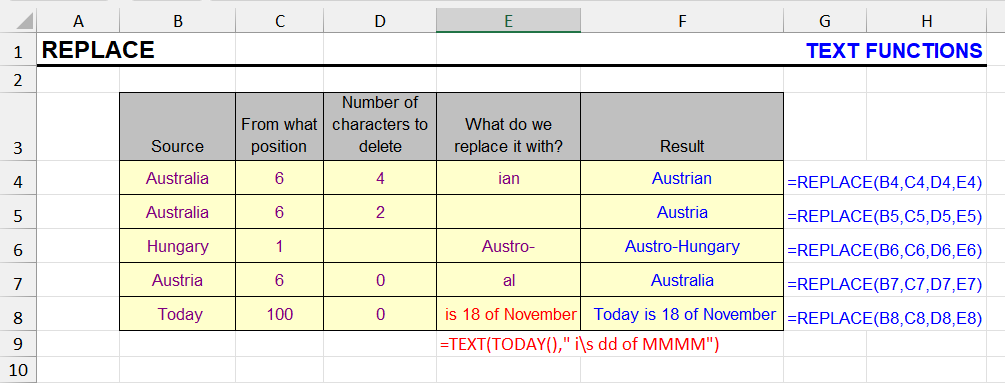
The REPLACE function swaps part of a string at a given position with new text. Syntax, examples, and REPLACE vs SUBSTITUTE.

REPLACE is a text function that allows you to replace part of a string with different text at a specified position. This is especially useful when you need to…

REPT

The REPT function repeats a text string a given number of times. Syntax and examples: padding with zeros, in-cell bar charts and separators.

This function repeats a text fragment a specified number of times.

RIGHT

The RIGHT function extracts the last N characters of a string. Syntax, getting text after a character, and RIGHT combined with LEN and FIND.

The RIGHT function returns the rightmost part of the referenced value, with the specified number of characters. In other words, it allows to extract the last N…

SEARCH

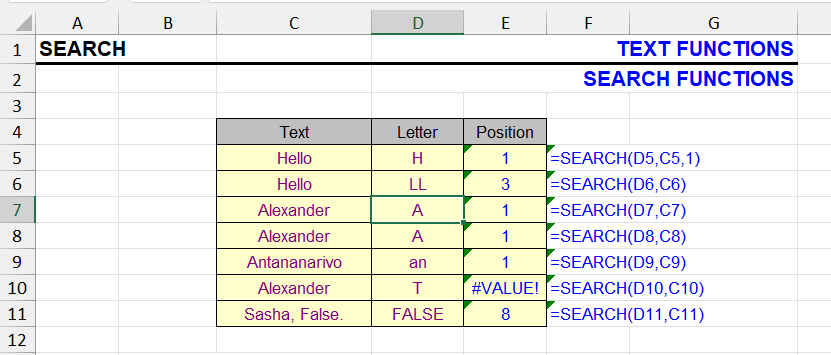
The SEARCH function finds the position of text in a string, not case-sensitive, with wildcards. Syntax, SEARCH vs FIND and ISNUMBER checks.

This function is similar to the FIND function and also searches for a substring within a string. When the search text is found, its position in the text is…

SUBSTITUTE

The SUBSTITUTE function replaces all or the Nth occurrence of text. Nested SUBSTITUTE for several values, removing characters, counting occurrences.

The SUBSTITUTE function allows replacing all occurrences or the Nth occurrence of a substring in text with another text. The substring can be either a single…

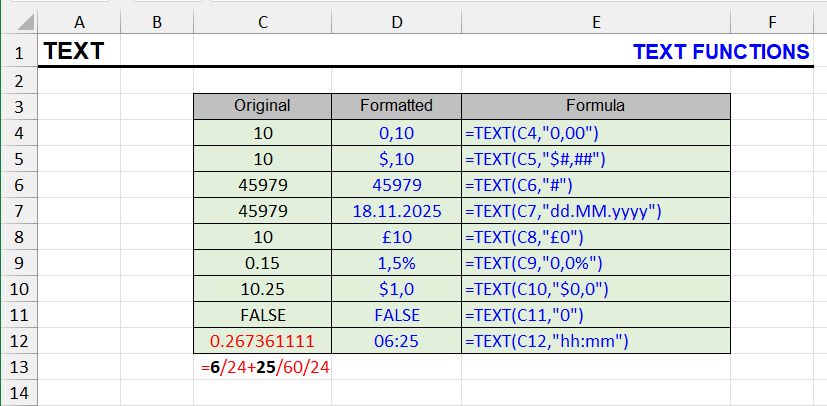
TEXT

The TEXT function formats numbers, dates and times as text with custom codes. Syntax, format code table, leading zeros and joining formatted values.

The TEXT function converts a number to text in a specified number format.

TEXTSPLIT function

The Excel TEXTSPLIT function: syntax, split a full name into columns, text into rows, several delimiters, #N/A and pad_with — with interactive examples and the Google Sheets SPLIT equivalent.

The TEXTSPLIT function splits the text in a cell by a delimiter and spills the parts into neighboring cells: =TEXTSPLIT(A2," ") turns “John Michael Smith” into…

TRIM

The TRIM function removes leading, trailing and repeated spaces. Syntax, examples, and how to remove the non-breaking spaces TRIM leaves.

The TRIM function allows you to remove extra spaces from text.

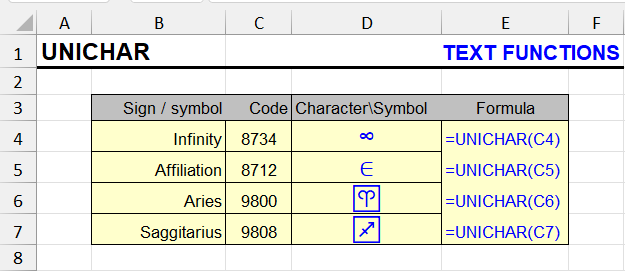
UNICHAR

The UNICHAR function returns a Unicode character by code: arrows, checkmarks, emoji, special symbols. Syntax, codes and UNICHAR vs CHAR.

The UNICHAR function returns a character from the UNICODE table by its numeric code. It's especially useful when you need to insert special characters that…

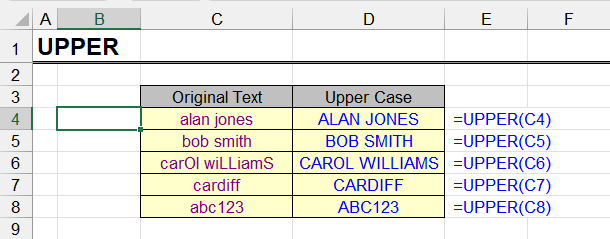
UPPER

The UPPER function converts lowercase letters to capitals. Syntax, interesting examples, and how to change case without formulas across a range.

This function allows converting lowercase (small) letters to uppercase (capital), in other words, converting them to upper case. Characters already in upper…

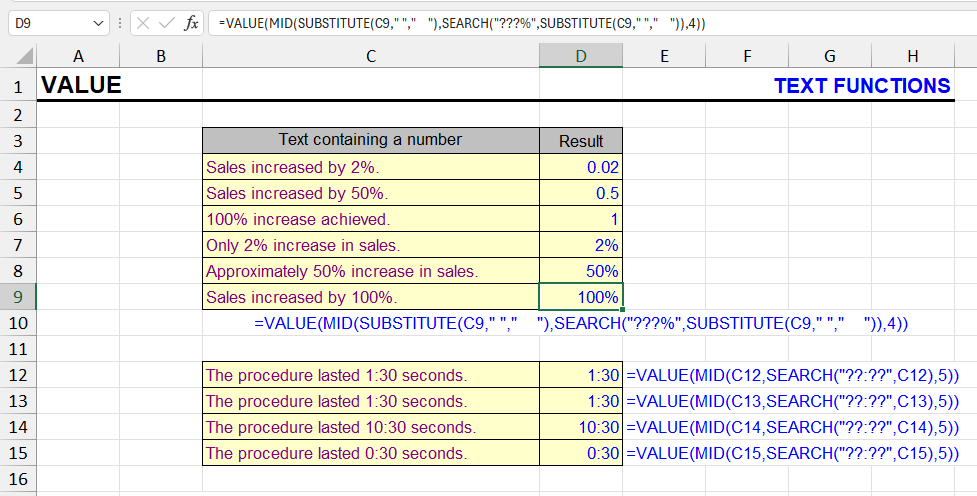
VALUE

The VALUE function converts numbers stored as text into real numbers. Syntax, examples, regional separators, and other ways to fix text-formatted numbers.

This function converts a piece of text that resembles a number into an actual number.

Excel basics

Count cells with numbers in Excel

How to count digits in cells even when other characters are present, and how to count cells that contain only numbers or any digits.

When working in Excel, you often need to determine how many cells in a range contain numbers. This can be useful for cleaning imported datasets, validating…

Count characters in a range of cells in Excel

How to count characters in several Excel cells at once: LEN, SUM(LEN) and SUMPRODUCT, without spaces, a specific character, and cells longer than N.

Counting characters in Excel cells is quite simple when there are no extra conditions. As soon as they appear, you may need compound formulas and some extra…

Find the position of the first number in a cell

Formulas to find the position of the first digit in a text cell in Excel: MATCH with ISERR, MIN with SEARCH, XMATCH and regex in Excel 365.

We’ve already learned how to find the position of the first letter in a cell. The formula for the position of the first digit works on a similar principle: it…

5 min

How to create the alphabet in Excel

How to list the alphabet A to Z in Excel: CHAR with ROW or SEQUENCE, the next letter with CHAR and CODE, column letters, other alphabets and AutoFill.

A common task is to quickly list all the letters of the alphabet in rows or columns: A, B, C… for headers, labels, test data or seat numbers.

7 min

How to find, replace and remove asterisks in Excel

Why Find and Replace deletes all data when you remove the asterisk (*) in Excel, how to escape it with a tilde (~*), and the asterisk in formulas.

When processing text in Excel, you often need to remove punctuation and other unwanted characters. Usually it’s done with Find and Replace: a universal…

4 min

How to split cells in Excel

How to split a cell in Excel: Text to Columns, first and last names into separate cells, formulas, diagonal split, merged cells and splitting into rows — step by step with interactive examples.

How you split a cell in Excel depends on what you mean by “cell”. To split its contents into several cells — a full name into three columns, or “city, street…

11 min

Search from the end of a string in Excel

How to find the last occurrence of a character in an Excel cell: SUBSTITUTE trick, MAX and MATCH array formulas, XMATCH and TEXTAFTER in Excel 365.

Finding the position of the last occurrence of a value inside an Excel cell is a surprisingly hard task. Yet sometimes you need it, for example to remove or…

9 min

Special characters in Excel

All Excel special characters: the $ sign and absolute references, quotes and the exclamation mark in formulas, square brackets, =, commas and colons, wildcards * ? ~, # @ { } — with examples.

Everyone means something different by “special characters in Excel”. Different groups of characters have different special properties, and that’s why users call…

18 min

Other articles

Joining and splitting data tools for Excel

Tools to join data with or without separators and generate combinations and permutations of words and phrases in Excel.

Perhaps the least popular section of the add-in, but nevertheless quite interesting. It is responsible for generating data from other data by joining and…

3 min