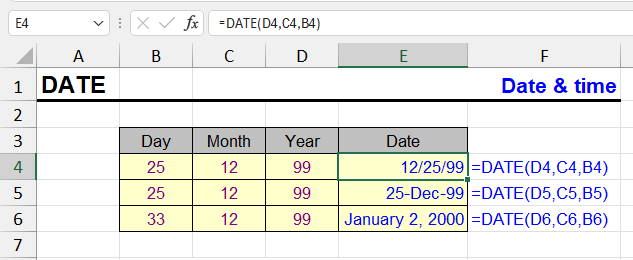
| Function category | Date and time functions |
| Volatility | Non-volatile |
| Similar functions | TODAY, NOW, DATEVALUE |
What does the DATE function do
The DATE function constructs a date from three numbers: year, month, and day. This is the most reliable way to create a correct date in Excel, especially when date components are in different cells.
=DATE(year,month,day)When to use the DATE function
- When year, month, and day are in different cells or calculated by formulas
- When building start and end dates for periods
DATE formula examples
Several simple examples.
1. Simple date
=DATE(2025,7,25)Returns date 07/25/2025
2. Date from cells
=DATE(A1,B1,C1)| A | B | C | D | E | |
|---|---|---|---|---|---|
| 1 | Year | Month | Day | DATE | Serial number |
| 2 | 2025 | 7 | 25 | 07/25/2025=DATE(A2,B2,C2) | 45863=D2*1 |
| 3 | 2025 | 12 | 31 | 12/31/2025=DATE(A3,B3,C3) | 46022=D3*1 |
| 4 | 2024 | 2 | 29 | 02/29/2024=DATE(A4,B4,C4) | 45351=D4*1 |
| 5 | 2026 | 10 | 22 | 10/22/2026=DATE(A5,B5,C5) | 46317=D5*1 |
DATE returns a real date — a day number since 1900 (column E) — so it can be sorted, subtracted and formatted, unlike text that only looks like a date.
If A1 = 2025, B1 = 12, C1 = 31 → result: 12/31/2025
3. Last day of month
Day 0 of a month is interpreted by Excel as the last day of the previous month. In this sense, it serves as an alternative to the EOMONTH function.
=DATE(2024,2+1,0)| A | B | C | |
|---|---|---|---|
| 1 | Formula | Result | Why |
| 2 | =DATE(2024,2+1,0) | 02/29/2024=DATE(2024,2+1,0) | day 0 of March = last day of February |
| 3 | =DATE(2025,2+1,0) | 02/28/2025=DATE(2025,2+1,0) | not a leap year |
| 4 | =DATE(2024,13,1) | 01/01/2025=DATE(2024,13,1) | month 13 = January of next year |
| 5 | =DATE(2024,1,0) | 12/31/2023=DATE(2024,1,0) | day 0 of January |
| 6 | =DATE(2024,1,45) | 02/14/2024=DATE(2024,1,45) | 45 days from Dec 31 |
| 7 | =DATE(25,7,1) | 07/01/1925=DATE(25,7,1) | 2-digit year → 1925! |
Extra months and days roll over into the next month or year, and day 0 steps back to the last day of the previous month. A two-digit year is the trap: it lands in the 1900s.
Alternatives to the DATE function
- DATEVALUE(text) — if the date is given as text
- TODAY() — current date
- EOMONTH — end of month (current)
DATE errors and pitfalls
- Month can be greater than 12 or less than 1 — Excel will recalculate the date. For example:
=DATE(2024,13,1)Result: 01/01/2025
- Days and months below 1 go back in time: =DATE(2024,1,0) is 12/31/2023, =DATE(2024,0,1) is 12/01/2023
- Years from 0 to 1899 are added to 1900: =DATE(25,7,1) returns 07/01/1925, not 2025. Always use four-digit years. A year above 9999, or a result before 01/01/1900, returns #NUM!
Other Date and Time functions in Excel
TIMEVALUE, TIME, YEAR, DATEVALUE, EDATE, DAY, WEEKDAY, YEARFRAC, EOMONTH, MONTH, MINUTE, WEEKNUM and ISOWEEKNUM, WORKDAY, DATEDIF, TODAY, SECOND, NOW, HOUR, NETWORKDAYS
Like the article? Help its author! Buy !SEMTools, it has lots of useful instruments to process text data.